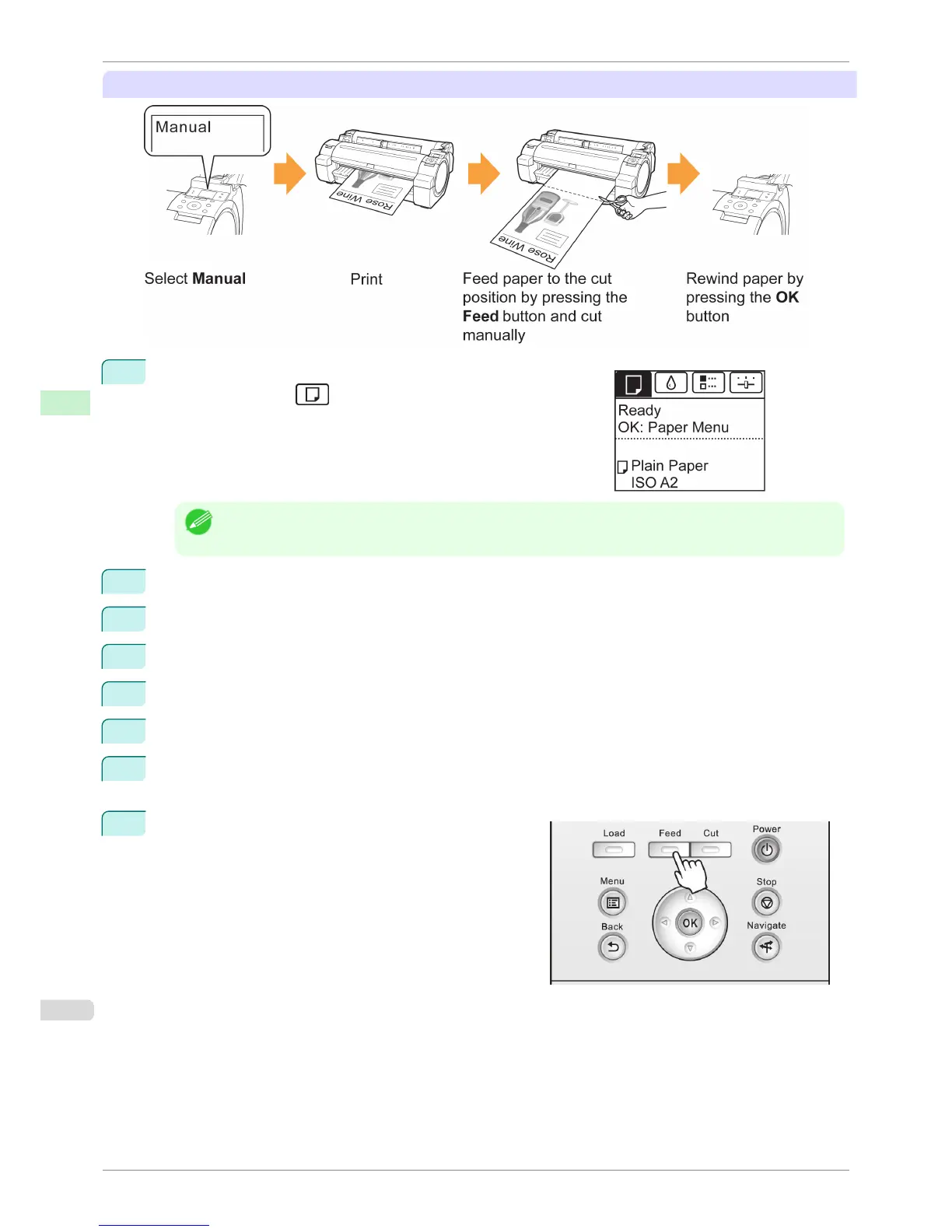
Manual (when using media that cannot be cut with the Cutter Unit)
1
On the Tab Selection screen of the Control Panel, press
◀ or ▶ to
select the Paper tab (
).
Note
• If the Tab Selection screen is not displayed, press the Menu button.
2
Press the OK button. The Paper Menu is displayed.
3
Press ▲ or ▼ to select Paper Details, and then press the OK button.
4
Press ▲ or ▼ to select the type of paper, and then press the OK button.
5
Press ▲ or ▼ to select Cutting Mode, and then press the OK button.
6
Press ▲ or ▼ to select Manual, and then press the OK button.
7
Starts printing.
The printer stops advancing the paper after printing.
8
Press the Feed button.
Roll paper is fed to the specified cut position and then au-
tomatically stopped.
Specifying the Cutting Method for Rolls
iPF760
User's Guide
Handling Paper Handling rolls
412















 To Next Page