2
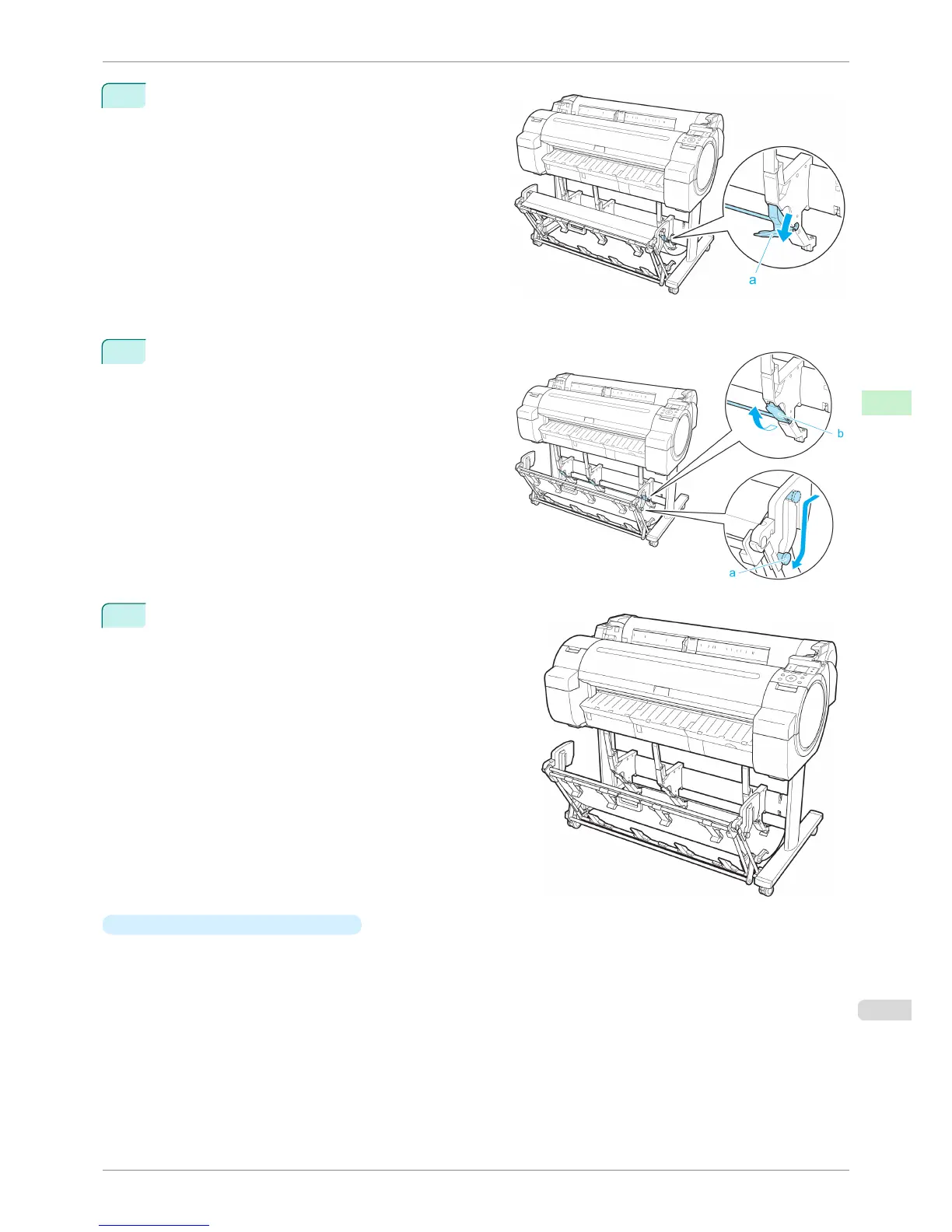
When using 24-inch or A1 (portrait) roll paper, pull out
the Adjustable Stopper (a). This completes the proce-
dure for switching to Extended position A.
Once the printing has finished, use the following procedure to return to the regular position.
1
Lower the Support Rod to the position shown (a) to
return to the regular position. If the Adjustable Stop-
per (b) is extended, retract it.
2
Return to the regular position.
•
Switching to Extended position B
Switch the stacker to Extended position B as follows.
iPF760
Using the Output Stacker
User's Guide
Handling Paper Output Stacker
425















 To Next Page