Remove the Ink Tank
1
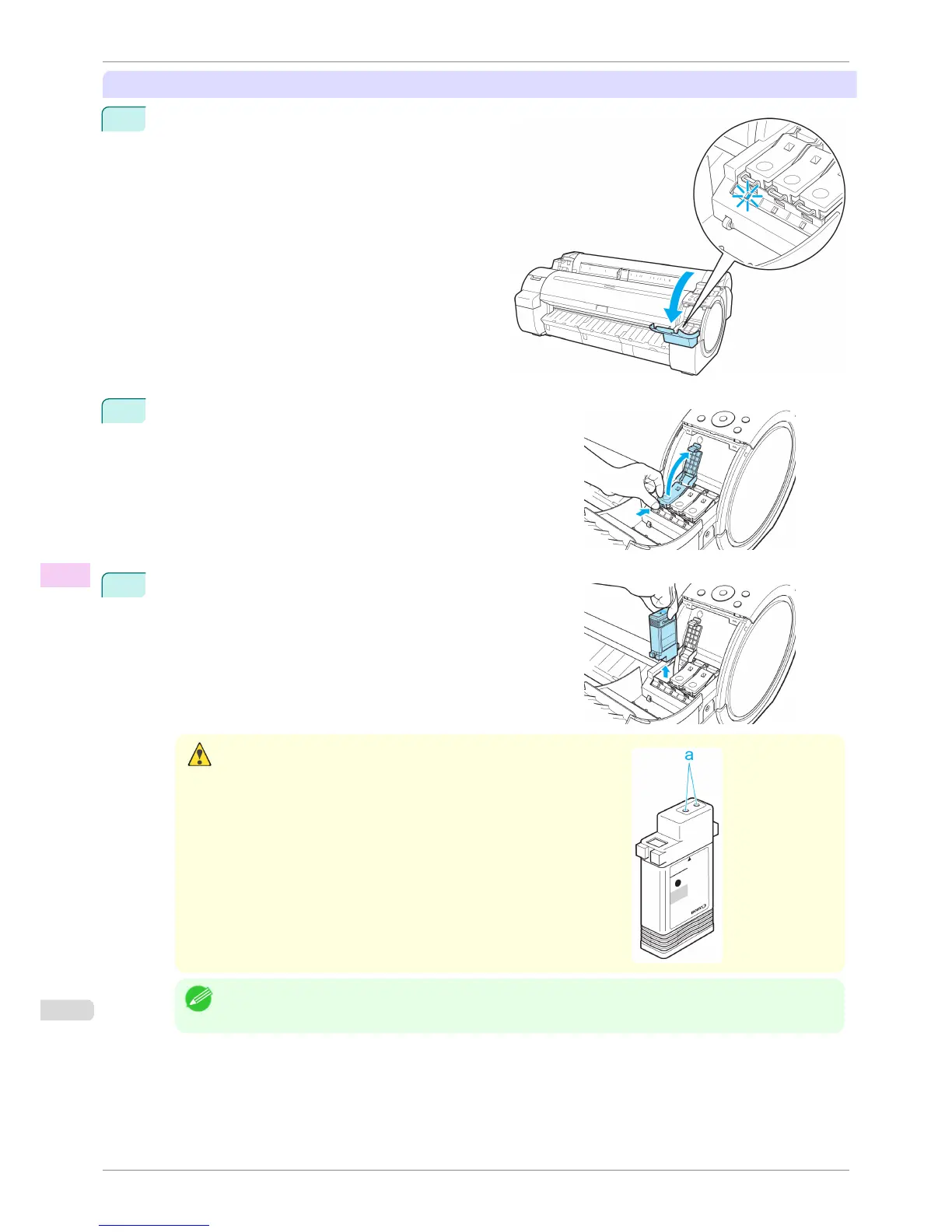
Open the Ink Tank Cover and check the ink lamps.
Ink lamps flash when there is little ink left.
2
Press the tip of the Ink Tank Lock Lever of the color for replace-
ment horizontally and pull the Ink Tank Lock Lever up to open it.
3
Hold the Ink Tank by the grips and remove it. Press the OK but-
ton.
Caution
•
If there is still ink in the Ink Tank you removed, store it with the ink holes
(a) facing up. Otherwise, ink may leak and cause stains. Put the Ink
Tank in a plastic bag and seal it.
Note
• Dispose of used ink tanks according to local regulations.
Replacing Ink Tanks
iPF760
User's Guide
Maintenance and Consumables Ink Tanks
520















 To Next Page