2
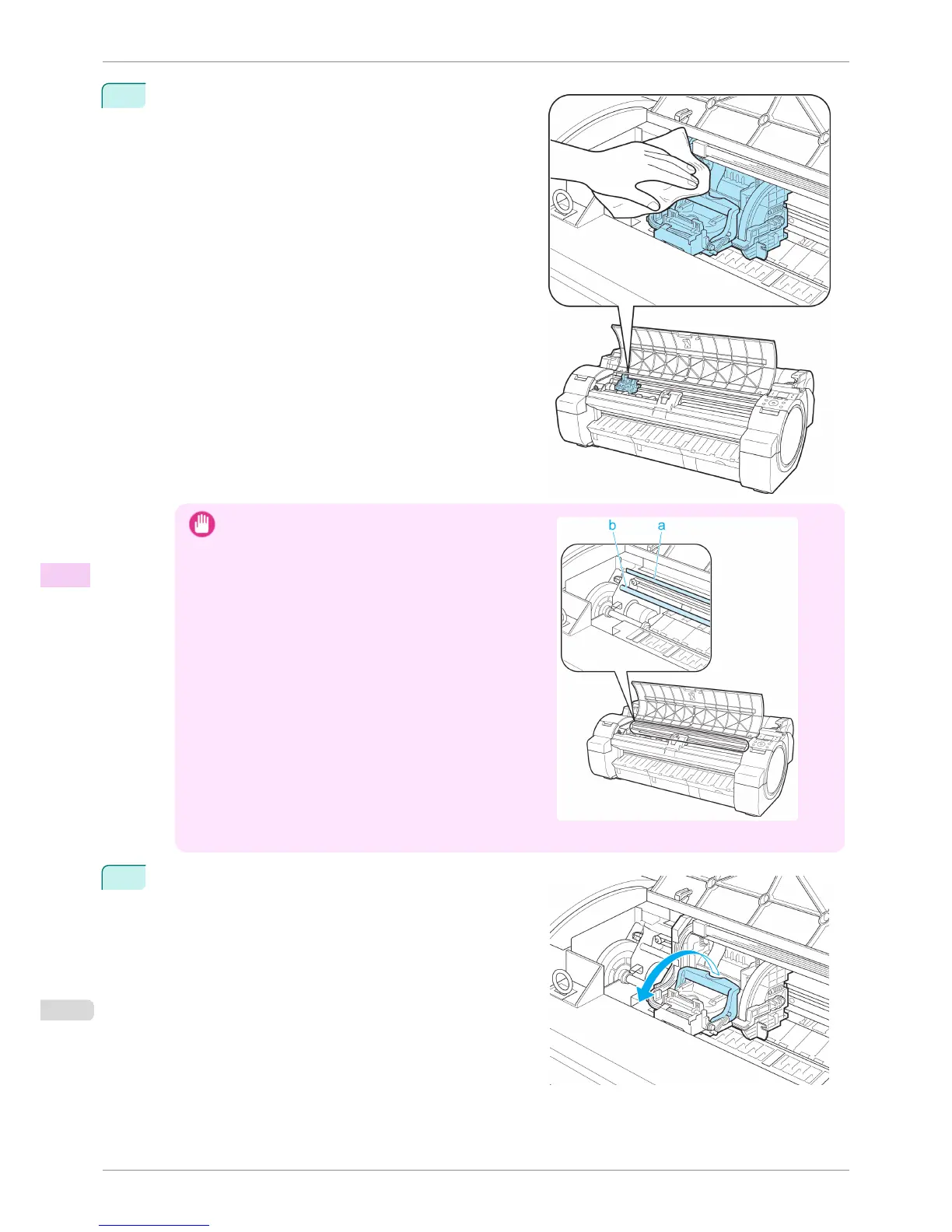
If the Printhead Fixer Cover or Printhead Fixer Lever is
dirty, use a damp cloth that you have wrung out completely
to wipe it clean.
Important
•
Do not touch the Linear Scale (a) or Carriage Shaft (b).
Touching these parts may damage them.
• Never touch the metal contacts of the Carriage. This may damage the printer.
3
Pull the Printhead Fixer Lever forward all the way to open it
completely.
Replacing the Printhead
iPF760
User's Guide
Maintenance and Consumables Printheads
528















 To Next Page