8.
CHECK CMP SENSOR
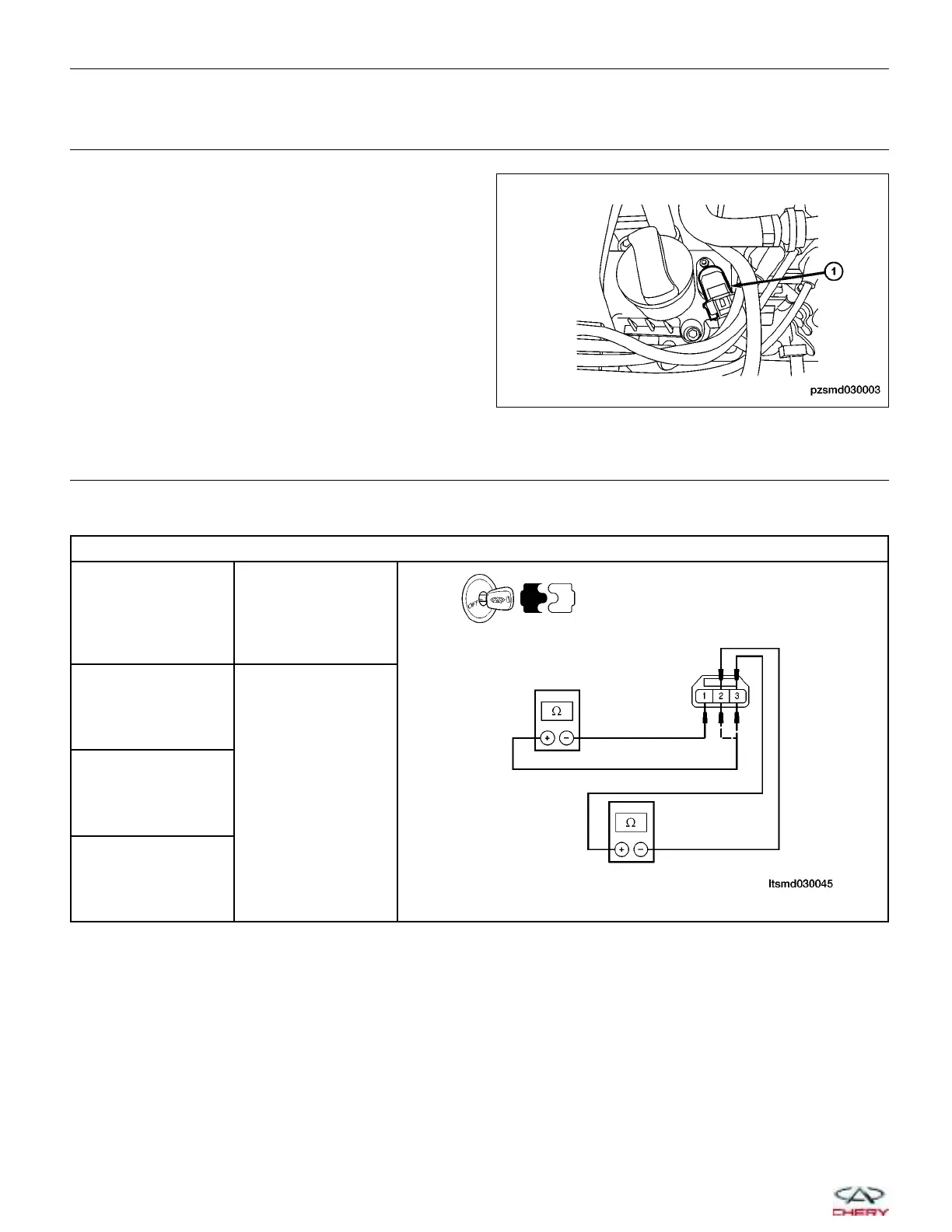
• Remove the CMP sensor (1).
• Inspect and clean the CMP sensor and mounting
area for any condition that would result in an incor-
rect signal, such as damage, foreign material, or
excessive movement.
Is the sensor mounting area OK?
Yes
>> Go to the next step.
No
>> Repair or replace the sensor as
necessary.
9.
CHECK CMP SENSOR RESISTANCE
• Check resistance between the following CMP sensor terminals, component side:
CMP SENSOR RESISTANCE
TERMINAL NO.
RESISTANCE V
(25°C)
1 & 2
Except 0 or `1 & 3
2 & 3
Is the check result normal?
Yes
>>
Replace the CMP sensor with a known good CMP sensor.
Monitor the CMP sensor signal on the KES-200 screen.
− If the CMP sensor signals were normal, the system is OK.
− If the CMP sensor signals were still irregular or missing, go to step 13.
No
>> Replace CMP sensor.
DIAGNOSIS & TESTING
PZSMD030003
03–38
Chery Automobile Co., Ltd.



 To Next Page