v2.13 Cleverscope CS300 Reference Manual
©Cleverscope 2004-2018 www.cleverscope.com Page 113
dynamically to achieve the Response Voltage Goal.
The output amplitude is limited to a maximum of Auto Amp Limit. In some
gain situations this may result in instability, so the limit should be reduced.
AutTable is the same as Auto, but at the completion of the sweep the
calculated Frequency/Amplitude profile is transferred to the Table, and the
Table method is turned on. The Table amplitude control runs much faster.
The Table sweep amplitude method may be used when there is instability,
or you want control of the Amplitude vs Frequency sweep.
This control determines if you are using terminated coaxial cable to make
connections to the UUT. Leave as Open if you are using Probes, or no
termination. Set to 25, 50 or 75 ohm dependant on what you have
connected. The FRA automatically compensates for the termination
impedance when calculating the signal generator output amplitude with its
50 ohm series impedance.
This control determines if you are using a CS700A/CS701, or the CS1070
Amplifier with 50 ohm output, or the CS1070 with the 1 ohm output.
Click to Green to enable the CS1070 output. Click to Red to disable the
CS1070. When disabled the CS1070 can stay connected to the load which
has a voltage applied to it, as long as the CS1070 power supply is greater
than 3V higher than the load voltage. The CS1070 link input must be
connected to the CS328A link output.
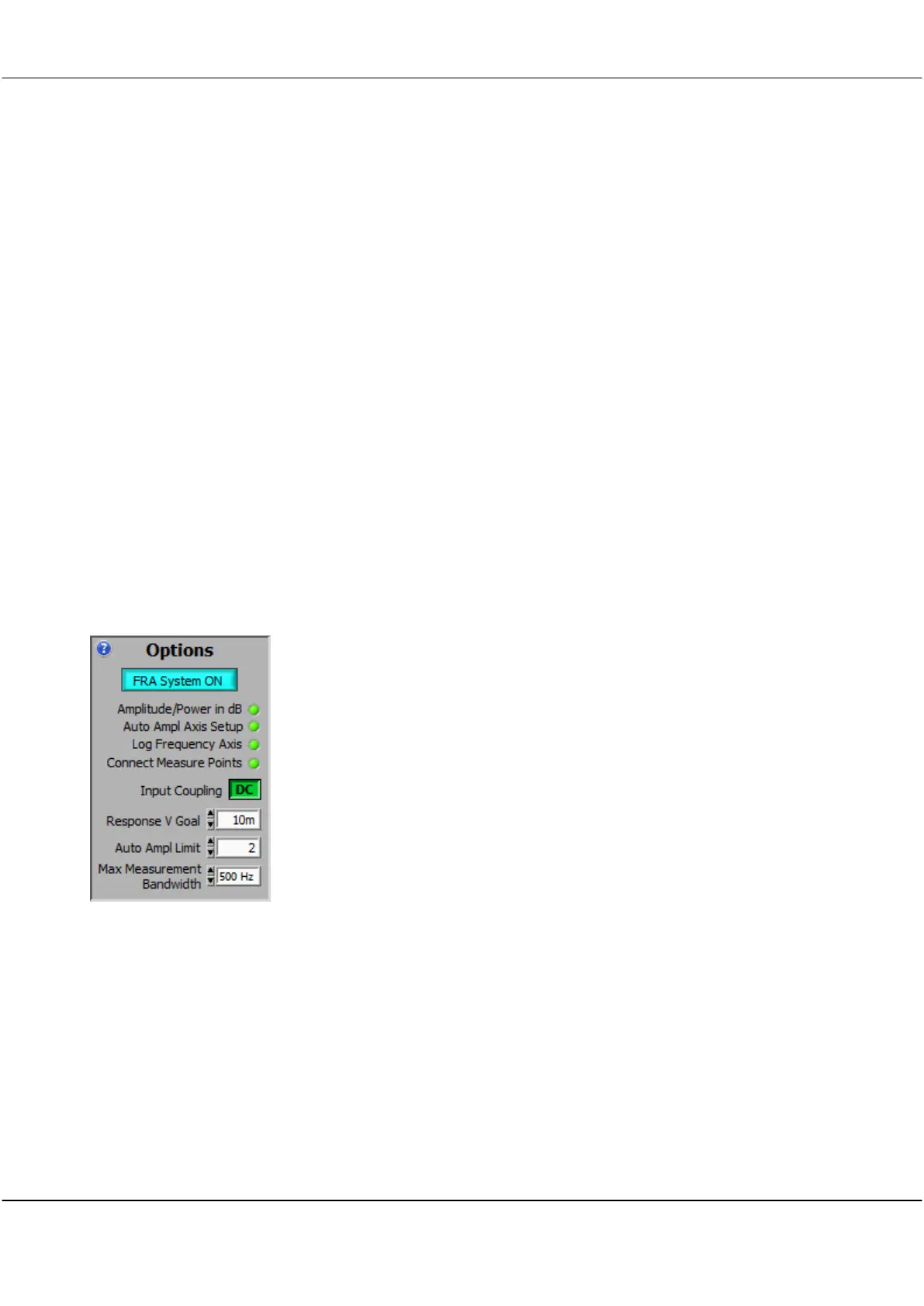
17.5.4 Options
Use this panel to setup how the Spectrum Display looks, and Amplitude
options.
Click on the LEDs to change settings. Hover to see help for a control (if
Settings/Display Tools Tips
is on).
All panel controls work in parallel with the standard controls, which you can
still continue to use.
Enables the FRA. Set this ON, and the FRA measures the signal coherent
with the signal generator while excluding all other frequencies.
This option gives the best dynamic range. If not selected, the Spectrum
Display shows wideband results, and dynamic range reduces. PSU,
Impedance and component value measurement require FRA System ON.
selects dB or Volts amplitude axis.
After changing the value run the Sweep again to plot using the alternate
units.



 To Next Page