v2.13 Cleverscope CS300 Reference Manual
©Cleverscope 2004-2018 www.cleverscope.com Page 115
contains up to 7 frequencies with corresponding Amp (Amplitude) values.
Enter values in ascending order. Overtype as necessary. You don't have to
fill in all entries. Just make sure that a pair of frequencies straddle the
frequency range you will be using.
interpolates from the first pair in the table to the last pair.
determines how the amplitude values are interpolated - log or linear.
Many amplifiers have a 20 dB/decade reducing gain characteristic and using
a log fill can compensate for this.
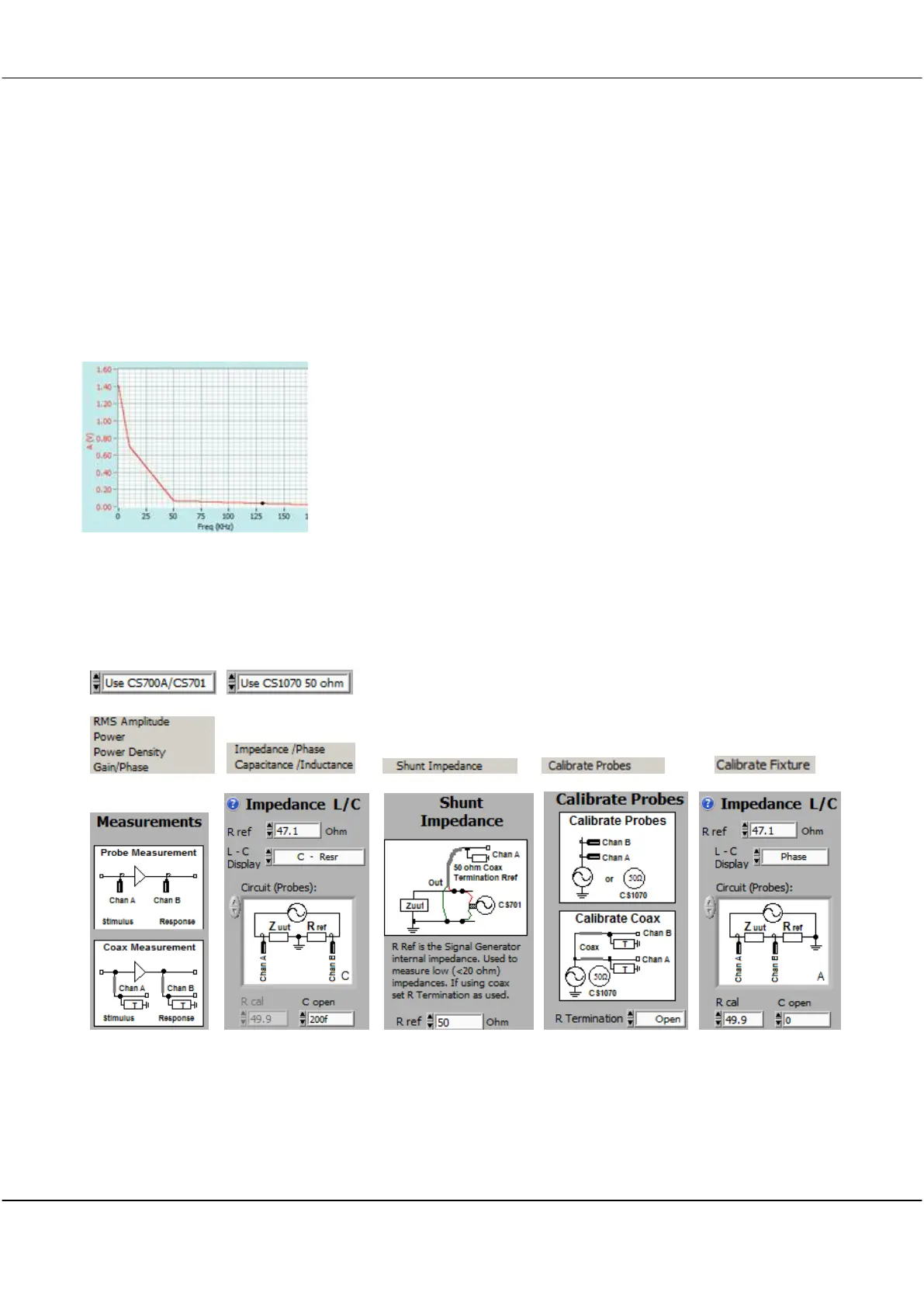
Here is an example plot using 4 values, sweeping from 0 to 200 kHz.
17.5.6 Measurements
This panel has been covered under the Frequency Analysis panel discussion. For Completeness here are the
panels.
Should not be used for PSU Input Impedance



 To Next Page