Cleverscope CS300 Reference Manual v2.11
Page 40 www.cleverscope.com ©Cleverscope 2004-2015
5.3.1 Analog Names and Units (Ctrl+U) [Settings Menu]
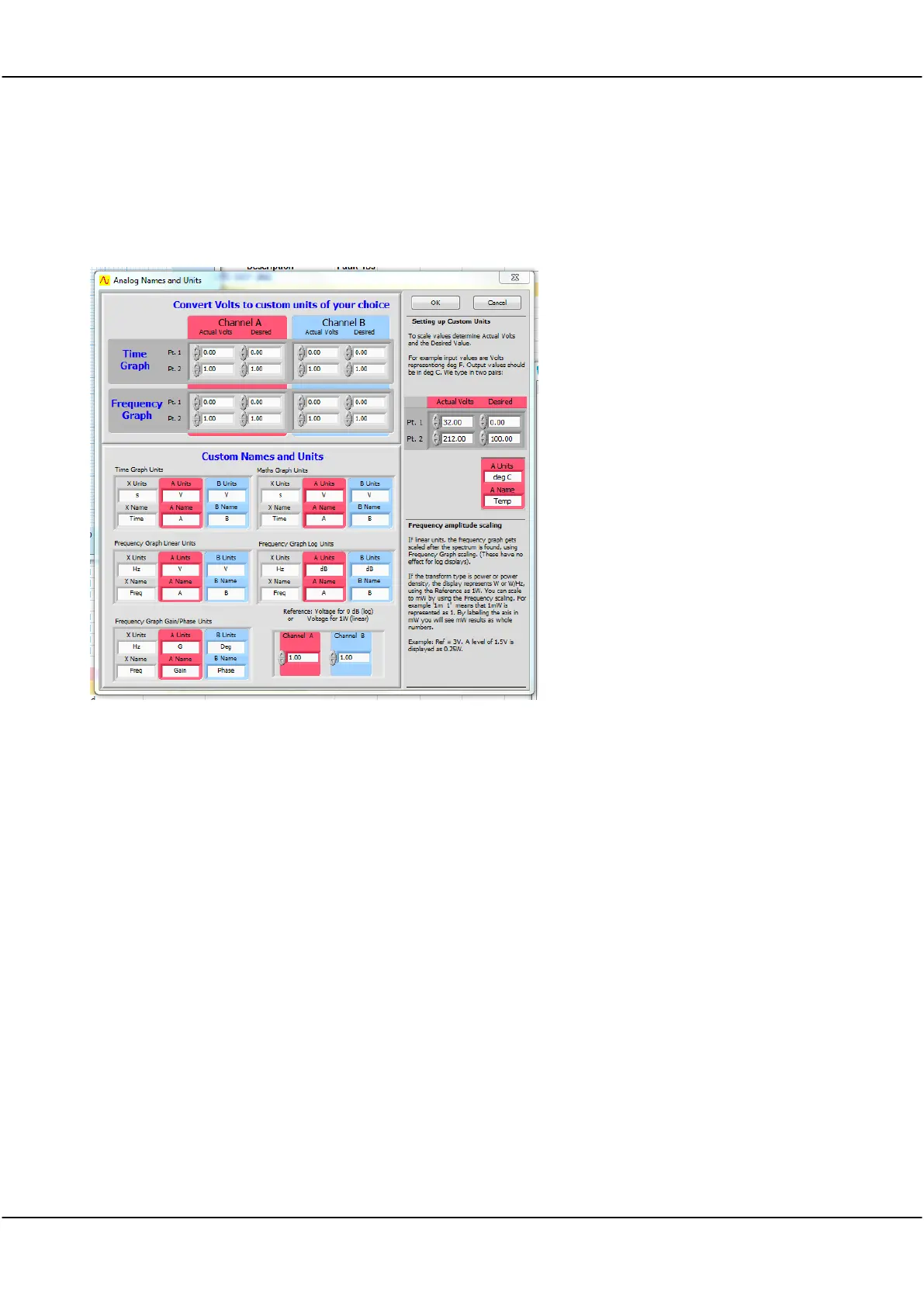
Analog Units allows you use units other than volts or dB’s when displaying signal data.
Analog Names allow you to label the graph axis to represent the measurement of interest instead of the defaults
Analog Names and Units Panel
Setup units
Straight Line Plot
To set up custom units you need to define the relationship between the internal units in volts
and the units to be used for displaying signal data.
A plot showing the relationship between internal units in Volts and your custom units must
be a straight line. Points 1 and 2 (Pt. 1, Pt. 2) fix this straight line, and therefore define the
scaling between internal units and your custom units.



 To Next Page