v2.13 Cleverscope CS300 Reference Manual
©Cleverscope 2004-2018 www.cleverscope.com Page 41
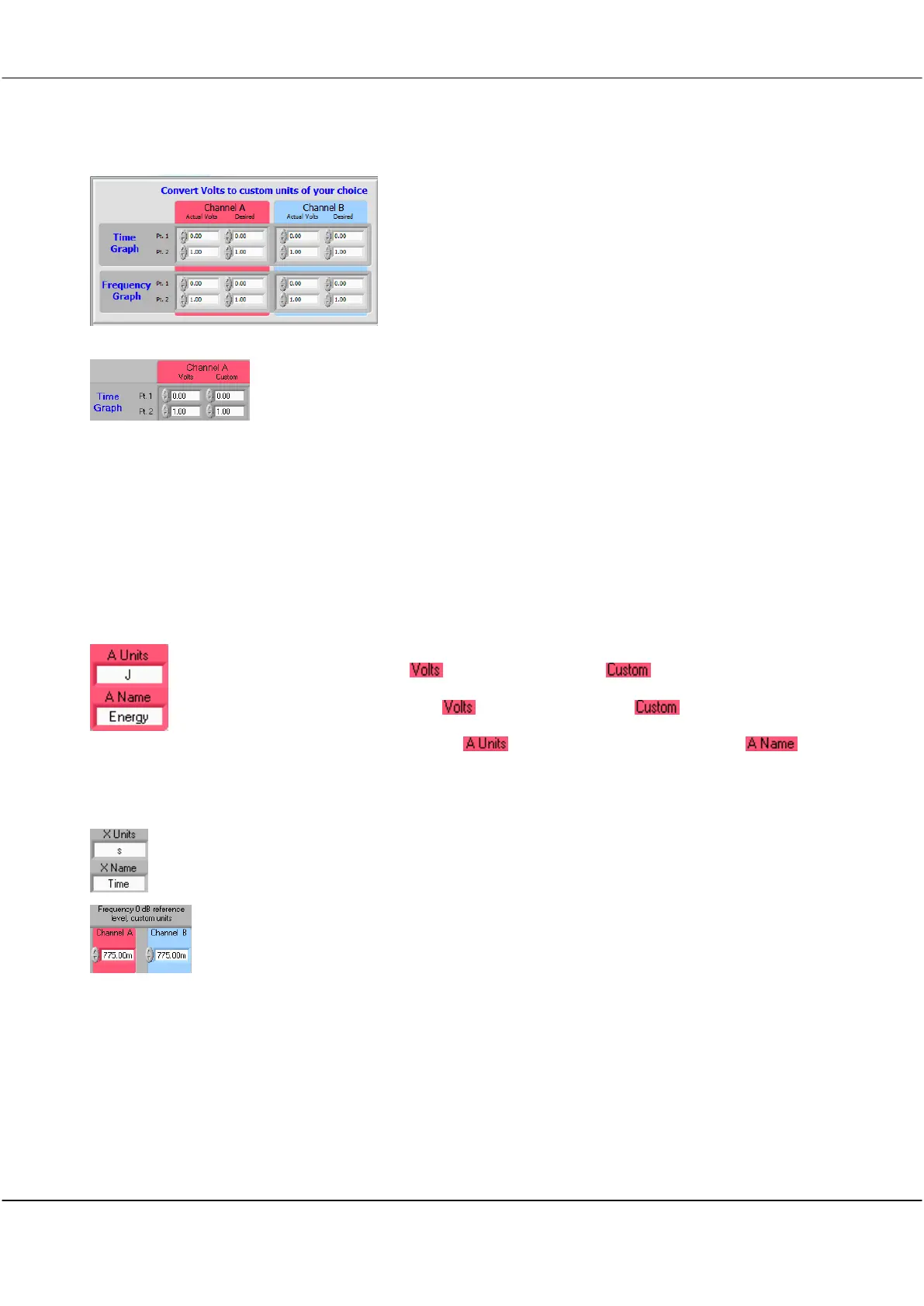
5.3.2 Convert Volts to Custom Units Zone [Settings Menu]
Pt 1 - Point 1 on the graph – the first of the two points necessary to define the scaling
between the signal data and the units to be used for display
Pt – 2- Point 2 on the graph – the second of the two points necessary to define the
scaling between the signal data and the units to be used for display
5.3.3 Example Setting up Custom Units [Settings Menu]
A light energy generating system is connected to Channel A and has a terminal voltage of 0.28
volts for a total energy output of 3.4 joules, and a terminal voltage of 12.6 volts for a total
energy output of 76 joules.
How would the Cleverscope be customised?
To customize the units for this system
Enter 0.28 for Pt. 1 under and 3.4 for Pt. 1 under for Channel A.
Also enter 12.6 for Pt. 2 under and 76 for Pt. 2 under for Channel A.
Then type
J
into Time Graph Units and
Energy
into Time Graph Units .
Note: Channel B can be similarly customized for the Time Graph, as can both channel A and B
for the Linear, Logarithmic and Gain/Phase Frequency Graphs (spectrum display).
Both Units and Name labelling for the horizontal X axis can also be customized whether it be for
time, or frequency (for linear, logarithmic or gain/phase graphs).
The zero dB reference point for the logarithmic Frequency (spectrum) graph can also be
customized. The default 775 mV corresponds to 0dBm into a 600 ohm load. To display dBV
change this value to 1.



 To Next Page