v2.13 Cleverscope CS300 Reference Manual
©Cleverscope 2004-2018 www.cleverscope.com Page 57
5.3.16 Colours [Settings Menu]
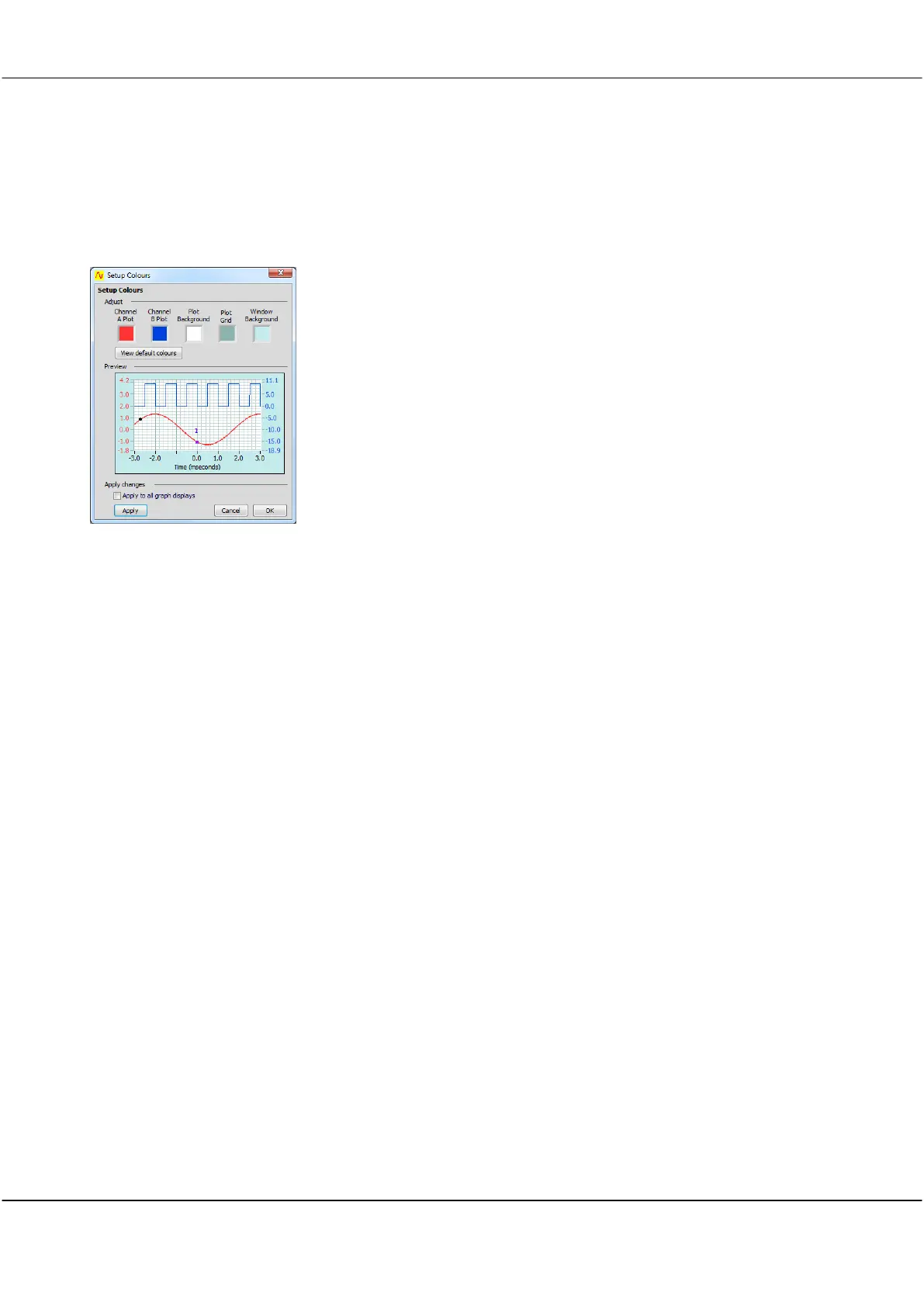
Setup Colours lets you select different colours for graph plotting to match your corporate image or make them
easier to see.
You can set colours for channel A plot, channel B plot, graph backgrounds, and major and minor grid lines for
the active display indicated in the DISPLAY area of the Cleverscope Control Panel.
Click in each colour box and select a new colour from
the colour picker pop-up dialog.
The Preview displays the colour changes before they
are applied to the Cleverscope displays.
Restores the manufacturer’s default colour set.
Apply to all
graph displays
Click the checkbox so all displays will be updated.
5.3.17 Display tool tips [Settings Menu]
Click to select whether the tool tip pop-ups show when you hover the cursor
over an item.
Menu option will show as ‘ticked’ when selected. There is no dialog
associated with this menu option.



 To Next Page