Cleverscope CS300 Reference Manual v2.11
Page 56 www.cleverscope.com ©Cleverscope 2004-2015
5.3.15 Calibrate Cleverscope [Settings Menu]
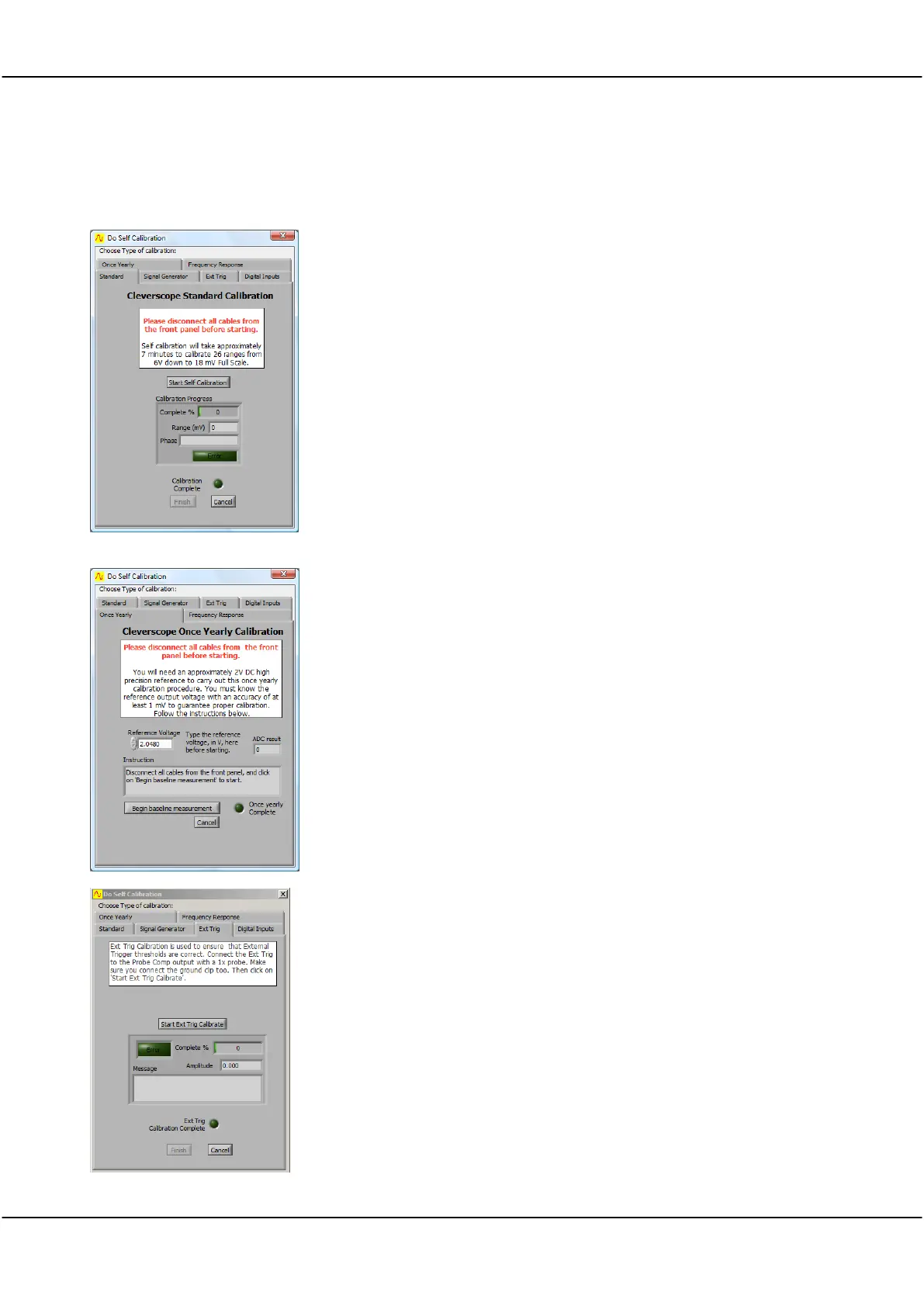
The Cleverscope provides calibration tools to ensure measurements are correct.
Standard self-calibration should be executed if the temperature changes by
more than 10°C. Cleverscope includes an internal reference which is used to
self-calibrate all the analog circuitry within the Cleverscope Acquisition Unit.
Before initiating a Standard self-calibration, disconnect all probes from the
front of the Cleverscope Acquisition Unit and ensure that it has been powered
up for more than 5 minutes, then click Start Self Calibration. The self-
calibration process takes about 7 minutes.
The Signal Generator calibration only needs to be done once after you install
the optional Signal Generator Unit yourself. If your Cleverscope Acquisition
Unit came with a Signal Generator Unit installed then this calibration will have
been completed at the factory. Before initiating a Signal Generator calibration,
connect a lead from the Signal Generator output to the Chan A input, and
then click Start Sig Gen Calibration.
The Once Yearly calibration requires a high precision reference of around 2 V.
You must know the reference output voltage with an accuracy of at least 1
mV to guarantee proper calibration. Before initiating a Once Yearly
calibration, disconnect all probes from the front of the Cleverscope Acquisition
Unit and ensure that it has been powered up for more than 5 minutes, then
click Begin baseline measurement and follow the instructions. A Once Yearly
calibration should always be followed by a Standard self-calibration.
The Ext Trig and Digital Inputs calibration only needs to be done once. If the
thresholds for the external trigger or digital inputs are not responding
correctly then perform the appropriate calibration. Earlier versions of the
Cleverscope acquisition unit may not have had this done at the factory.
The Frequency Response calibration is completed at the factory. If you think
there is a problem with the frequency response of your Cleverscope
Acquisition Unit, contact Cleverscope support before carrying out a Frequency
Response calibration.



 To Next Page