ComNav Commander P2 & P2VS Installation & Operation Basic Operations
Document PN 29010074 V4.1 - 113 -
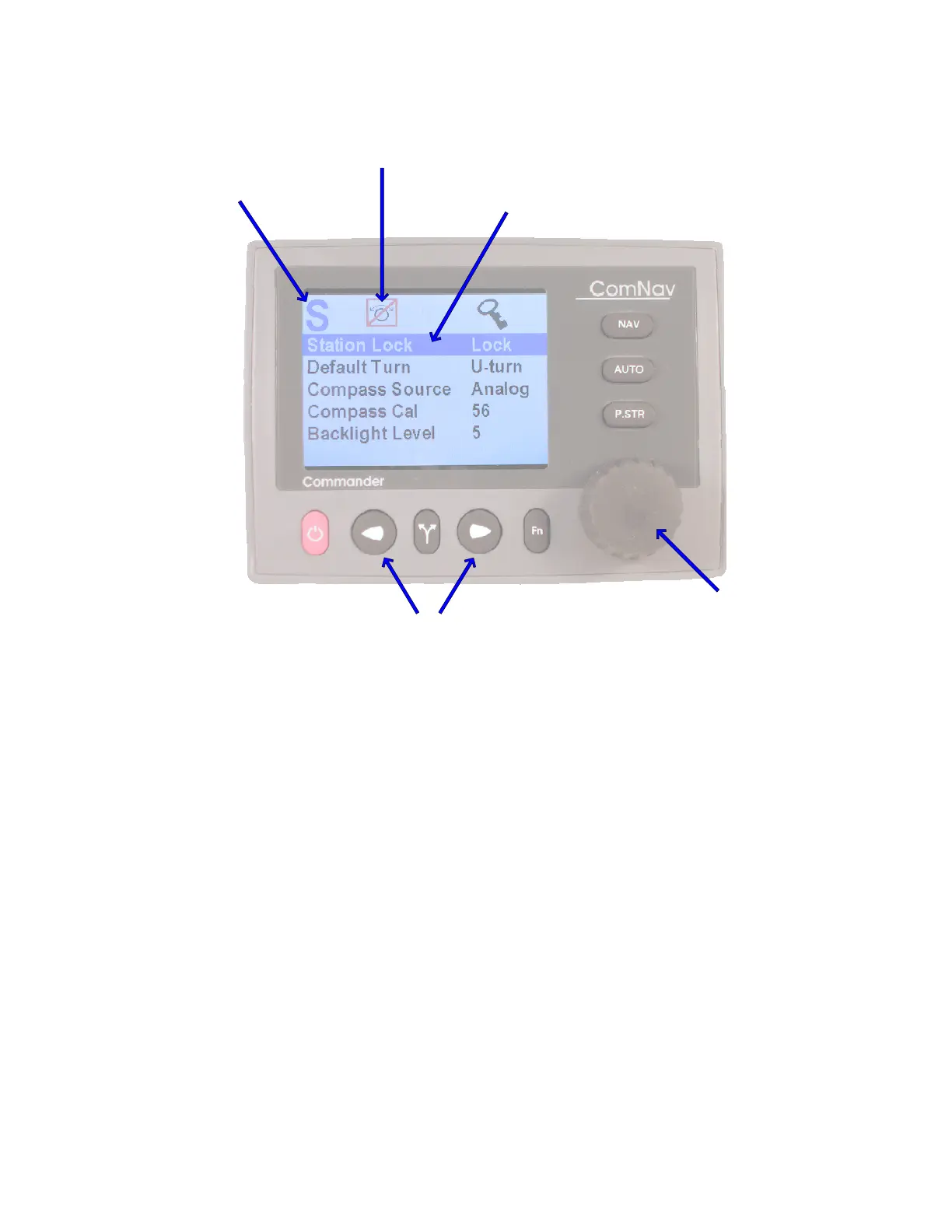
Highlit line indicates the
currently-selected parameter
This icon indicates that the COURSE CHANGE knob
does not steer the boat while in a menu
Current Mode
Use the COURSE CHANGE knob
to change the selected
parameter’s value
Use the PORT or STARBOARD button
to step to the previous or next parameter
Figure 69 – A Typical Menu
All menus are arranged with parameter names on the left side of the screen, and the current
value for each parameter on the right side.
In each menu, one line is always high-lit in a contrasting colour – it indicates which parameter
is currently selected (for example, see the “Station Lock … Lock” line in the figure above).
You can move the highlight to other lines on the menu by pressing the
P
P
O
O
R
R
T
T
button (moves
the highlight up) or
S
S
T
T
A
A
R
R
B
B
O
O
A
A
R
R
D
D
button (moves it down).
Some menus have more lines than can be shown on a single screen. In this case, when the
highlight has been moved to the last line on a screen, each subsequent press of the
S
S
T
T
A
A
R
R
B
B
O
O
A
A
R
R
D
D
button will cause the menu to scroll up by one line, revealing a new high-lit line.
Similarly, when the highlight has been moved to the first line on a screen, each subsequent
press of the
P
P
O
O
R
R
T
T
button will scroll the menu down one line. These long menus are arranged
in a circular fashion, so that the scrolling action can be carried on indefinitely.
Use the
C
C
O
O
U
U
R
R
S
S
E
E
C
C
H
H
A
A
N
N
G
G
E
E
knob to change the value of the currently high-lit parameter. For
parameters with numbered values, a clockwise turn of the knob will increase the value;
counter-clockwise movements will decrease the value. Non-numerical values are generally
arranged in a circular list for ease of use.
•
In general, changes made with the knob are effective immediately.
For safety reasons, a few items do not take effect until the highlight is moved
to the next or previous line, or the menu is exited.



 To Next Page