ComNav Commander P2 & P2VS Installation & Operation Advanced Operations
Document PN 29010074 V4.1 - 158 -
4) Push either the
P
P
O
O
R
R
T
T
or
S
S
T
T
A
A
R
R
B
B
O
O
A
A
R
R
D
D
button, depending on which Tack you are on.
Just like when changing the Commanded Wind Angle with the
C
C
O
O
U
U
R
R
S
S
E
E
C
C
H
H
A
A
N
N
G
G
E
E
knob, the
“turn direction” buttons tell the autopilot which way you want the boat to turn.
So, you must press the correct button for the Tack you are on:
P
P
O
O
R
R
T
T
when on Port Tack,
and vice-versa.
The “correct direction button” for a Tack is the opposite of a Gybe!
A small “arrow” symbol, in the correct direction, appears in the “Tack ?” prompt, as a
reminder of which button to push.
•
The autopilot will not do the Tack if you press the wrong “direction” button, but
instead just restore the normal
WIND
or
WIND-Points
display.
For example, say you are on a Starboard tack and steering to a wind angle of 045°.
If you press the
T
T
U
U
R
R
N
N
button followed by the
P
P
O
O
R
R
T
T
button, it would result in the boat
turning to Port, which would increase the wind angle instead of tacking the boat.
In this case, the autopilot would simply cancel the Tack, and continue to steer to the
Commanded Wind Angle it was already on.
5) The autopilot will tack the boat to the Close Haul point on the opposite tack. You can
now adjust the Commanded Wind Angle as desired. You should also trim your sails to
suit!
•
During the Tack, the autopilot automatically adjusts its steering parameters (Rudder
Gain, etc.) to make the turn a bit quicker than a normal turn.
•
The autopilot will only tack the boat if the actual wind angle, at the time the
P
P
O
O
R
R
T
T
or
S
S
T
T
A
A
R
R
B
B
O
O
A
A
R
R
D
D
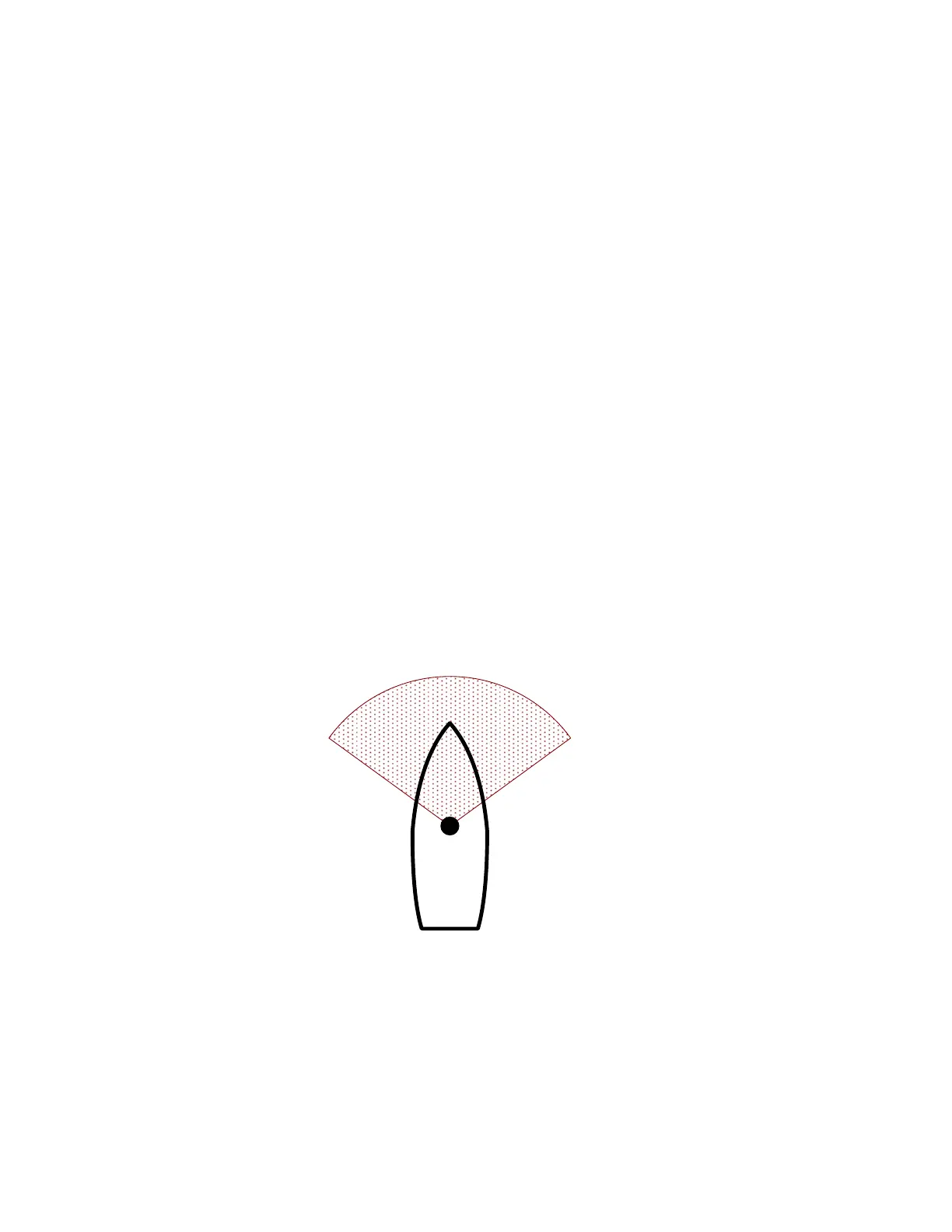
button is pushed, is less than the Close Haul angle plus 10° – otherwise
the Tack will be cancelled.
To allow for tacking in shifty winds, the angle can be anything less than that – and
even already be on the opposite tack, as long as it is less than Close Haul plus 10°.
0
5
4
°
S
t
a
r
b
o
a
r
d
0
5
4
°
P
o
r
t
Figure 104 – Wind Angle Limits for Tacking
For example, in the same 045° Starboard tack example as above, the wind must be
between 054° Starboard & 054° Port when the
S
S
T
T
A
A
R
R
B
B
O
O
A
A
R
R
D
D
button is pushed.
Note: to cancel a Tack after you have pressed the
T
T
U
U
R
R
N
N button but before you have
pressed the direction button, just press the “wrong” direction button.
To abort a Tack once the autopilot has begun to steer the boat onto the opposite
tack, you must change to some other mode, by pressing either the
S
S
T
T
A
A
N
N
D
D
B
B
Y
Y,
P
P
O
O
W
W
E
E
R
R
S
S
T
T
E
E
E
E
R
R, or
N
N
A
A
V
V button.



 To Next Page