ComNav Commander P2 & P2VS Installation & Operation Basic Operations
Document PN 29010074 V4.1 - 142 -
Jog Steering Turns
If a Jog Steering Control Lever is connected to the SPU terminal block
J3
, you can directly
change the boat’s heading with that Jog Control
35
, while the autopilot is in
POWER STEER
,
AUTO
,
NAV
, or
WORK
or
WIND
modes.
This is identical to a Dodge, except that you use a Jog Control to start and control it, and you
can do it while in
POWER STEER
mode.
When the Control’s lever is moved far enough to activate the internal switch, the rudder will
move immediately in the requested direction (to Port or Starboard).
As long as the Jog Control is held activated, the rudder will keep moving in the corresponding
direction.
•
If one, or both, of the Power Steer Rudder Limits and/or the Auto/NAV Limits are set
(see page 122), then the autopilot will stop moving the rudder when it gets to the
smaller of the limits.
•
If neither of the Rudder Limits are set, then the autopilot will stop moving the rudder
when it gets within a few degrees of the physical limits of rudder travel.
When you release the Control’s lever, the autopilot will return the boat:
•
to the current Commanded Heading, if in
AUTO
or
WORK
modes, or in
NAV
mode
with “CTS” correction
•
or to the current Track to the next Waypoint, if in
NAV
mode with “XTE” or “Both”
correction
•
or to the current Commanded Wind Angle, if in
WIND
mode (see page 140).
Important!
You should be prepared for a change in the boat’s direction
when you release the Lever.
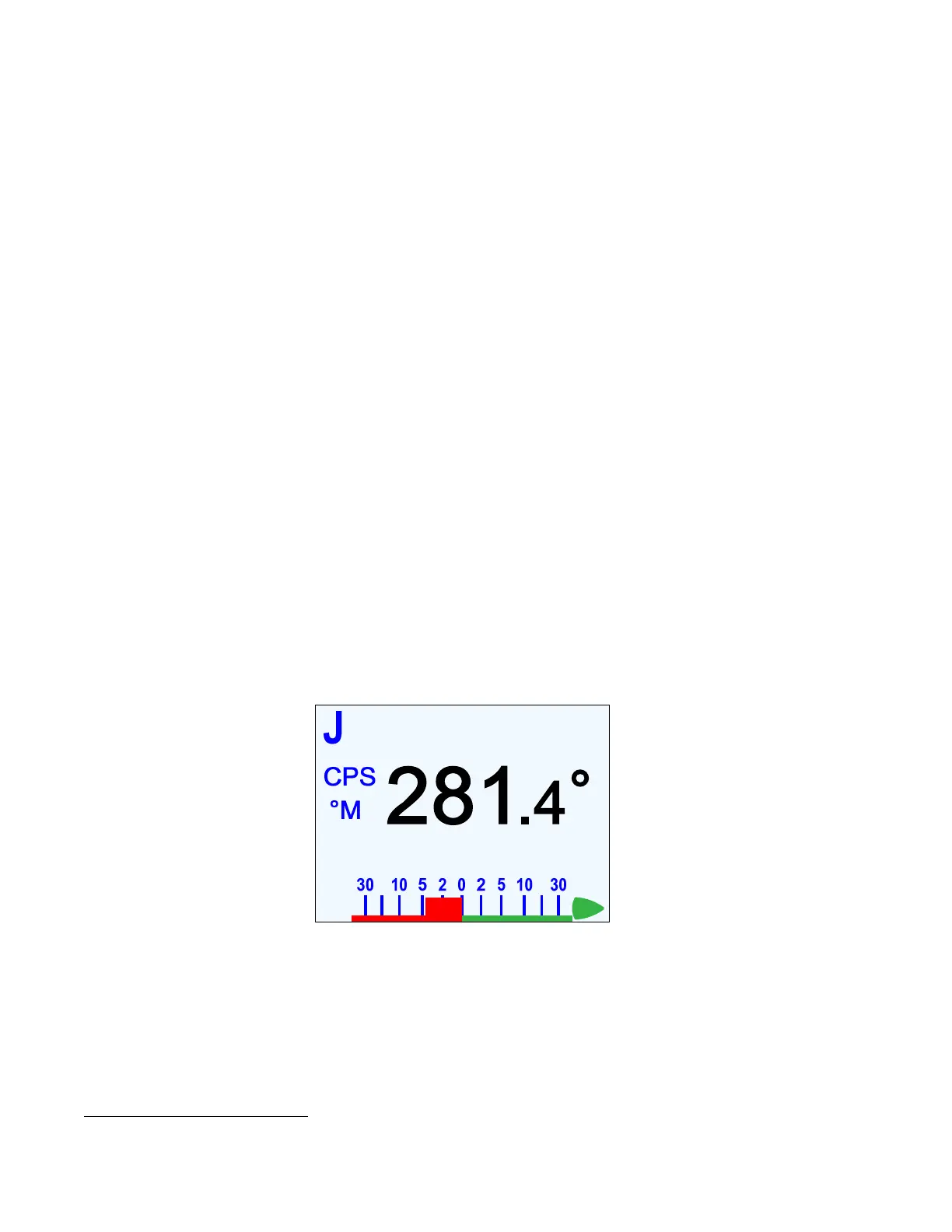
A large `J´ is displayed in the upper left corner of the Control Head’s screen – temporarily
replacing the current mode’s indicator letter – whenever a Jog Control is activated.
Figure 94 – Typical Jog Control Activated Screen
The Jog Controls are ignored when the autopilot is in
STANDBY
mode, and during
DOCKSIDE SETUP
.
35
The autopilot system allows connecting any desired number of Jog Levers (see page 117).



 To Next Page