ComNav Commander P2 & P2VS Installation & Operation Advanced Operations
Document PN 29010074 V4.1 - 170 -
Watch Alarm & External Alarm
The Watch Alarm is a special timer that is built into the P Series autopilot.
It measures how long it has been since any of the buttons on the Control Head have been
pressed. If the time exceeds the amount set for the Watch Alarm parameter in the Standby
menu, an alarm is set off, to alert the helmsman & crew.
The External Alarm output from the SPU is meant to be used to drive some type of audible or
visual indicator outside the SPU – a buzzer or horn, a red light, etc. – when the SPU detects
an error condition that boat’s helmsman &/or crew should be alerted about.
Configuring the Watch Alarm
There are two ways that the Watch Alarm feature can be configured:
1) When the Watch Alarm’s timer expires, an alarm message will appear on the Control
Head, and the audible alarms on the Control Head & in the SPU will turn on.
To use the Watch Alarm this way, the Alarm O/P parameter in the Dockside Setup menu
(see below) must be set to “none”, “Sw’d B+” & “all”, or “Sw’d B-“ & “all”.
2) The Watch Alarm operates exactly in the same manner as above, but in addition, if the
alarm is not reset (by pressing the
F
F
n
n
button) within 30 seconds, an external alarm
connected to the SPU will be activated. The external alarm can be used to alert the
whole ship’s crew that the helm may be unattended.
To use the Watch Alarm this way, the Alarm O/P parameter
in the Dockside Setup menu
must be set to “Sw’d B+” and “Watch”, or “Sw’d B-“ and “Watch”. You must also have a
compatible external alarm connected. See
External Alarm Output
on page 76 for more
details.
Configuring the External Alarm
The value of the Alarm Output parameter in the Dockside Setup menu controls which outputs
from the
J2 – DRIVE OUTPUTS
connector will be used to activate the external alarm.
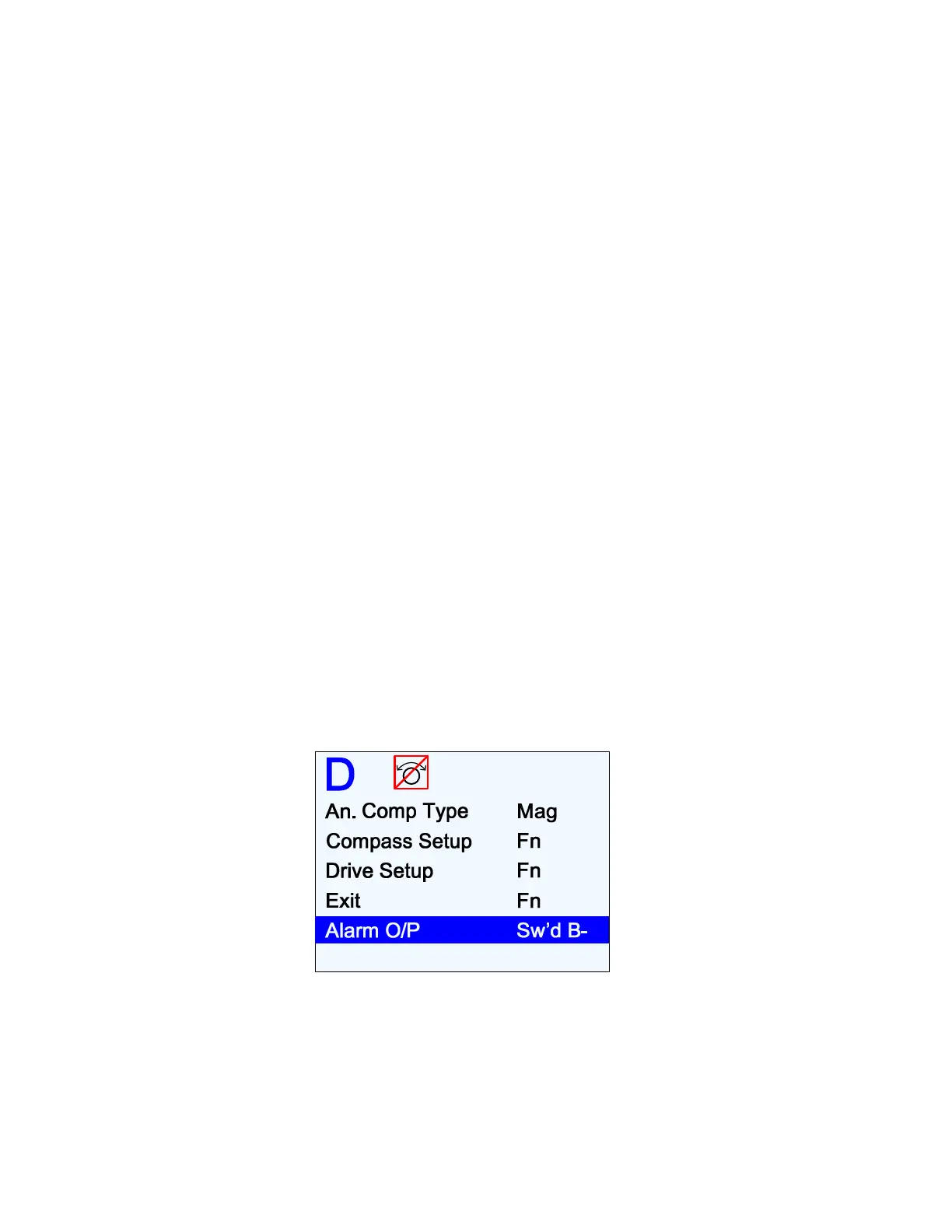
1) In Dockside Setup, highlight the “Alarm O/P” menu line, and use the
C
C
O
O
U
U
R
R
S
S
E
E
C
C
H
H
A
A
N
N
G
G
E
E
knob to select the Alarm O/P that you want to use.
Figure 120 – External Alarm Configuration
•
When set to “None”, the external Alarm Output is deactivated.
•
When Set to “Sw’d B-“, the Switched B- output on
J2
will be used to activate the
External Alarm (wired per Figure 58 or Figure 60 in the
Installation
chapter).
•
When Set to “Sw’d B+“, the Switched B+ output on J2 will be used to activate the
External Alarm (wired per Figure 59 or Figure 61).



 To Next Page