ComNav Commander P2 & P2VS Installation & Operation Basic Operations
Document PN 29010074 V4.1 - 129 -
NAV Mode
In
NAV
mode, the P Series autopilot can use navigation data from an external NMEA 0183
Navigation System, to steer the boat directly to a specific destination, or along a route of
waypoints leading to a destination.
To use
NAV
mode:
•
Turn on your Navigation System
•
Create and activate a waypoint at the destination you want to go to, or a series of
waypoints along a route to the destination.
•
Press & hold the
N
N
A
A
V
V
button on the Control Head until the large letter `N´ appears in
the upper left portion of the display
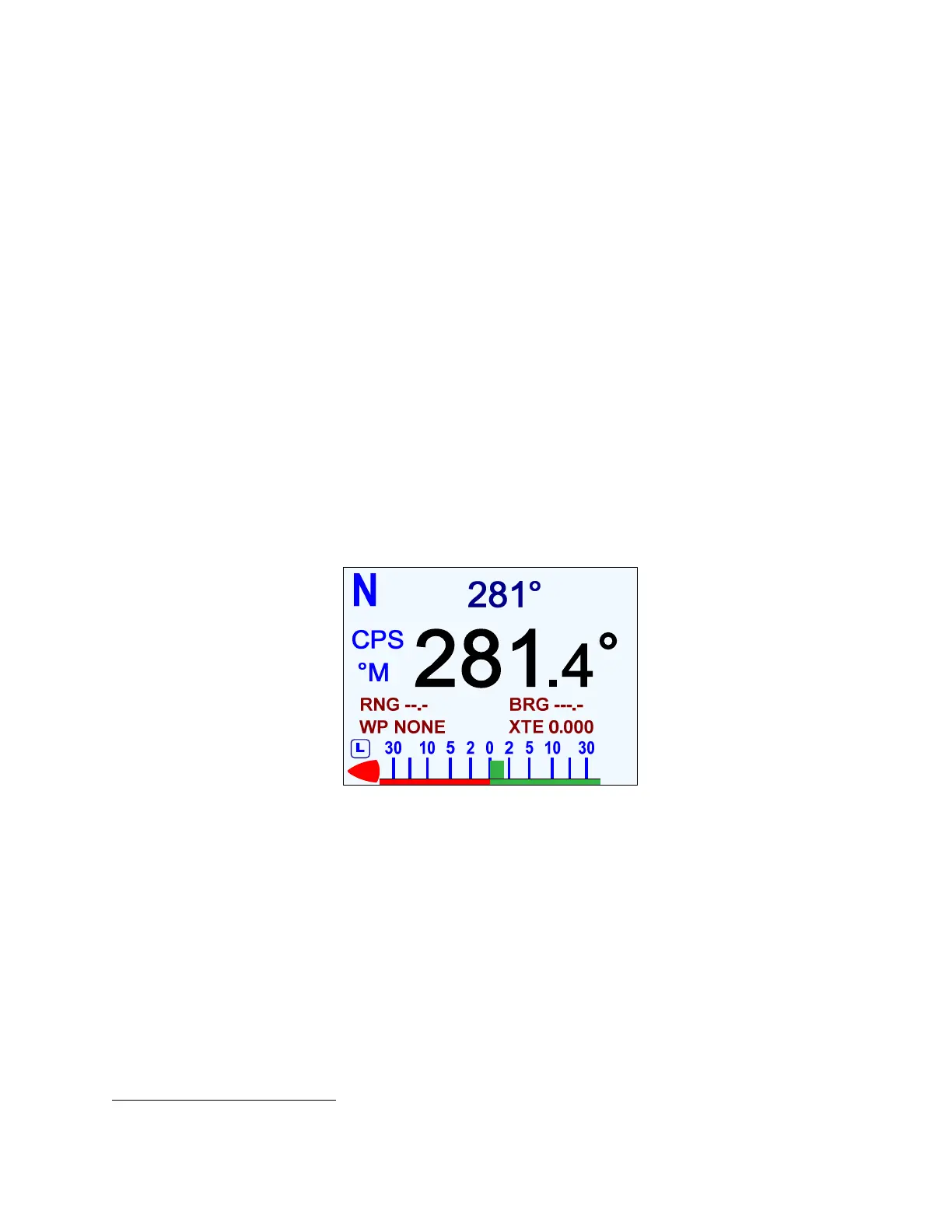
The Control Head will display a screen similar to the figure below.
•
The boat’s actual Heading is shown in large letters in the middle of the LCD screen,
with the source & type; the Commanded Heading is shown in smaller digits at the top
centre of the screen.
•
The Range & Bearing to the next Waypoint, its ID, and the current Cross-Track Error
are shown below the Heading; these are all taken from the data provided by the
Navigation System
33
.
Note: this is the normal NAV mode display; see the next page for the alternate
“highway” display.
Figure 84 – Typical NAV Mode Screen (Normal Display)
Note: the Commanded Heading shown on the Control Head may not be the same as
the actual bearing to the target point, especially when using “XTE” or “Both”
Correction (see page 132). It may even not be the same as a “current Heading”
shown by the Navigation System.
The difference is due to the effects of the correction method the autopilot uses,
which may or may not match with what the Navigation System does in calculating
“course to steer” & “bearing to destination”.
33
Some Navigation Systems do not provide all of this information. In such cases, the display will show dashes (---) or
“NONE” in place of any missing data.



 To Next Page