ComNav Commander P2 & P2VS Installation & Operation Basic Operations
Document PN 29010074 V4.1 - 117 -
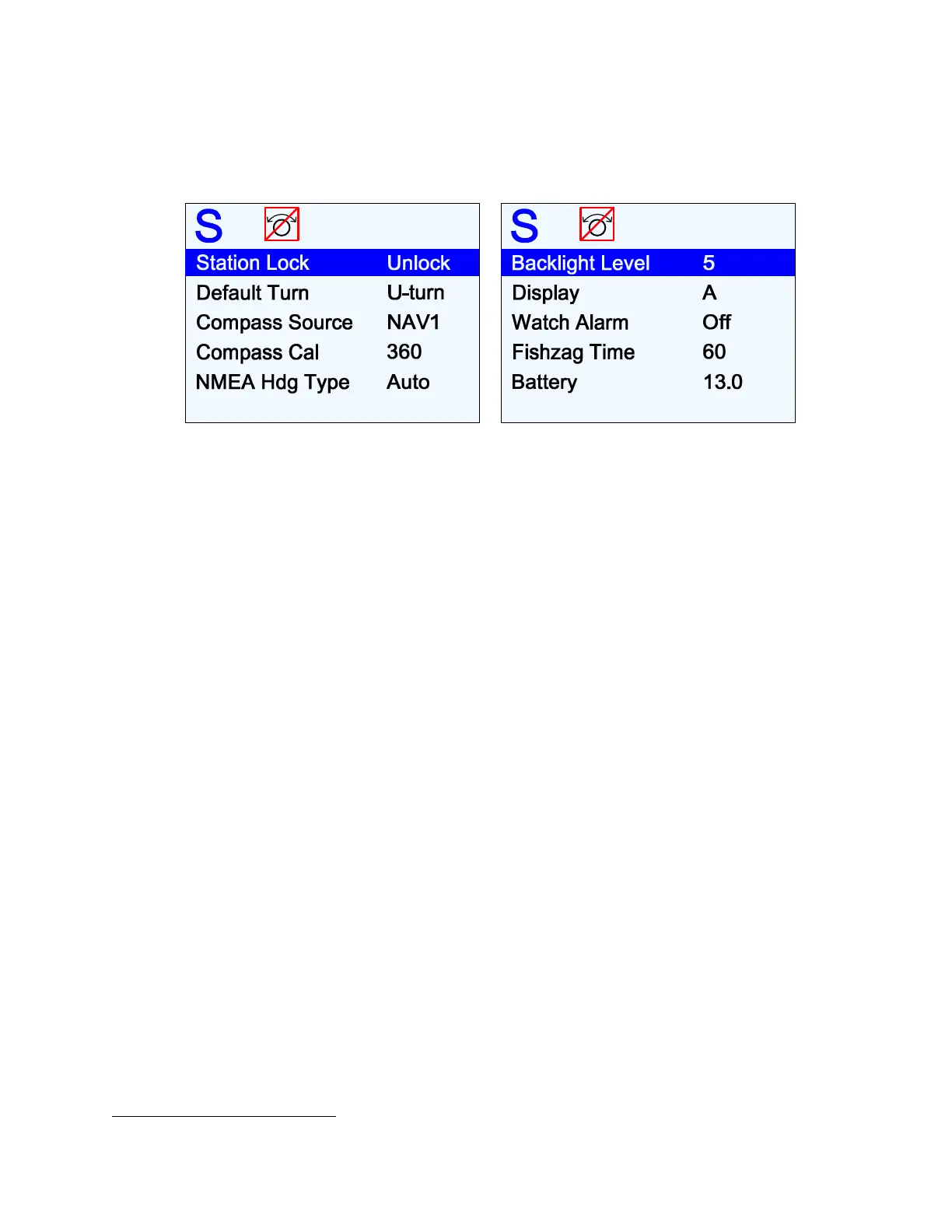
Standby Menu
The Standby menu consists of a number of items that have a general bearing on how the
autopilot operates. To access the Standby menu, double-press the
S
S
T
T
A
A
N
N
D
D
B
B
Y
Y
button.
Figure 73 – Standby Menu
Station Lock
The Commander P2 system can accommodate up to three Control Stations – one main
Control Head, and any combination of Control Heads & Remotes on the two AUX ports.
One of these Control Stations is always in control, and the others are simply repeater
stations. You can take command with any of the repeater stations by simultaneously
pressing the
P
P
O
O
R
R
T
T
and
S
S
T
T
A
A
R
R
B
B
O
O
A
A
R
R
D
D
buttons on the repeater.
However, to prevent unauthorized personnel from doing this, the main Control Head can lock
out all of the others. Station Lock must be changed to Unlock before the repeater stations
can take command. For more details, refer to
Station Lock/Unlock
in the
Advanced
Operations
chapter of this manual.
Default Turn
The autopilot system has a number of Special Turns pre-programmed into it. The variety of
turns available depends on the system configuration, and what mode you are operating in.
Set the Default Turn parameter to the type that you are likely to use most often. Then, when
you press the
T
T
U
U
R
R
N
N
button to initiate a Special Turn, the default turn will be the first one
offered. See
Special Turns
in the
Advanced Operations
chapter for more details.
Compass Source
It is possible to have more than one type of compass connected at the same time, since there
are a number of inputs for the different compass types which the autopilot can use. The
boat’s current “compass” can also be Heading data supplied by an NMEA device.
This menu line allows you to switch from one Heading source to another, whenever you want
to.
•
The available types always include NAV1 & NAV2; others depend on what types are
detected during Dockside Setup. The default is NAV1; if an Analog compass type is
detected during Dockside Setup, the default changes to Analog.
•
If the selected source is one of the NAV inputs, it can be the same one used for the
Navigation source
28
(page 138), and/or the Speed source (page 127).
28
… assuming the data source provides not only Navigation (&/or Speed) data, but also valid NMEA Heading data.



 To Next Page