ComNav Commander P2 & P2VS Installation & Operation Advanced Operations
Document PN 29010074 V4.1 - 157 -
Tacking
Tacking should initially be tested out in moderate winds and calm seas, in
order to understand how it works on your boat.
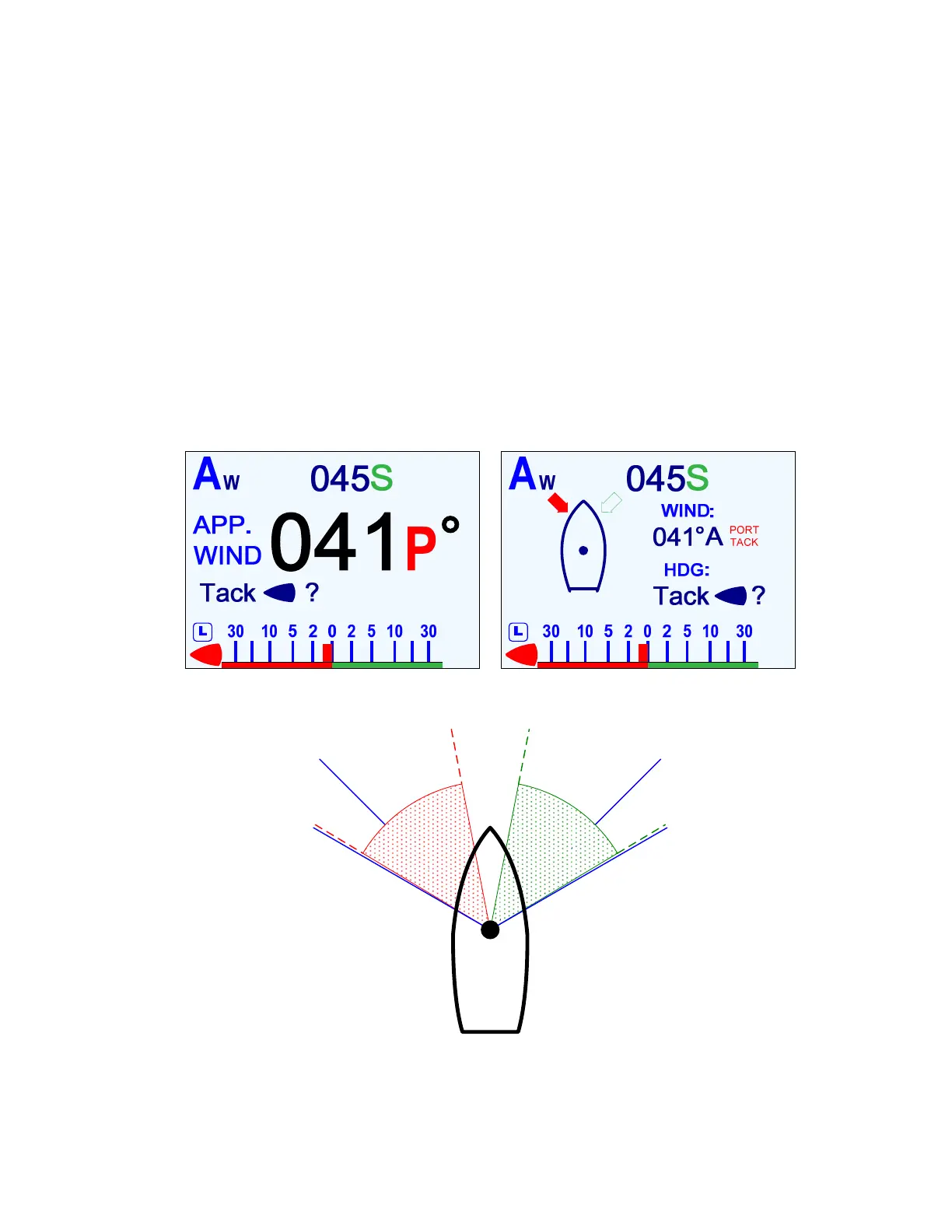
Tacking is accomplished as follows (in
WIND
or
WIND-Points
mode).
1) Do all your normal preparations (lines, sails, other gear, etc.) to Come About.
2) Set the Commanded Wind Angle to Close Haul. If necessary, let the boat head up until
the actual wind angle is close to the Commanded Angle.
3) Push the
T
T
U
U
R
R
N
N
button.
If the you are sailing at an actual wind angle greater than 010° and less than the value in
the Close Reach parameter in the Wind menu, the screen shows the “Tack ?” prompt.
At any other angle, a Tack is not allowed, so an “Invalid Command” message pops up.
Note: if the actual wind angle is greater than a Broad Reach & less than 175°, the
autopilot assumes that you want to Gybe. In this case, the screen will show the
“Gybe ?” prompt instead (see Gybing below, for more information).
Figure 102 – Starting a Tack in WIND (left) and WIND-Points (right) Modes
l
os
e
H
aul
(
045
°)
Close
Hau
(045°)
C
l
o
s
e
R
e
a
c
h
(
0
6
0
°
)
0
5
9
°
0
1
1
°
0
1
1
°
0
5
9
°
C
l
o
s
e
R
e
a
c
h
(
0
6
0
°
)
Figure 103 – Wind Angle Limits to Start a Tack
For example, with Close Reach set to the default 060°, if you are sailing at an angle of
011° or 059°, or anything in between, you will see the prompt.



 To Next Page