ComNav Commander P2 & P2VS Installation & Operation Advanced Operations
Document PN 29010074 V4.1 - 171 -
2) Press the
F
F
n
n
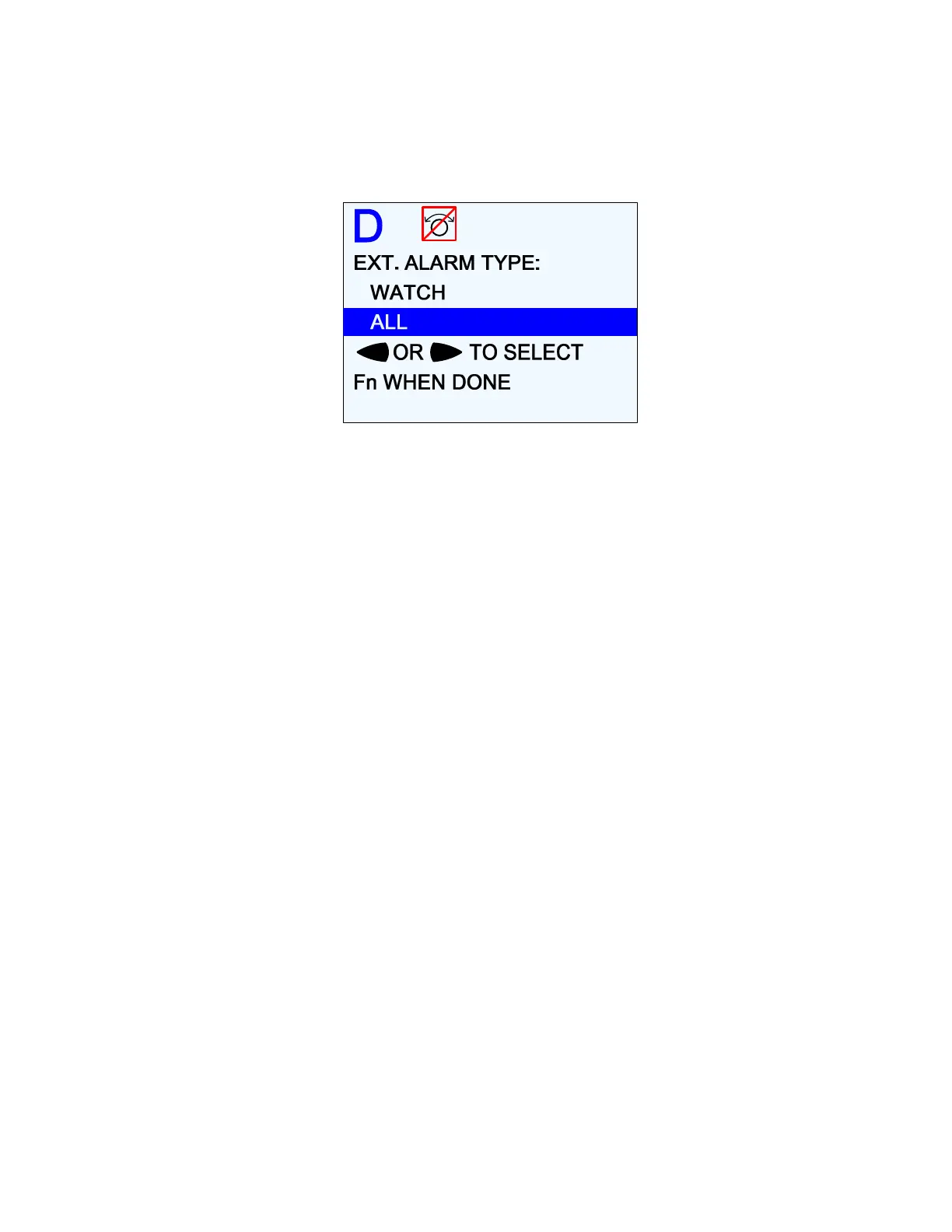
button. A new screen will appear. This is where you choose whether you
want to activate the External Alarm Output for all alarms and error messages, or just
when the Watch Alarm has not been answered.
Figure 121 – External Alarm Type Configuration
Note: the autopilot will not allow you to change the Alarm O/P without choosing
either “Watch” or “All”.
3) Press the
F
F
n
n
button to get back to the Dockside Setup menu. You can now move the
highlight to a different parameter.
Using the Watch Alarm
Once the Watch Alarm occurs, it can only be reset by pressing the
F
F
n
n
button.
The Watch Alarm timer is controlled by the Watch Alarm parameter in the Standby menu.
The value may be adjusted from “OFF” (Watch Alarm completely inactive) to 30 minutes, in
1-minute increments.
The Watch Alarm parameter is password protected. The autopilot will not allow you to
change the Watch Alarm timer without first correctly entering a password.
There are a few key points to remember about passwords:
1) For safety reasons, only authorized personnel should be allowed to know or change the
Watch Alarm password.
2) The password consists of a button sequence entered on the Control Head, from 0 to 10
button presses in length. We recommend choosing a password with at least a 5-button
sequence.
3) All of the buttons, except the
S
S
T
T
A
A
N
N
D
D
B
B
Y
Y
button, may be used for the password sequence,
and a button may be used more than once in the sequence.
4) The
S
S
T
T
A
A
N
N
D
D
B
B
Y
Y
button is reserved to signify the end of the sequence (like the ENTER key
on a computer).
5) The autopilot is shipped from the factory with a null password – just press the
S
S
T
T
A
A
N
N
D
D
B
B
Y
Y
button when prompted for the password.
6) Once you have created a password, test it out – to be sure it works. Then write it down
on a piece of paper or in a log book, and store the paper/logbook somewhere safe – in
case you forget the password!



 To Next Page