ComNav Commander P2 & P2VS Installation & Operation Advanced Operations
Document PN 29010074 V4.1 - 152 -
WIND Mode
WIND
mode is special mode used on sailboats; it is a sub-mode of
AUTO
mode.
Note: WIND mode is only available when the Vessel Type in the Dockside Setup
menu is set to Sail; it is not available on P2VS systems.
In
WIND
mode, the autopilot steers the boat so as to maintain a constant angle to the wind,
rather than a constant Heading.
In order to use
WIND
mode, your autopilot must receive wind information (speed & angle)
from a ComNav Twin-Fin Wind Transducer, or as NMEA 0183 data from some other wind
sensor via one of the NAV data inputs. The “Wind Source” in the Wind menu must match
what you are using.
Note:
you can not change the “Wind Source” while in WIND mode, for safety
reasons (different wind sources may not give the same reading).
To enter
WIND
mode, bring the boat around so that the wind angle on the bow is between
about 045° and 160°, and set your sails correctly for that wind angle. Then enter
AUTO
mode, and then press the
F
F
n
n
button for ~1 second, until the large letter `A´ stops flashing.
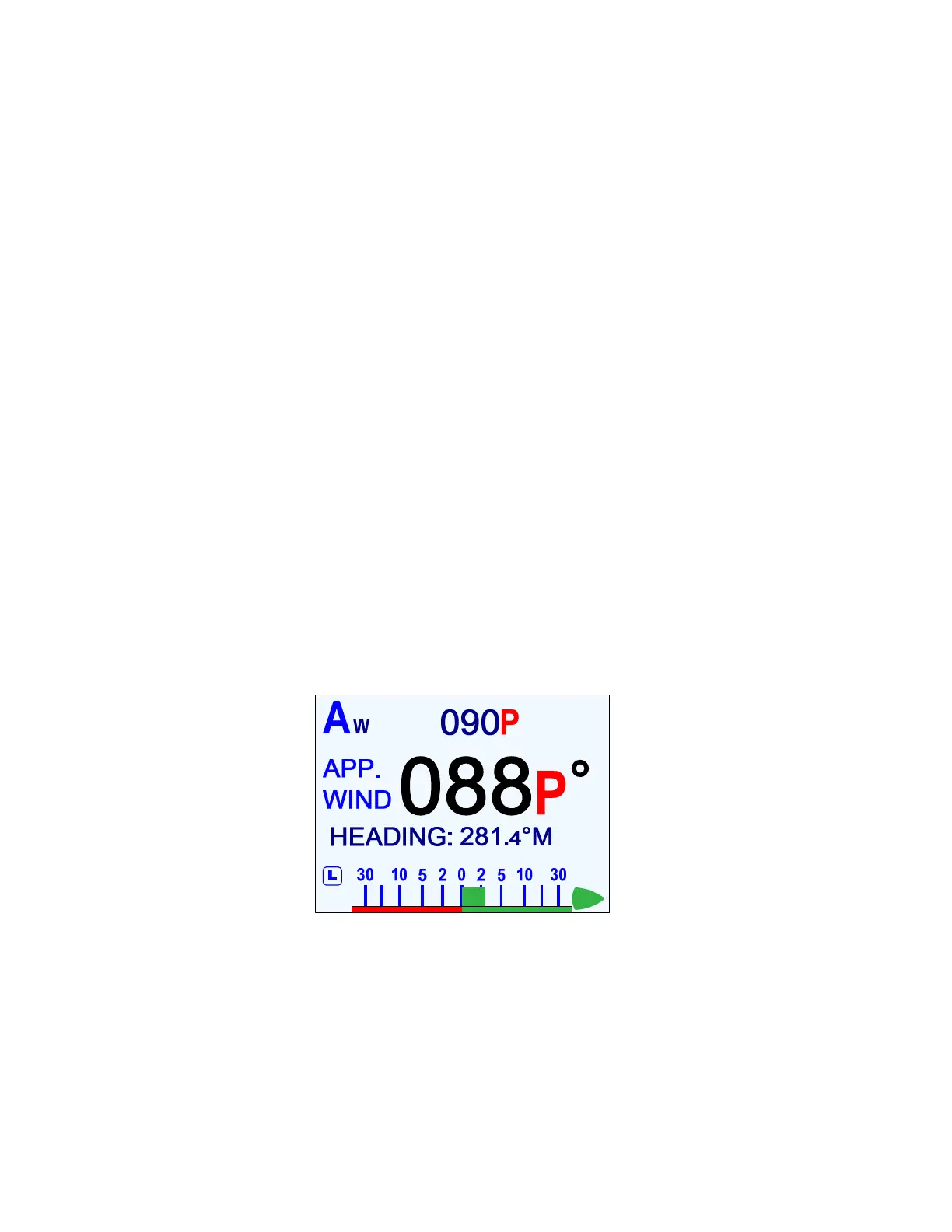
The screen displayed will be similar to the figure below.
The smaller letter `W´ that appears to the immediate right of the `A´ indicates that the
autopilot is now in
WIND
mode.
The large numbers on the display show the actual wind angle, while the smaller numbers in
the upper center portion indicate the Commanded Wind Angle. The Commanded Angle is
automatically set to the actual wind angle when you enter
WIND
mode; you can then change
it, with the
C
C
O
O
U
U
R
R
S
S
E
E
C
C
H
H
A
A
N
N
G
G
E
E
knob.
The letters after the wind angles show which side of the boat – Port or Starboard – the wind
is coming from.
The boat’s current Heading is also shown, and whether it is degrees True or Magnetic.
Figure 97 – Typical WIND Mode Screen (Normal Display)
To exit
WIND
mode, press the
F
F
n
n
button again. The
AUTO
mode screen will re-appear, and
the letter `W´ will disappear from the display.
WIND
mode can also be cancelled by switching to any other mode.



 To Next Page