ComNav Commander P2 & P2VS Installation & Operation Setting Up
Document PN 29010074 V4.1 - 97 -
Compass
Source
Setting Compass Type Comments
Analog
Compass
Mag
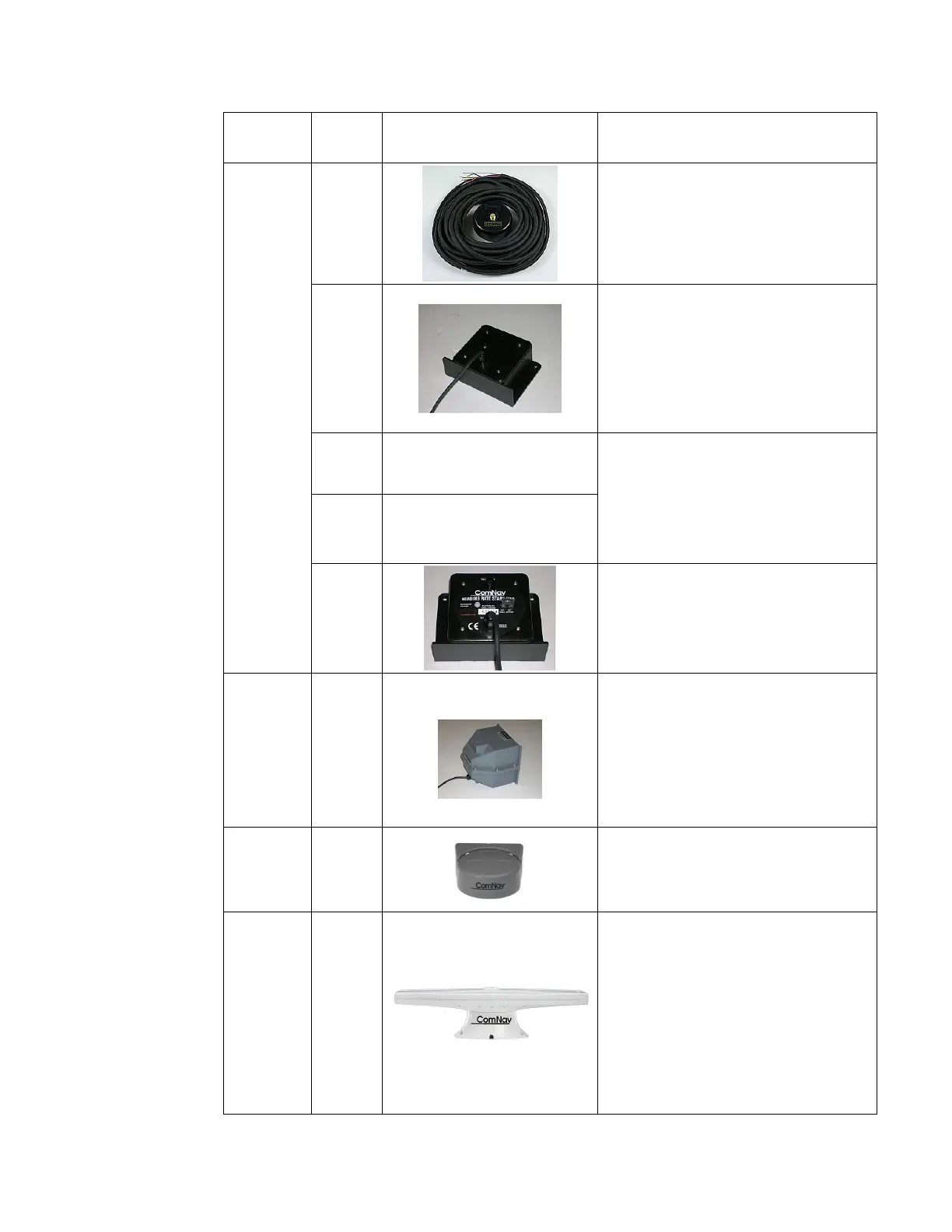
Choose this setting if you have an
externally gimballed magnetic
compass fitted with a ComNav
Magnetic Sensor, such as the one
shown to the left.
Flux
Choose this setting if you have a
ComNav Fluxgate Compass like the
one shown to the left.
If you have a ComNav Heading Rate
Stabilizer connected in series with the
Fluxgate Compass, use the HRS
setting (below).
Fixed —
The autopilot can accept a variety of
Analog compasses. Consult the
manufacturer’s documentation, or
contact the manufacturer, to
determine whether the reference
signal is fixed or floating, and set the
An. Compass Type to match.
Float —
HRS
Choose this setting if you are using a
ComNav Heading Rate Stabilizer (&
Fluxgate Compass) like the one
shown at the left.
Digital
Compass
Fixed
Choose this setting if you have a 45°
transducer connected.
NAV1
Port
SSRC1
Choose this setting if you have a
ComNav Tri-Axis Gyro Rate compass
connected.
NAV1 or
NAV2
Port
NMEA
Choose this setting if your autopilot
system is utilizing any type of
NMEA 0183 Compass (such as the
ComNav Vector G2 or G2B GPS
Compasses) other than Tri-Axis Rate
Gyro compass or a specific NMEA
compass that ComNav may support
in the future. This type of compass
usually does not require specific
calibration, or can be calibrated
through other means.
Table 6 – Compass types



 To Next Page