ComNav Commander P2 & P2VS Installation & Operation Advanced Operations
Document PN 29010074 V4.1 - 161 -
Wind Menu
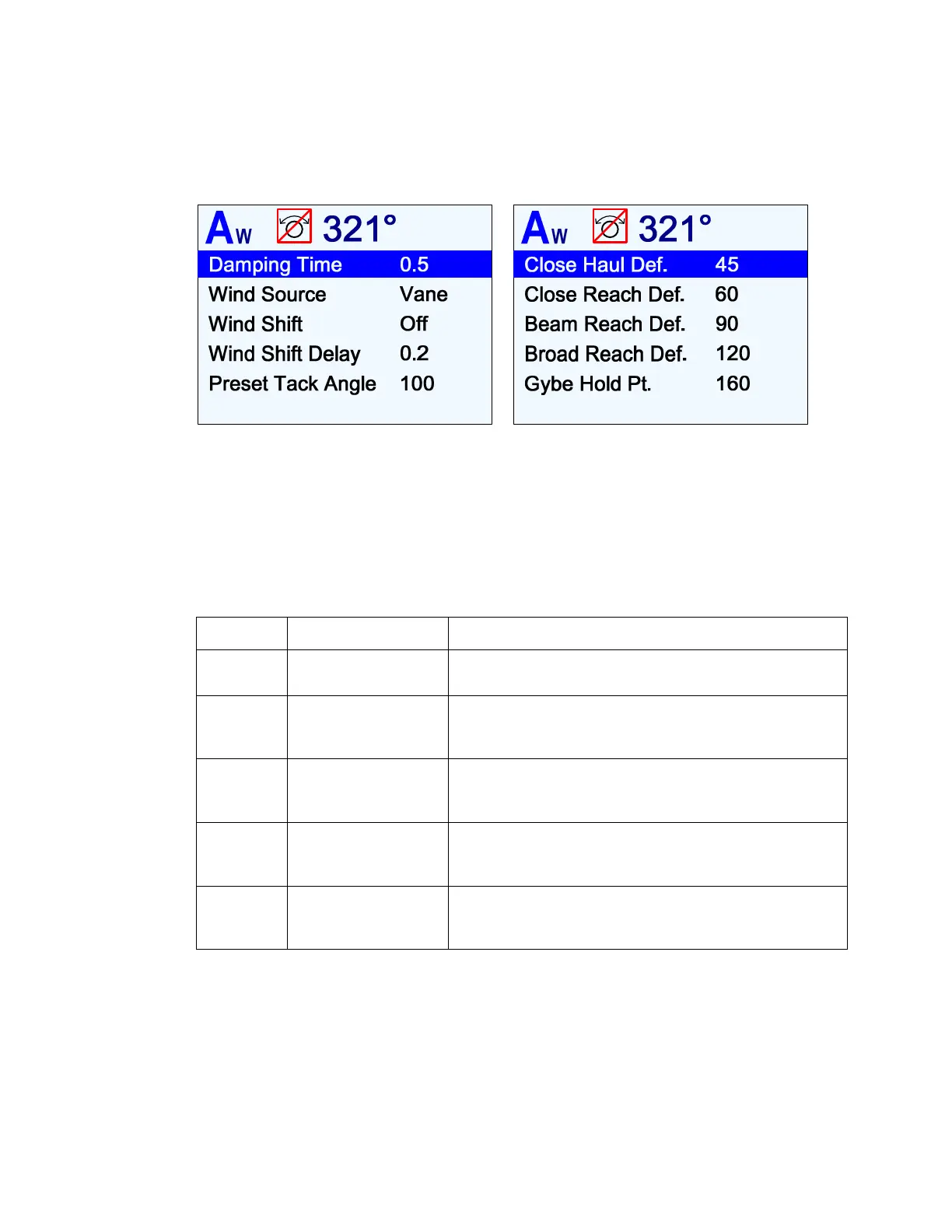
The Wind menu has all of the adjustable parameters that are involved with
WIND
&
WIND-Points
modes. To access the Wind menu, double-press the
F
F
n
n
button.
Figure 108 – Wind Menu
Wind Source
Wind data may be received either directly from a ComNav Twin-Fin Wind Transducer, or from
other devices that provide wind data in NMEA 0183 format. Select the appropriate value
according to the table below.
Note: for safety reasons, this menu line does not appear if you enter this menu while
in WIND mode.
Setting Wind Source Comments
Vane
Twin-Fin Wind
Transducer
Wind direction & speed is taken directly from the Wind
Transducer. The boat will sail to the
Apparent Wind
.
NAV1A
NAV1 input,
Apparent wind
Wind direction & speed is taken from a wind-measuring
instrument that provides
Apparent Wind
data in
NMEA 0183 format, & connected to the NAV1 input.
NAV1T
NAV1 input,
True wind
Wind direction & speed is taken from a wind-measuring
instrument that provides
True Wind
data in
NMEA 0183 format, & connected to the NAV1 input.
NAV2A
NAV2 input,
Apparent wind
Wind direction & speed is taken from a wind-measuring
instrument that provides
Apparent Wind
data in
NMEA 0183 format, & connected to the NAV2 input.
NAV2T
NAV2 input,
True wind
Wind direction & speed is taken from a wind-measuring
instrument that provides
True Wind
data in
NMEA 0183 format, & connected to the NAV2 input
Table 9 – Wind Source Selection
When the wind data source is an NMEA device, there are several sentences
which can contain the wind speed & direction data.
If the data in the sentence being received (or in the sentence with highest priority,
if there is more than one with “wind data” received) is not the type – Apparent or
True – selected in Wind Source, and if boat speed data is also available, the
autopilot calculates the required Apparent/True wind speed.
If no boat speed data is available, the wind data is used as is, but the
Apparent
or
True
indicator on the WIND & WIND-Points mode screens does not change.



 To Next Page