ComNav Commander P2 & P2VS Installation & Operation Basic Operations
Document PN 29010074 V4.1 - 126 -
Seastate
The Seastate parameter tells the autopilot how much deviation – also called Yaw – from the
set Course to allow before taking corrective action.
Seastate should be set according to sea conditions. As conditions worsen, the Seastate
setting can be increased. This may result in slightly worse steering performance, but will
reduce the amount of rudder movement and strain on the steering system.
This parameter’s units are degrees, and the value is the total across to either side of the set
Course; that means that a value of 1 will allow the boat’s Heading to yaw up to 0.5° on either
side of the set Course before the autopilot brings it back on-course. The maximum value is
10°.
There is also an Automatic Seastate Control feature that will monitor and adjust the Seastate
setting for you. To activate this, highlight “Seastate” in the menu and turn the
C
C
O
O
U
U
R
R
S
S
E
E
C
C
H
H
A
A
N
N
G
G
E
E
knob counter-clockwise until the value reads “A”.
There are two Seastate settings; one is for Lo speed operations and one is for Hi speed
operations. Only the Seastate for the currently-active Speed setting will be changeable; the
other will be greyed out.
Turn Rate
Varying the Turn Rate parameter controls the maximum rate at which the boat may make a
Heading change (in
AUTO
or
NAV
modes), return to its original heading after a dodge
manoeuvre, or execute a Special Turn. Factors such as speed, load, hull characteristics and
weather conditions may limit the maximum achievable Turn Rate.
This parameter’s units are in degrees per second. Up to 1.5 °/sec, the value increments by
0.1° per click of the
C
C
O
O
U
U
R
R
S
S
E
E
C
C
H
H
A
A
N
N
G
G
E
E
knob; then it goes to 2.0 °/sec, and from there to the
maximum of 10.0 °/sec (or 12.0°/sec if the Vessel type is set to “Sail”), it changes by 1° per
click.
There are two Turn Rate settings; one is for Lo speed operations and one is for Hi speed
operations. Only the Turn Rate for the currently-active Speed setting will be changeable; the
other will be greyed out.
Parameter Set
The P Series system gives you the ability to store two sets of steering parameters, “Lo” (low)
and “Hi” (high). This allows for best performance under varying boat speeds and/or loading
conditions.
The autopilot can be set manually to use either the Lo or the Hi settings. There is also a
selection for “Auto”. If “Auto” is chosen, the autopilot will automatically switch from Lo to Hi,
or vice-versa, depending on the boat’s speed. For “Auto” to work, the autopilot must be
connected to an NMEA 0183 Navigation System that outputs speed information. The Speed
Trip Point, described below, governs the point at which the switch is made.
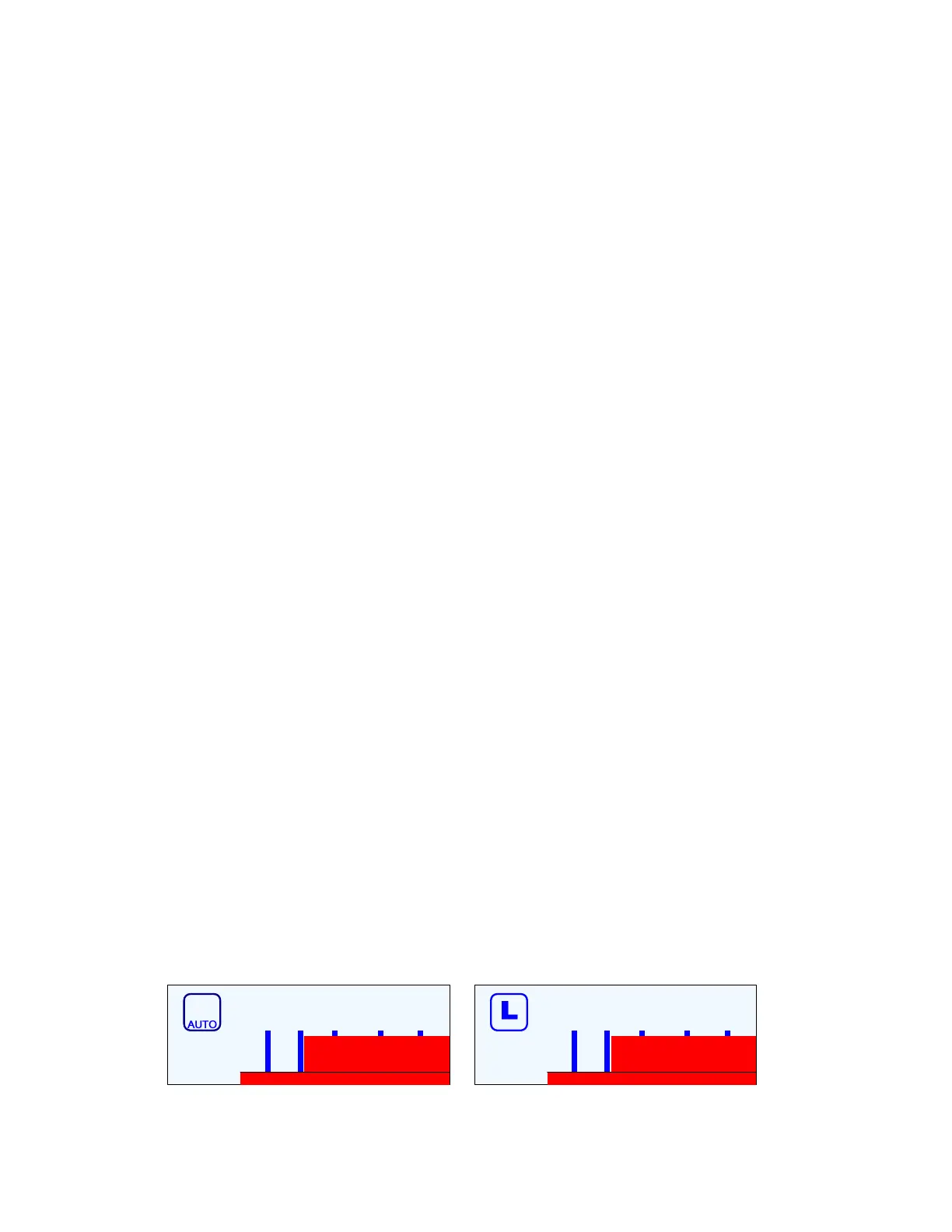
When the autopilot is in
AUTO
or
NAV
mode, it always indicates which steering parameter
set is in effect. This is shown just to the left of the Rudder Angle Indicator, and consists of a
small box shape with either L for “Lo” or H for “Hi” in it. If the Parameter Set value is set to
Auto, then the word “AUTO” also appears in the box.
H
30 10 5 2
30 10 5 2
Figure 82 – Hi (AUTO) and Lo Speed Indicators (to left of the Rudder Angle Indicator)



 To Next Page