ComNav Commander P2 & P2VS Installation & Operation Basic Operations
Document PN 29010074 V4.1 - 116 -
STANDBY Mode
The autopilot always turns on in
STANDBY
mode.
To switch to
STANDBY
mode from any other mode, press the
S
S
T
T
A
A
N
N
D
D
B
B
Y
Y
button for
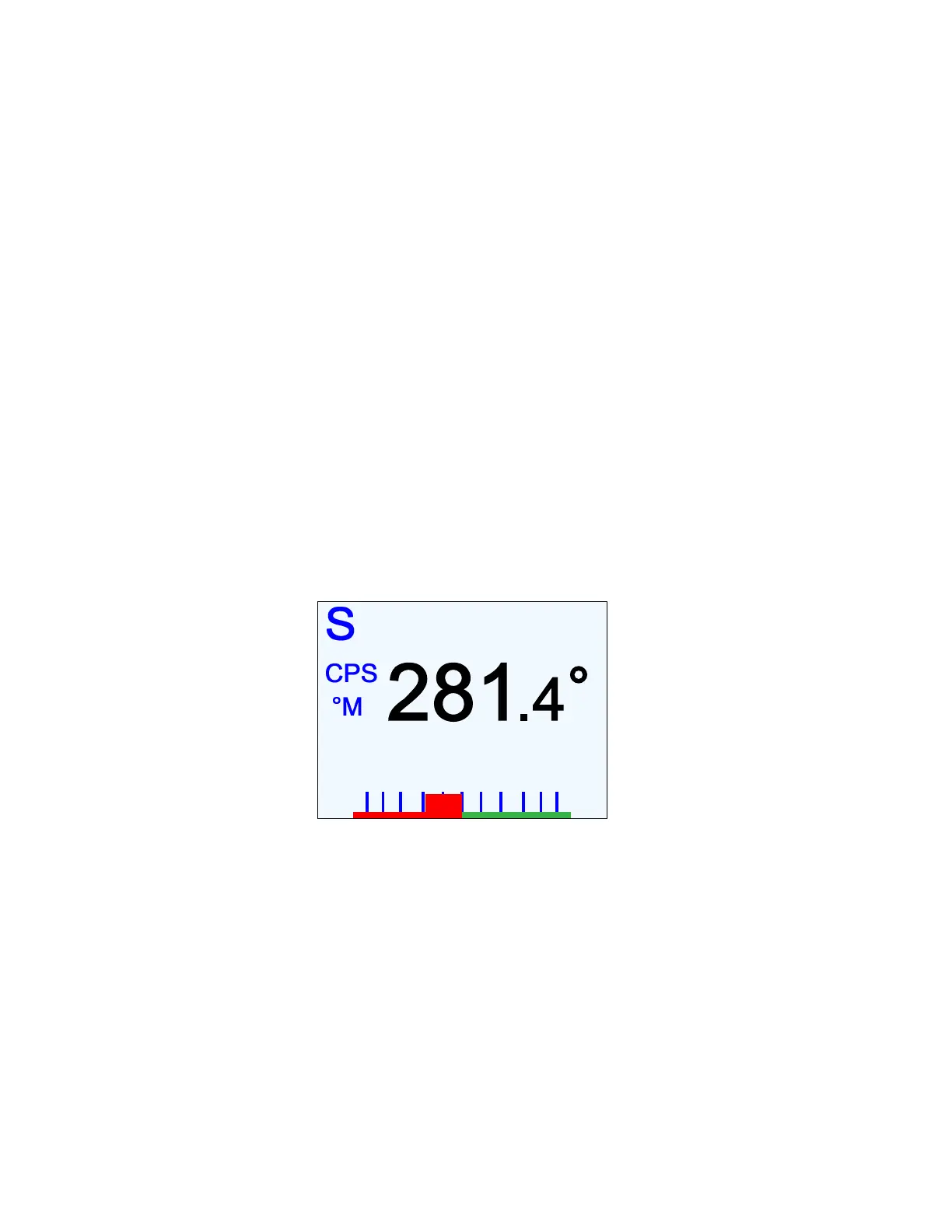
approximately 1 second, until the large letter `S´ appears in the upper left corner of the
screen.
The `S´ indicates that the system is now in
STANDBY
mode.
In this mode, the autopilot displays the boat’s current Heading and the rudder’s angle, but
has no control over the steering of the boat.
To steer in STANDBY mode, you must use the boat’s manual steering
system: wheel, tiller, etc.
To the left of the Heading value is shown its source (e.g., Compass, one of the SPU’s
Navigation data inputs, etc.), and whether it is in Degrees Magnetic or Degrees True.
The latter is determined automatically by the autopilot, based on the type of the Heading
source:
•
All analog compasses are in Magnetic.
•
NMEA sources may be in Magnetic or True, depending on which NMEA data
sentences they are configured to transmit, and on the NMEA Heading Type
parameter in the Standby Menu (see page 118 for more details).
The Heading source & type indicators appear in all operating modes, whenever the boat’s
current Heading is being displayed.
30 10 5 2 0 301052
Figure 72 – Typical STANDBY Mode Screen
On a P2VS without an RFU, the rudder position bar on the RAI does not
appear in STANDBY mode (it does appear in all other modes)
Also, when switching to any other mode from STANDBY, the position bar is
always set at Dead Centre – 0° – when the new mode begins.



 To Next Page