ComNav Commander P2 & P2VS Installation & Operation Basic Operations
Document PN 29010074 V4.1 - 121 -
POWER STEER Mode
In this mode, you can directly control the rudder. In effect, the autopilot is acting as an
“electronic steering wheel”, allowing you to steer the boat manually – on any Heading you
want, or into a turn.
To enter
POWER STEER
mode, press and hold the
P
P
O
O
W
W
E
E
R
R
S
S
T
T
E
E
E
E
R
R
button for about 1 second,
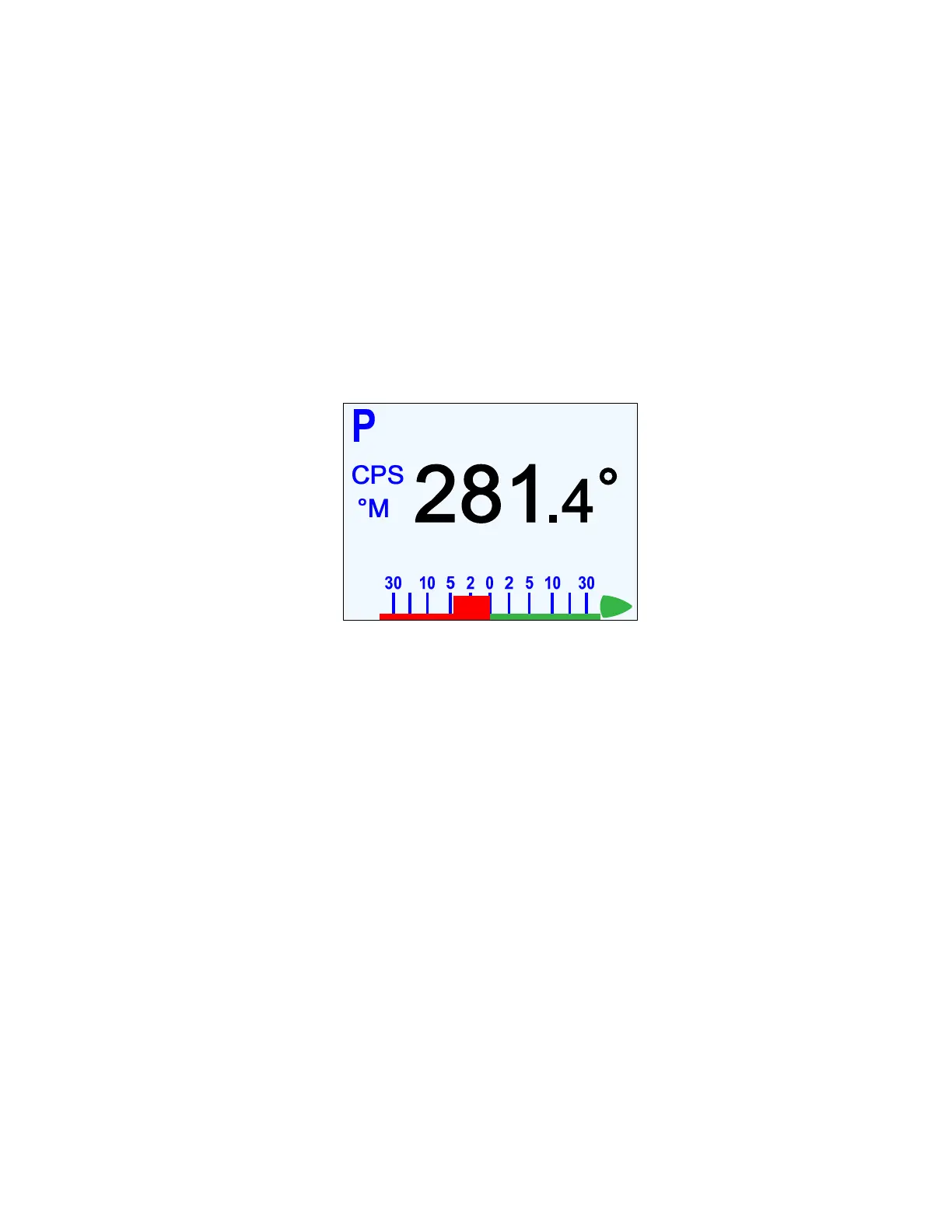
until the large letter `P´ appears in the upper left portion of the display.
The Control Head displays the boat’s current Heading, source & type, and the rudder’s angle,
but only so you know what they are.
The
P
P
O
O
R
R
T
T
and
S
S
T
T
A
A
R
R
B
B
O
O
A
A
R
R
D
D
buttons are used to control the rudder. Press one or the other to
move the rudder in that direction. The rudder will keep moving for as long as the button is
pressed, until it gets to the physical rudder limits (or the limits you set in the Power Steer
menu – see next page).
Figure 76 – Typical POWER STEER Mode Screen
The
C
C
O
O
U
U
R
R
S
S
E
E
C
C
H
H
A
A
N
N
G
G
E
E
knob can also be used to move the rudder in
POWER STEER
mode:
•
One ‘click’ changes the rudder angle by approximately 1 degree.
•
A quick spin moves the rudder approximately 10 degrees.
You can limit the maximum amount of rudder travel in
POWER STEER
mode, with the Power
Steer limits. Turning on these limits, and adjusting them to suit, is done in the Power Steer
menu (see next page).
On a P2VS without an RFU, you should always manually steer a steady,
straight Heading, in STANDBY mode, for at least 10 seconds – or longer, if
necessary, until you don’t have to continue to move the wheel/tiller to
maintain a straight Track – before switching into POWER STEER, AUTO or
NAV modes. The rudder must be at the dead-ahead position when you
switch modes.
If the estimated rudder position (as shown on the RAI) reaches Dead Centre
while you are pressing the
P
P
O
O
R
R
T
T or
S
S
T
T
A
A
R
R
B
B
O
O
A
A
R
R
D
D
button to move the rudder, the
rudder will stop moving. This is to allow you to check that the actual & estimated
rudder positions are the same (see page 143 for more information on the topic of
actual versus estimated rudder position).
If they are the same (or at least close), you can then continue to move the rudder
by pressing the same button again.
If they are not, you should go to STANDBY mode, manually steer a straight
Heading, etc. (as above), before re-entering POWER STEER mode.



 To Next Page