ComNav Commander P2 & P2VS Installation & Operation Advanced Operations
Document PN 29010074 V4.1 - 172 -
Changing the Password
As mentioned above, the autopilot is shipped from the factory with a null password – which
means that you would simply push the
S
S
T
T
A
A
N
N
D
D
B
B
Y
Y
button, when prompted by the “Password?”
query in the box that pops up when you try to change the Watch Alarm Timer (see next
page). To prevent unauthorized personnel from tampering with the Watch Alarm, it is
recommended that you change the password from the default null password.
You may also wish to change the password on a regular basis, for security reasons.
To change the password, enter the old password when prompted, but instead of pressing the
S
S
T
T
A
A
N
N
D
D
B
B
Y
Y
button to enter/confirm the password, press the
F
F
n
n
button at the same time as you
press the
S
S
T
T
A
A
N
N
D
D
B
B
Y
Y
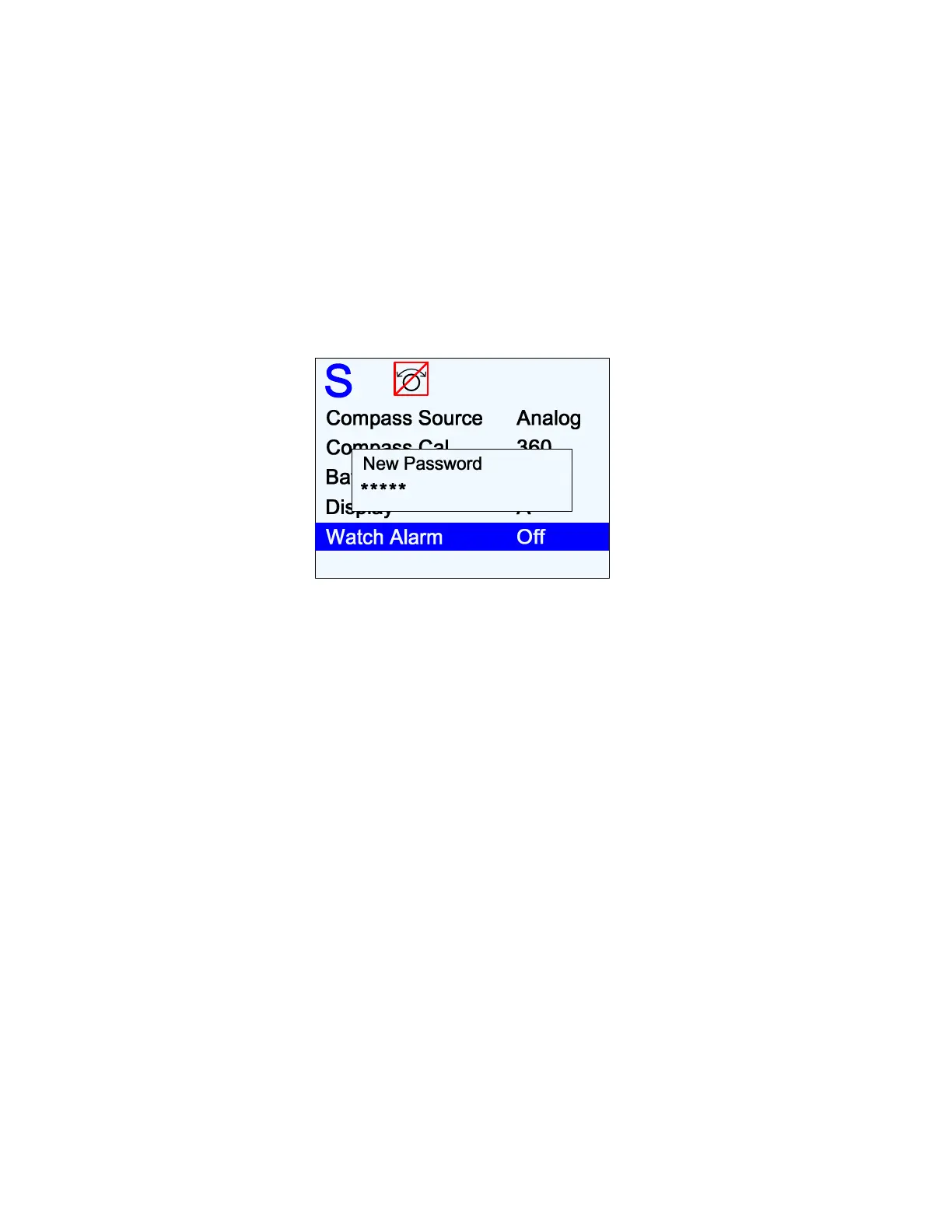
button. The autopilot will respond with a “New Password?” query:
Figure 122 – New Password Pop-Up Window
Now enter a new button sequence, finishing with the
S
S
T
T
A
A
N
N
D
D
B
B
Y
Y
button. Once the
S
S
T
T
A
A
N
N
D
D
B
B
Y
Y
button has been pushed, the autopilot will store the new password sequence in its memory
and the pop-up window will disappear.
Important!
Be sure to record the new password sequence in a secure place, in
case it is forgotten!
The password can be changed as often as desired.
•
When you are entering a password – either when changing it, or to change the
Watch Alarm timer – there is no way to do a “backspace” or “delete”, if you happen to
press a wrong button. But you can just press the
S
S
T
T
A
A
N
N
D
D
B
B
Y
Y
button, which will result in
a “Password Error” message; you can then enter the correct password.
•
If you have forgotten the password,
and
can not find the piece of paper you wrote it
down on (… the “safe place” was
too
safe …), you can reset it back to the factory
default null password, as follows:
⇒
In Dockside Setup, move to the Reset menu line, then press & hold the
S
S
T
T
A
A
N
N
D
D
B
B
Y
Y
button, and then press & hold the
F
F
n
n
button, then release both.
Unlike the full “factory reset” that the Reset menu line is usually used for (and
only
when absolutely necessary – see below & page 87!), the
S
S
T
T
A
A
N
N
D
D
B
B
Y
Y
&
F
F
n
n
combination resets only the Watch password.
Be careful not to press the
F
F
n
n
button first!
If you do that, you will reset
everything
in the autopilot back to the factory
defaults – which means that you will have to re-do Compass & Drive Setup, and
again change any parameters you have adjusted (Rudder Gain, etc.) from the
factory defaults, during Sea Trials & normal operation.



 To Next Page