ComNav Commander P2 & P2VS Installation & Operation Advanced Operations
Document PN 29010074 V4.1 - 155 -
Here’s an example of
WIND-Points
mode operation:
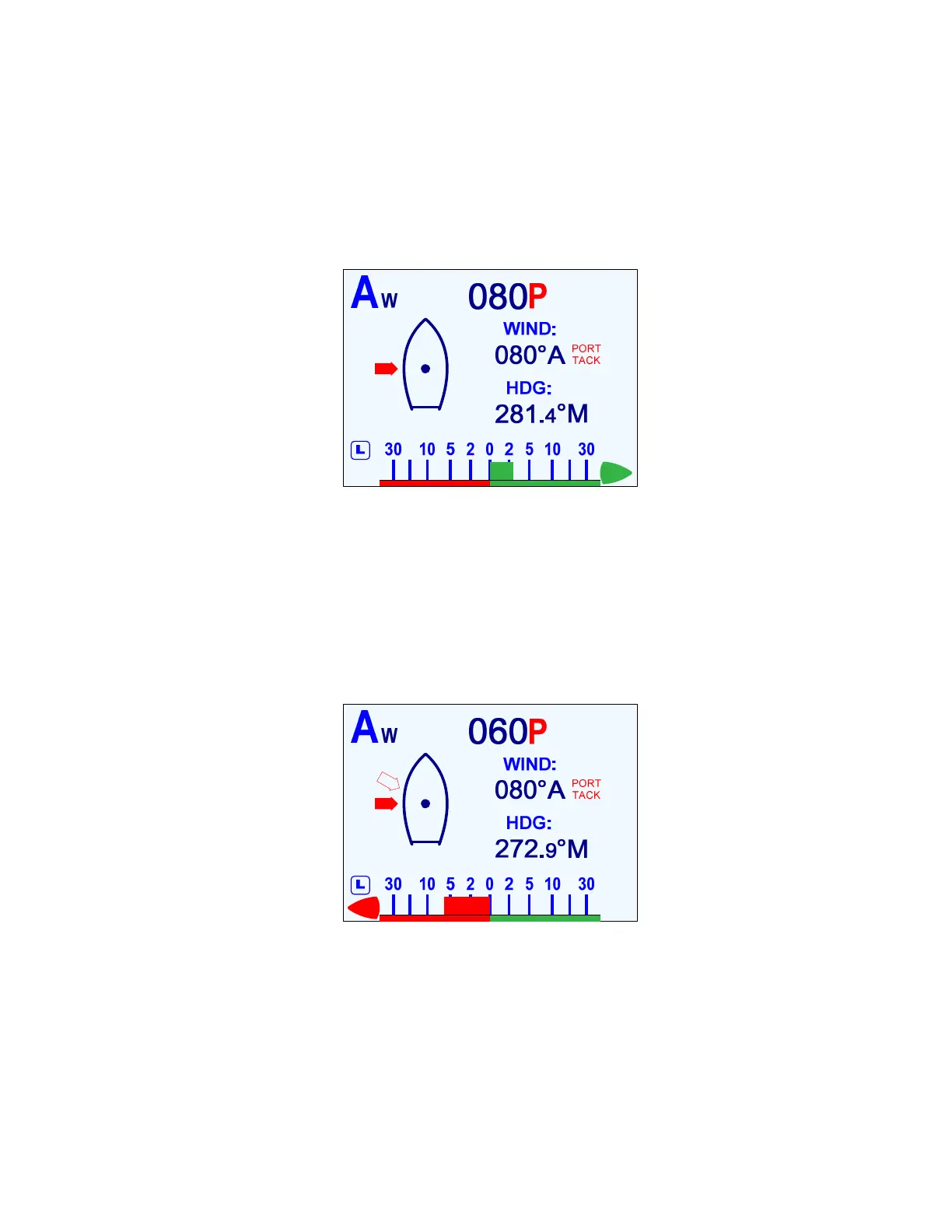
Assume that you have defined a Close Reach as 060°, a Beam Reach as 090°, and a Broad
Reach as 120°. You are in
WIND
mode, and the autopilot is steering to the wind at a
Commanded – and actual (Apparent) – wind angle of 080° on a Port tack.
When you press the
F
F
n
n
button to bring up the
WIND-Points
mode, the autopilot will set the
Commanded Wind Angle to 080° Port, because that is the current wind angle. The display
will show a solid arrow at the closest Point of Sail, 090° Port.
Figure 99 – Commanded Wind Angle of 90°
Now let’s say you turn the
C
C
O
O
U
U
R
R
S
S
E
E
C
C
H
H
A
A
N
N
G
G
E
E
knob one click counter-clockwise. The
Commanded Wind Angle changes to 060° Port, since you’ve commanded a turn of the bow
to Port – which will decrease the wind angle on the bow, and so the corresponding point of
sail is a Close Reach Port. The outline arrow shows that the wind will be coming from 060°,
once the autopilot brings the boat onto the new Commanded Angle (i.e., new Point of Sail).
The boat will then turn to Port, and as the actual wind angle approaches 060°, the outline
arrow will be replaced with a solid one, once the actual angle is within 5° of the new
Commanded Angle.
Figure 100 – Outline Arrow shows the Commanded Point of Sail
If you had instead turn the knob one click clockwise, the Commanded Wind Angle would
change to 120° Port (i.e., a Broad Reach), an outline arrow would appear at 120°, and the
boat would begun to turn to Starboard.
As before, while the boat turns you should also trim your sails to suit the new wind angle!



 To Next Page