ComNav Commander P2 & P2VS Installation & Operation Basic Operations
Document PN 29010074 V4.1 - 130 -
NAV Highway Display
An alternative “highway” display is available for
NAV
mode.
To access this display, press & hold the
N
N
A
A
V
V
button until the autopilot enters
NAV
mode.
Then press the
N
N
A
A
V
V
button again.
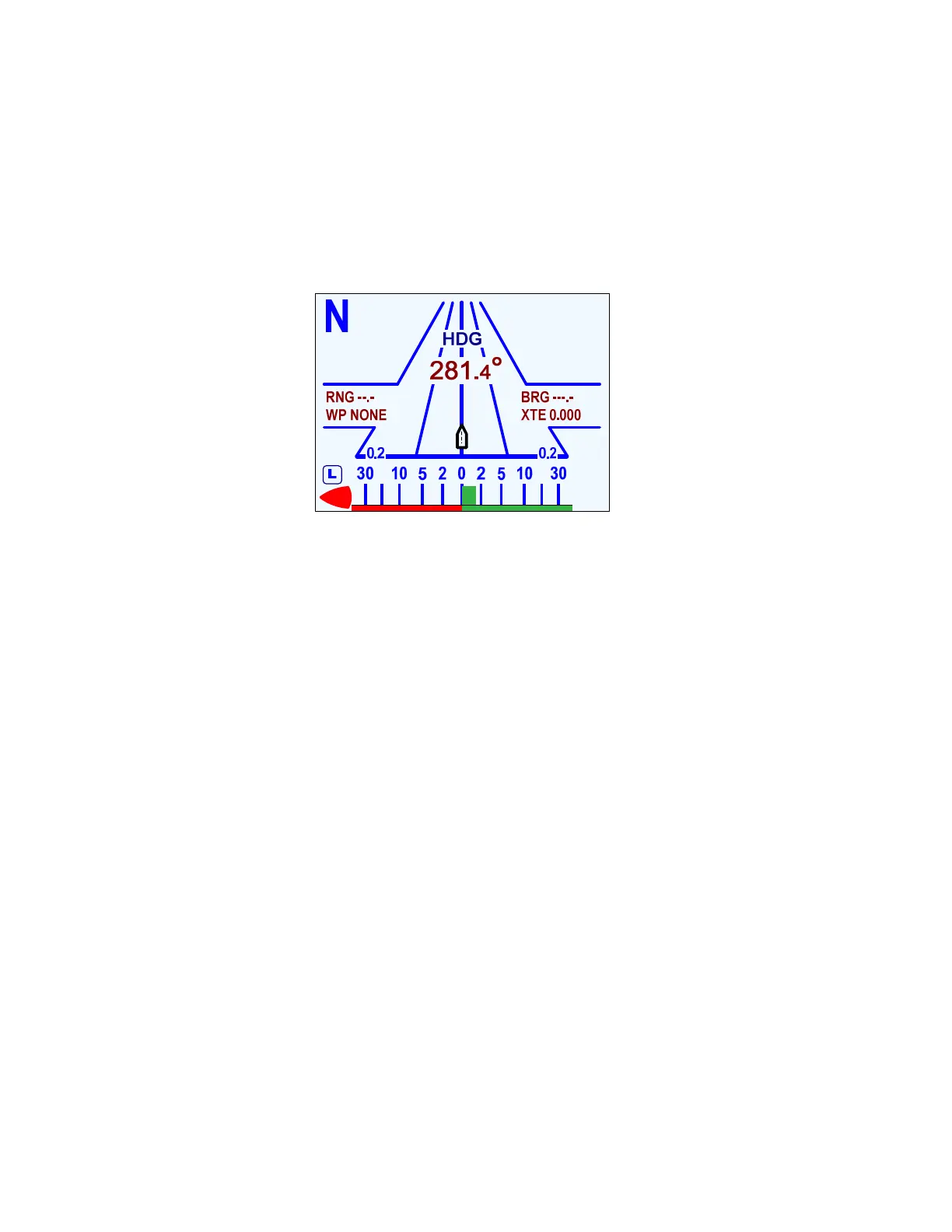
The display will change to a “perspective” representation, as in the figure below:
To change back to the normal display, press the
N
N
A
A
V
V
button again.
Figure 85 – Typical NAV Mode Highway Screen
In the NAV Highway display, the Track to the destination is the centreline of the “highway”.
The boat’s position with respect to that Track is shown by the small “boat” shape.
Cross-Track Error is shown graphically by the boat being located to the left or right of the
centreline. The offset is proportional to the amount of Cross-Track Error.
Note the small numbers in the lower corners of the highway display. These indicate the scale
of the display. There are four scales that can be shown on the highway display: 0.2, 0.5, 1.5,
and 3.0 Nautical Miles. The scale changes automatically to give the best resolution.
Notes on NAV Mode
•
If you need to, you can quickly “dodge” around obstacles, and then automatically
return to your original Track when the boat is clear of the obstacle – see
Dodge
&
Jog Steering Turns,
pages 140 & 142.
•
You can limit the maximum amount of rudder travel in
NAV
mode by turning on the
Auto/Nav rudder limits. Turning them on, and adjusting them to suit, is done in the
Power Steer menu (see page 122).
•
The autopilot has an automatic Off-Course Alarm that will be activated should the
boat fall off the Commanded Heading by more than 20°. There is a 32 second delay
on this alarm.
On a P2VS without an RFU, you should always manually steer a steady,
straight Heading, in STANDBY mode, for at least 10 seconds – or longer, if
necessary, until you don’t have to continue to move the wheel/tiller to
maintain a straight Track – before switching into POWER STEER, AUTO or
NAV modes. The rudder must be at the dead-ahead position when you
switch modes.



 To Next Page