ComNav Commander P2 & P2VS Installation & Operation Setting Up
Document PN 29010074 V4.1 - 87 -
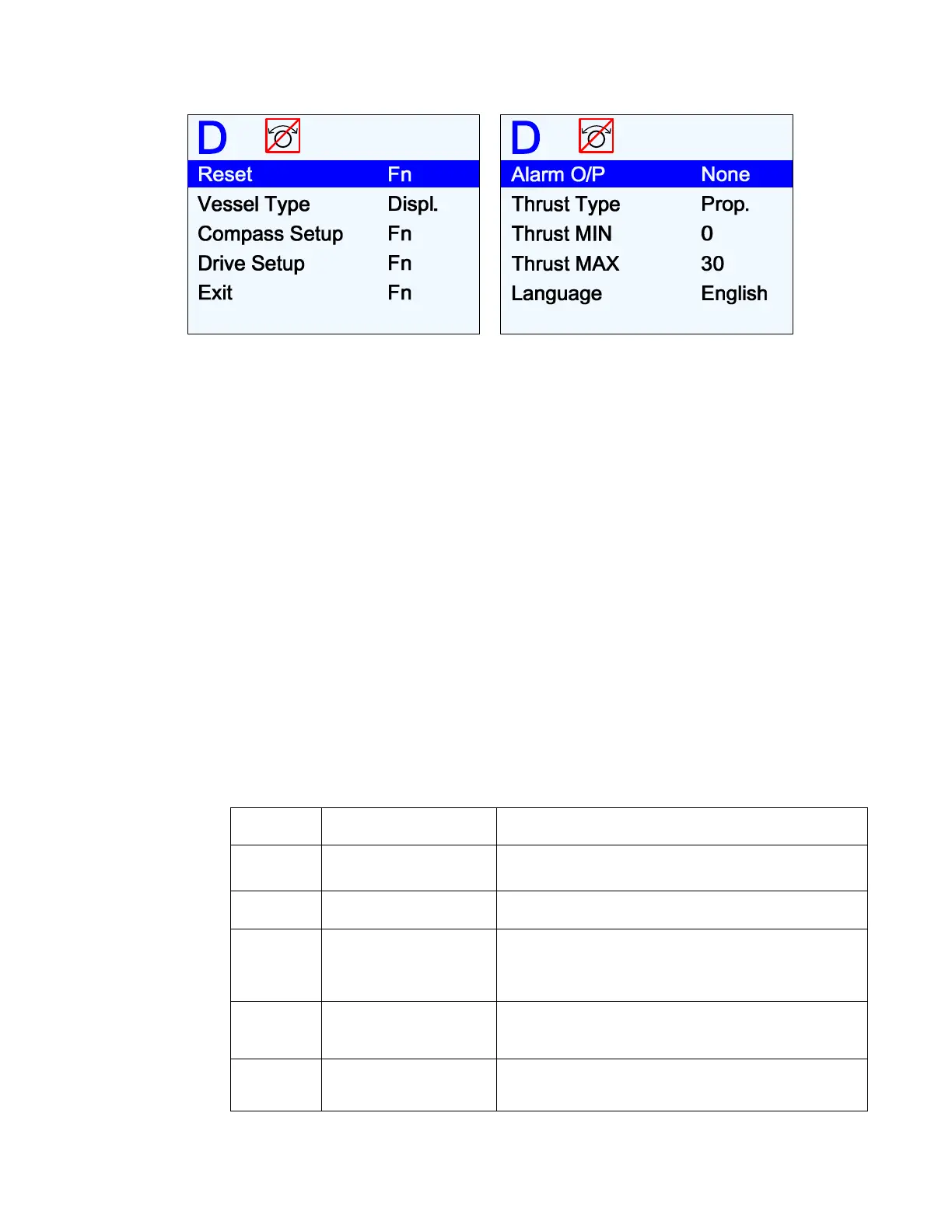
Figure 65 – Dockside Setup menu
Reset
A full reset of all the P2’s operating parameters is done when the
F
F
n
n
button is pressed; the
word “Reset” changes to “RESET” to show that it has been done.
Caution!
A “full reset” means that ALL parameters in the entire autopilot system
are set back to the default settings installed at the factory.
This means any configuration (Compass & Drive Setup) you have done, and all
parameter adjustments you have made, WILL BE LOST!
You should use this full-reset function only on the advice of an authorized
ComNav service representative!
Vessel Type
Set this to match as closely as possible to the type of boat that the autopilot is installed on.
The system then automatically selects a specific set of equations & constants – for use in the
P2’s steering algorithms – which have been found to work reasonably well with typical boats
of the chosen type. Also selected are the initial values of the Steering Parameters used in
those equations (see
Sea Trials
on page 103 and
Auto Menu
on page 124 for more details).
Note: during Sea Trials, and later in normal operation, you can adjust any or all of
the Steering Parameters’ values, to better suit your own boat, and/or the current
sea conditions.
Setting Vessel Type Comments
Stern Stern Drive
Choose this for planing-hull boats with outboards
or stern-drive legs.
Sail Sailboat For sailboat of all types.
Displ Full Displacement
Choose this setting for full displacement boats that
do not plane or rise out of the water at cruising
speed.
Semi Semi-Displacement
Choose this if your boat rises partially out of the
water at cruising speed.
Plane Planing Hull
Choose this for boats that are mostly out of the
water at cruising speed.



 To Next Page