ComNav Commander P2 & P2VS Installation & Operation Installation
Document PN 29010074 V4.1 - 62 -
Power Supply
The ComNav Commander P2 will operate on any voltage between about 11 VDC and
30 VDC. This allows operation with boat battery systems with nominal voltages of
12 to 24 VDC.
Caution! Do not power up the SPU until you have completed the installation, and
performed the steps outlined in “Post-Installation Checks”.
If you are following the ABYC wiring standard, the positive leg of a DC system will use Red
wires, while wiring for the negative leg (usually referred to as Ground) will be Yellow or Black.
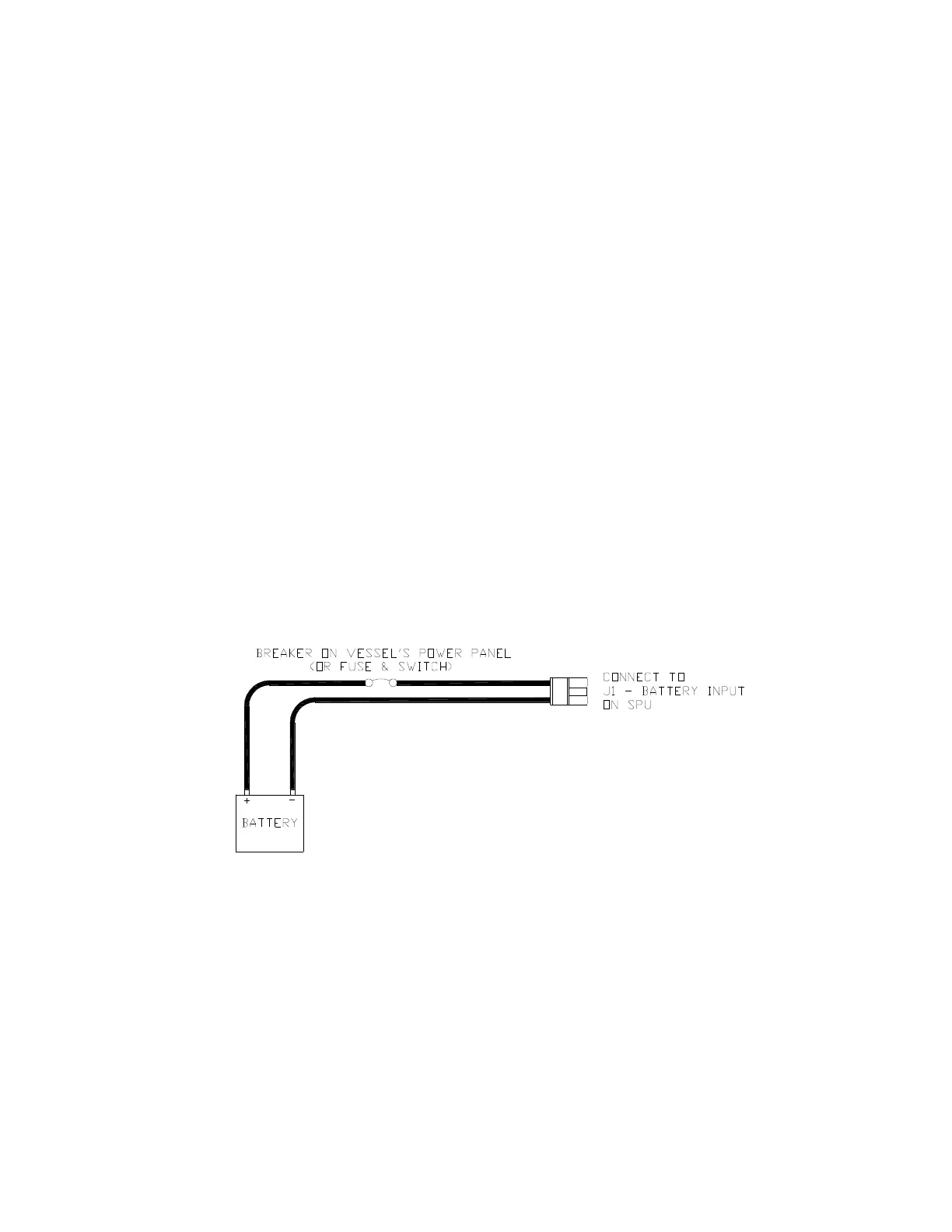
Power to supply the autopilot should be taken directly from a breaker or distribution panel.
The autopilot should be wired into its own individual breaker or fuse. Using appropriately
sized wire or cable (see Table 2 on the previous page), wire the battery connections to the
connector plug and receptacle labelled
J1 - BATTERY INPUT
. Double-check the wiring polarity
before inserting the plug into the receptacle.
Caution! The P Series SPU is NOT reverse-polarity protected.
If you connect the wrong voltage polarity at J1, you WILL damage the SPU and Head!
This will void the Warranty!
The following diagram shows a typical power supply circuit:
Figure 36 – Typical Power Connection to SPU
Do not plug the power plug into the JI receptacle on the SPU until all the
electrical checks listed in Final Steps & Post-Installation Checks on page
83 have been passed.



 To Next Page