ComNav Commander P2 & P2VS Installation & Operation Basic Operations
Document PN 29010074 V4.1 - 138 -
Nav Menu
The Nav menu contains a number of parameters used when operating the autopilot in
NAV
mode.
To access the Nav menu, double-press the
N
N
A
A
V
V
button.
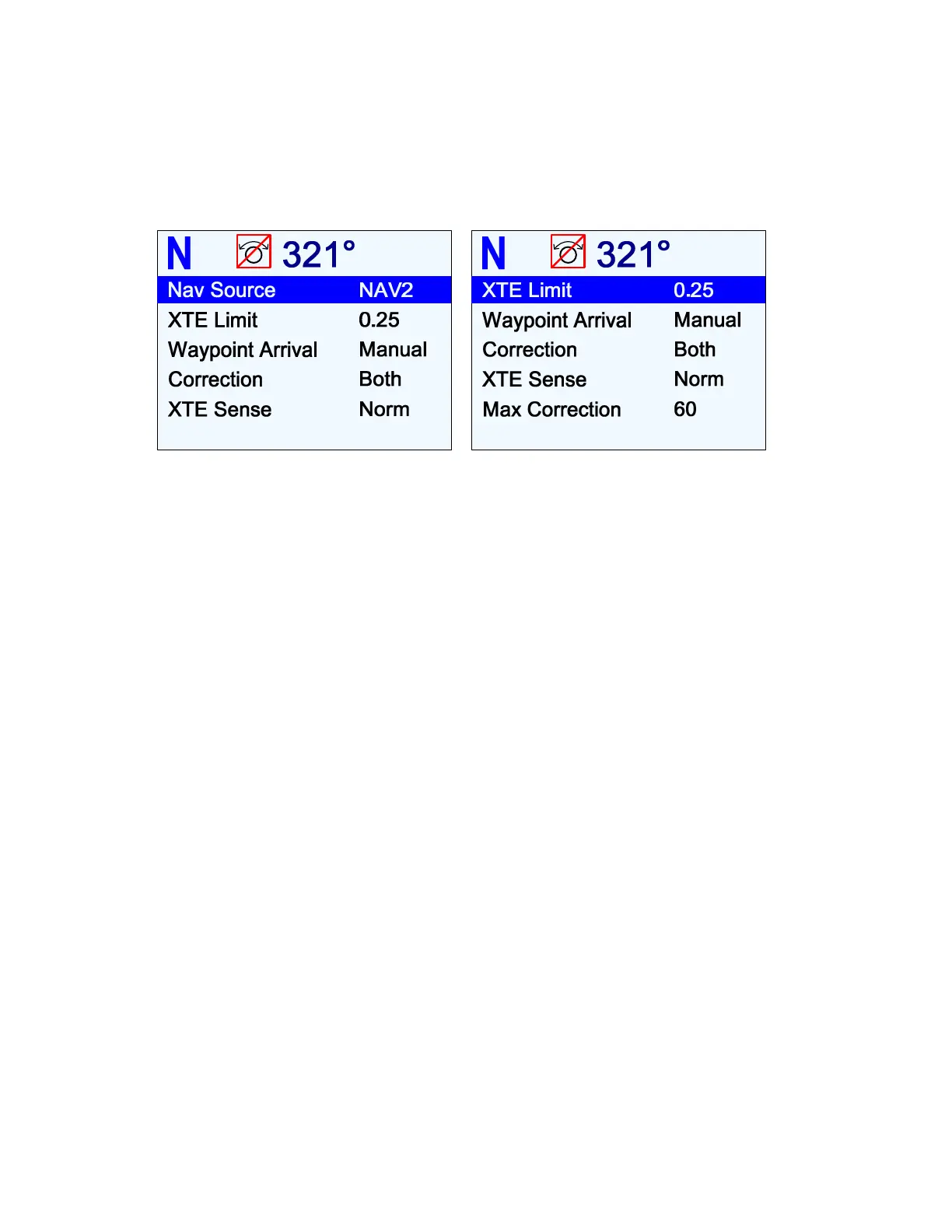
Figure 90 – Nav Menu
Nav Source
Set Nav Source to the input connector (NAV1 or NAV2) that the external Navigation System
is connected to. The autopilot will then look at that input when in
NAV
mode to obtain the
bearing and course-to-steer information it needs.
•
The selected input can be the same one used for the Compass source (see page
117), and/or the Speed source (see page 127).
XTE Limit (Cross-Track Error Limit)
The autopilot will raise an alarm while in
NAV
mode if the boat’s Cross-Track Error exceeds
the limit set here.
Waypoint Arrival
When the boat arrives at a waypoint or the end of a route, an NMEA “arrival” sentence is sent
to the autopilot from the Navigation System.
This menu line tells the autopilot how you want it to react to the arrival sentence.
Auto
(automatic sequencing):
•
The autopilot will automatically turn the boat onto the Heading to next waypoint.
“Waypoint Arrival” will be displayed on the Control Head screen, along with an
audible alarm; both will continue until acknowledged by pressing the
F
F
n
n
button.
Caution! Because the boat will turn automatically, it is crucial when planning
the trip that you verify there will be sufficient room to execute the turn – at
each waypoint.
Manual
(manual sequencing):
•
“Waypoint Arrival” will be displayed on the Control Head screen, accompanied by an
audible alarm; both will continue until acknowledged by pressing the
F
F
n
n
button.
The autopilot will
not
automatically turn the boat to the next waypoint’s Heading.
Instead, the current Heading will be maintained until the
F
F
n
n
button is pressed.



 To Next Page