ComNav Commander P2 & P2VS Installation & Operation Basic Operations
Document PN 29010074 V4.1 - 125 -
Hi & Lo Speed Rudder Gain
There are two numbers shown for Rudder Gain in the Auto menu. The number on the left is
the value used when the autopilot is operating in Lo speed. The number to the right is the
value used when the autopilot is operating in Hi speed.
Note: see the Parameter Set menu item for details on Hi & Lo speed selections.
If the autopilot is in Lo speed, only the Lo speed Rudder Gain will change when you rotate
the
C
C
O
O
U
U
R
R
S
S
E
E
C
C
H
H
A
A
N
N
G
G
E
E
knob; the Hi speed Rudder Gain value will be shown in a greyed-out
colour. Similarly, if the autopilot is operating in Hi speed, the
C
C
O
O
U
U
R
R
S
S
E
E
C
C
H
H
A
A
N
N
G
G
E
E
knob will only
affect the Hi speed Rudder Gain value, and the Lo speed value will be greyed-out.
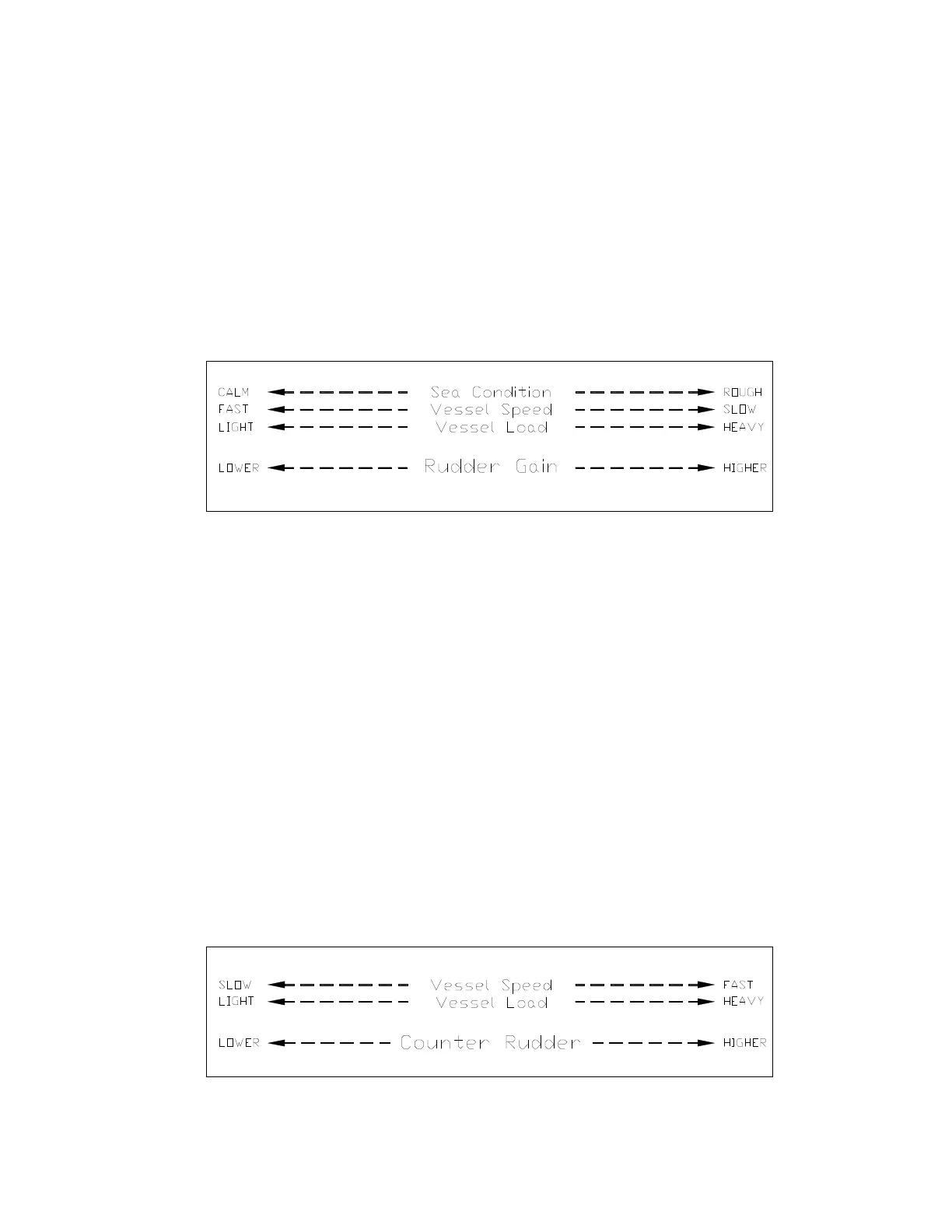
The following diagram provides general guidelines for setting Rudder Gain:
Figure 80 – Guidelines for setting Rudder Gain
Counter Rudder
Counter Rudder controls the amount of Rudder movement, in proportion to the rate of change
in the amount of Heading error. The parameter does not have any units.
If the Heading error is increasing, the Counter Rudder movement adds to the Rudder Gain
movement; if the error is decreasing, it is subtracted.
Similarly to Rudder Gain, the effect of Counter Rudder on the amount of Rudder movement
depends on the type of boat.
An example:
•
A Sailboat is off-Heading to Starboard by some amount, and the error is increasing
by 2° per second: the amount the boat’s rudder will be moved to Port – set by the
Rudder Gain – will be increasing by 4° per second.
Hi & Lo Speed Counter Rudder
Like Rudder Gain, there are two numbers shown in the menu – one for Lo speed, and one for
Hi speed. Only the Counter Rudder for the currently-active Speed setting will be changeable;
the other will be greyed-out.
The following diagram provides general guidelines for setting Counter Rudder:
Figure 81 – Guidelines for setting Counter Rudder



 To Next Page