ComNav Commander P2 & P2VS Installation & Operation Advanced Operations
Document PN 29010074 V4.1 - 169 -
Multiple Control Heads & Auxiliary Controllers
Two additional Control Heads or Auxiliary Controllers may be added to the standard P Series
system. These may be any combination of Control Heads, CR-203 Handheld Remotes, and
TS-203 Fixed Remotes.
Only one Control Head or Auxiliary Controller may be
In-command
at any given time. When
the autopilot system is first powered on, the main Control Head (connected to J11 of the
SPU), will always be In-command.
The other Control Heads and/or Auxiliary Controllers are said to be Repeaters. As a
Repeater, the unit simply repeats the display information from the In-command unit, but does
not affect the operation of the autopilot. You can always tell whether a particular unit is a
Repeater, because it will display a large letter `R´ in the upper right corner of the display.
Command can be transferred from an In-command unit to a Repeater. To do so, press and
hold the
P
P
O
O
R
R
T
T
and
S
S
T
T
A
A
R
R
B
B
O
O
A
A
R
R
D
D
buttons on the Repeater until the audible alarm beeps and the
`R´ disappears. The Repeater now becomes the In-command unit, and the previous unit
becomes a Repeater.
Station Lock/Unlock
Setting the Station Lock parameter in the Standby menu to Lock prevents any of the
Repeaters from being able to take command.
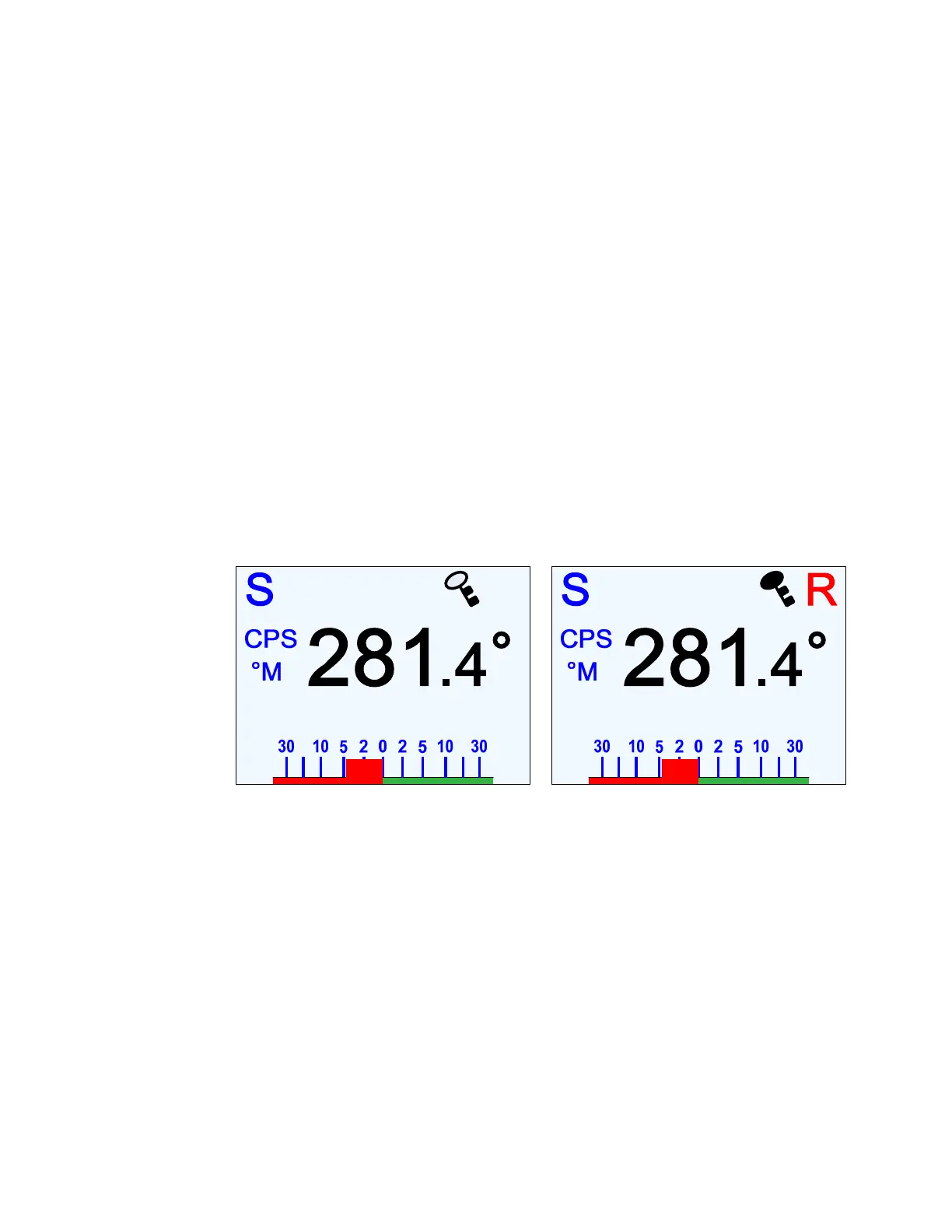
When the parameter is set to Lock, a key icon will be shown in the upper right corner of the
display (to the left of the `R´ on Repeaters).
Figure 119 – Station Lock Icon on In-Command (left) and Repeater Auxiliary Control Head (right)
The key icon will either be outlined or filled-in. The unit In-command will display an outlined
key icon. Repeater units, except for the main Control head, will display a filled-in key icon,
indicating that they are locked out and so cannot take command.
The main Control Head always shows the outlined key icon, even when it is a Repeater,
because you can always take command back with the main Control head. The ability to take
command unconditionally at the main Control head is an important safety feature.
Important!
If your P Series system is equipped with Jog Steering Controls, you
must be aware that they can be activated any time the autopilot is turned on.
They can not be locked out. Ensure that appropriate measures are taken to
ensure that they cannot be activated by accident.



 To Next Page