ComNav Commander P2 & P2VS Installation & Operation Installation
Document PN 29010074 V4.1 - 65 -
NFU Jog Steering Controls
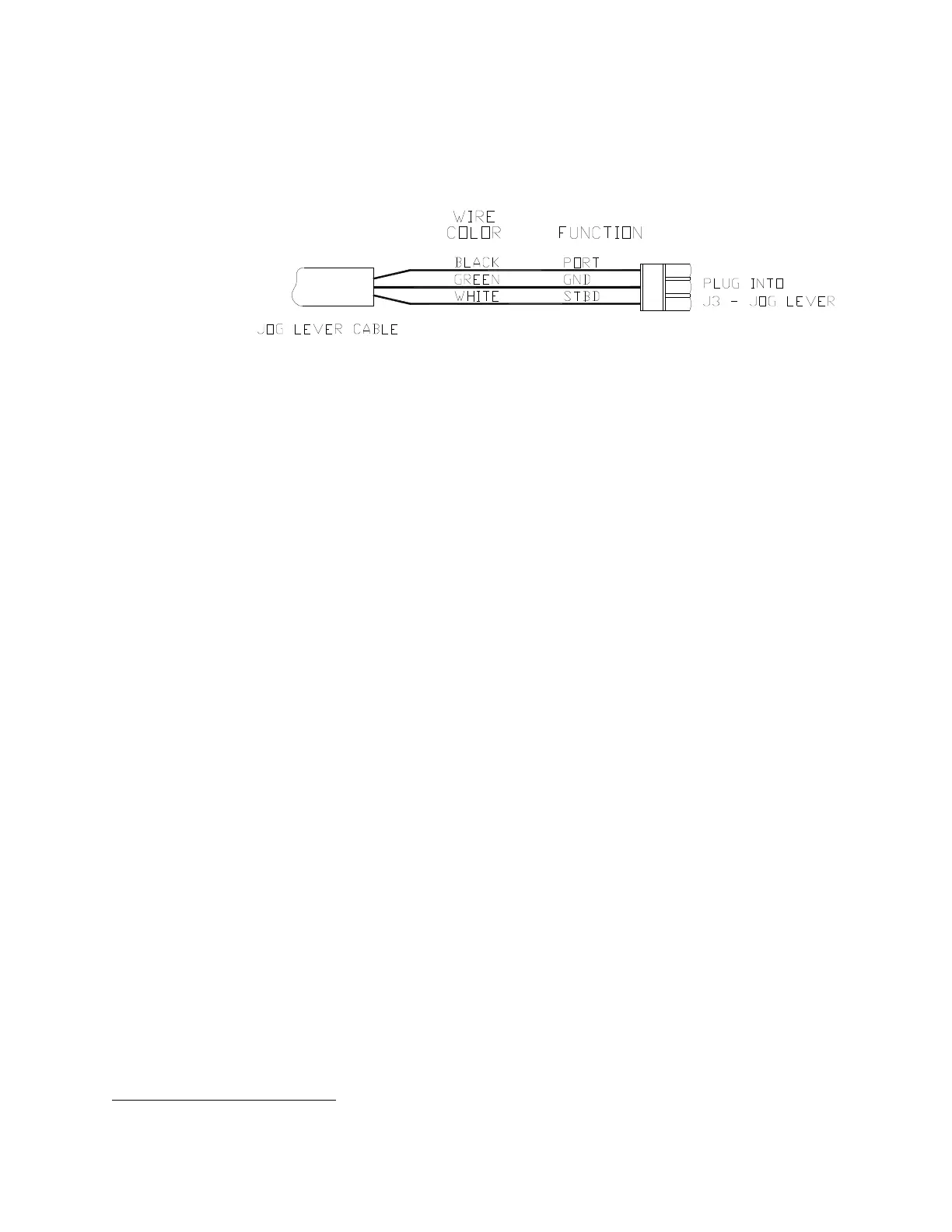
Any number of Non-Follow-Up (NFU) Jog Steering Controls can be connected to the
Commander P2 SPU. They are simply wired in parallel to each other. Connect them to the
terminal labelled
J3 - JOG LEVER
as per the following diagram
13
:
Figure 40 – Wiring Connections for Jog Controls
In order to use the Jog Controls connected in the above manner, the autopilot must be turned
on. While the Control’s lever is held activated, the autopilot will move the rudder either to
Port or Starboard. However, the autopilot will stop the rudder when it gets to the
(user-adjustable) rudder limits programmed into the autopilot; this is done to reduce stress on
the steering system.
13
This diagram assumes the Jog Control is mounted with the lever pointing up, and you want the boat to turn to Port
when you move the Control’s lever leftward. See the Control’s Instructions for how to wire other orientations.



 To Next Page