ComNav Commander P2 & P2VS Installation & Operation Basic Operations
Document PN 29010074 V4.1 - 140 -
Dodge Turns
When in
AUTO
,
NAV
or
WORK
modes, you can use the
P
P
O
O
R
R
T
T
and/or
S
S
T
T
A
A
R
R
B
B
O
O
A
A
R
R
D
D
buttons to
avoid (“dodge around”) an obstacle in the water.
Pressing & maintaining either the
P
P
O
O
R
R
T
T
or
S
S
T
T
A
A
R
R
B
B
O
O
A
A
R
R
D
D
button will cause the autopilot to turn
the boat in that direction.
As long as one of the “direction” buttons is pressed, the rudder will keep moving in the
corresponding direction.
•
The autopilot will stop moving the rudder when it gets to the Auto/NAV Rudder Limits
(see page 122), or when it gets within a few degrees of the physical limits of rudder
travel if those limits are not set.
Once the button is released, the Autopilot will turn the boat back to the Commanded Heading,
Track, or Wind Angle (depending on which operating mode is in effect).
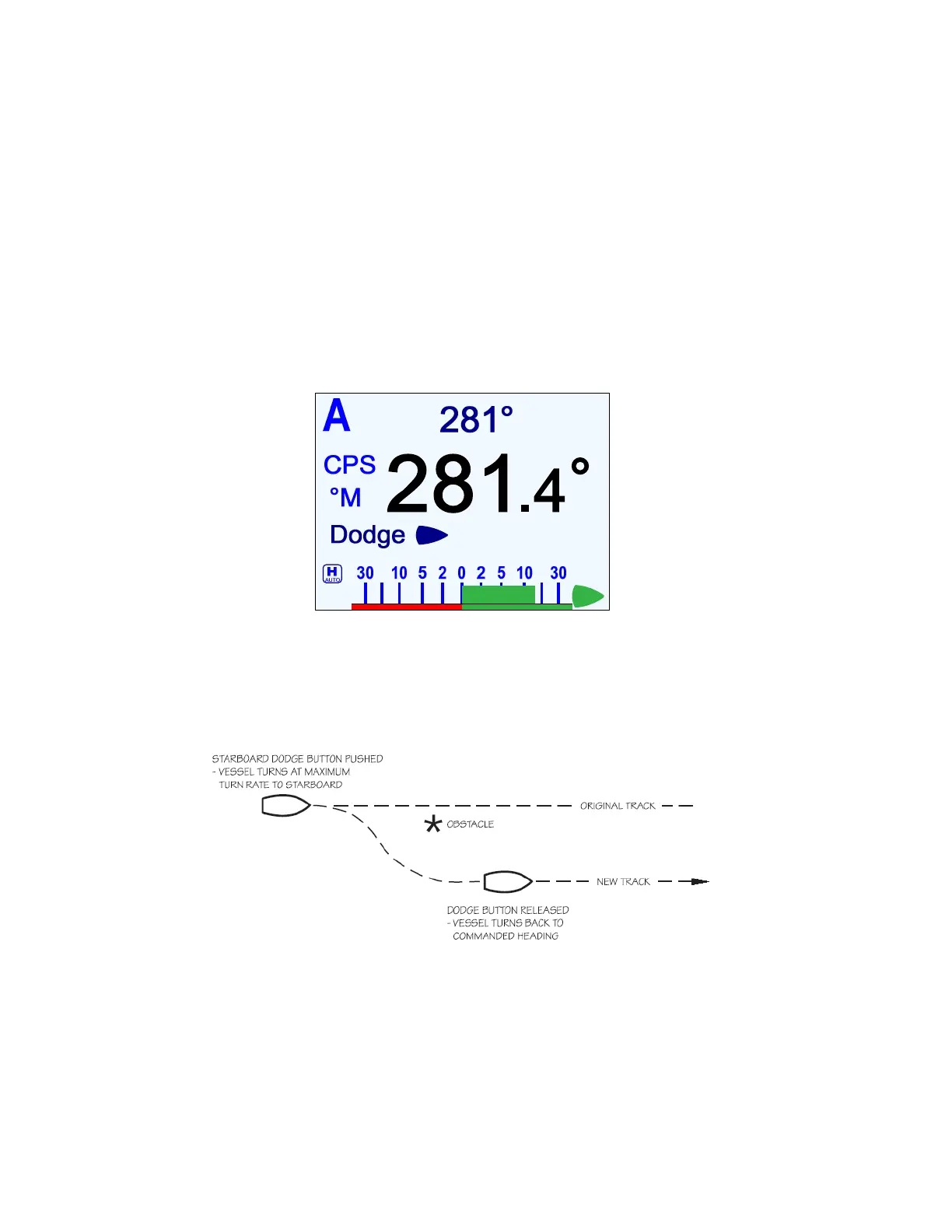
Figure 91 – A Dodge in Progress (in AUTO Mode)
•
If you dodge the boat in
AUTO
or
WORK
modes, then when you release the
P
P
O
O
R
R
T
T
or
S
S
T
T
A
A
R
R
B
B
O
O
A
A
R
R
D
D
button, the boat will return to the same Heading – but
not
the same
Track. The new Track will be offset from the original Track by the distance traveled
during the Dodge manoeuvre. This is illustrated below.
Figure 92 – Boat Track During a Dodge Manoeuvre in AUTO Mode
•
In contrast, when you execute a Dodge in
NAV
mode, the autopilot
will
return the
boat to the original Track, once you release the
P
P
O
O
R
R
T
T
and/or
S
S
T
T
A
A
R
R
B
B
O
O
A
A
R
R
D
D
button.



 To Next Page