Dexcom G5 Mobile System User Guide
127Ending Your Sensor Session and Transmitter Session
(Continued from previous page)
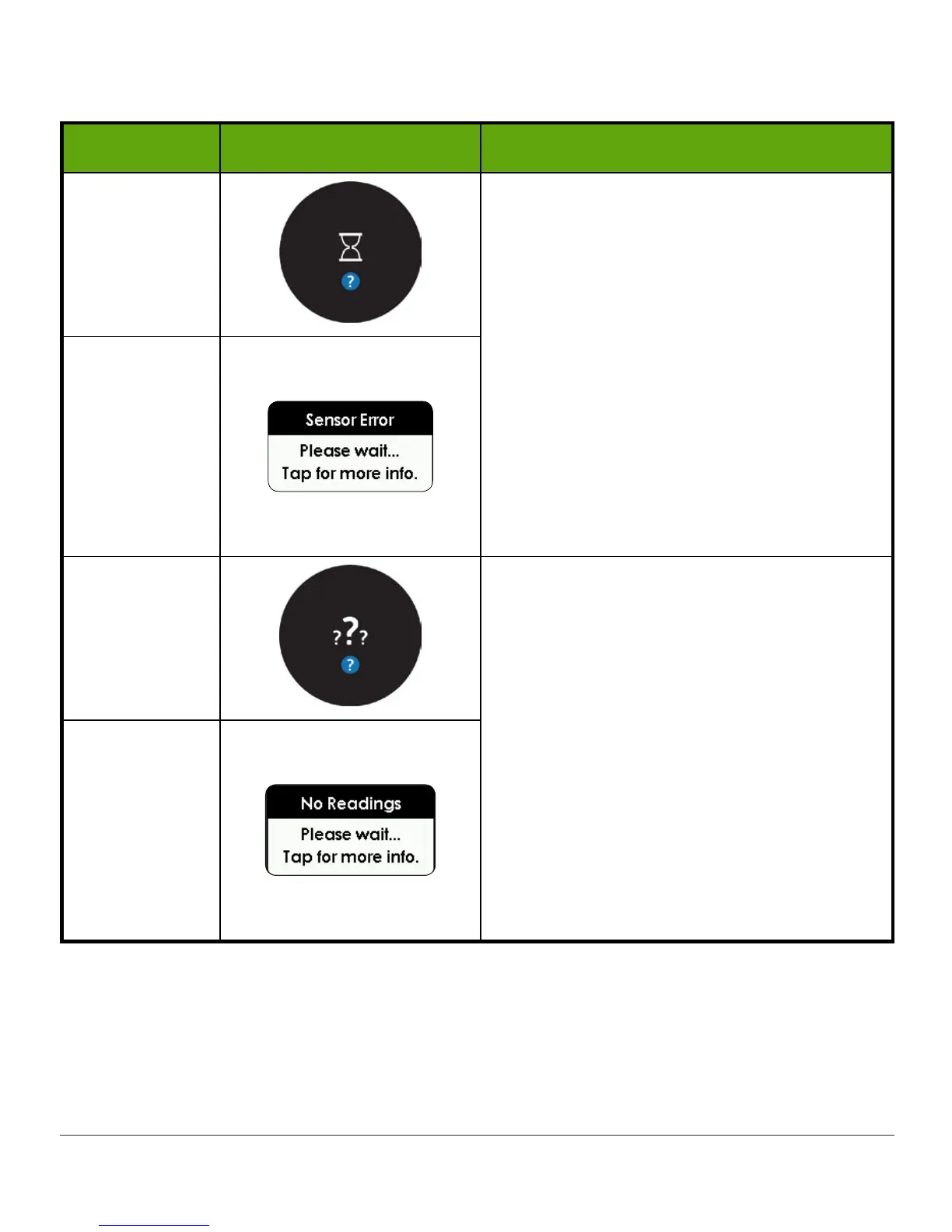
Device What you see What it means
App
Wait up to 30 minutes while the system
autocorrects.
Make sure you haven’t taken
acetaminophen.
Tap error for more information.
No Alarm, Alerts, or readings until fixed.
Use BG meter for readings.
If not corrected after 30 minutes, contact
Technical Support (available 24/7):
• TechSupport@dexcom.com
• Toll free: 1.888.738.3646
• Toll call: 1.858.200.0200
Receiver
App
Wait up to 3 hours while the system
autocorrects.
Check transmitter—is it properly inserted
into sensor pod?
Tap error for more information.
No Alarm, Alerts, or readings until fixed.
Use BG meter for readings.
If not corrected after 3 hours, contact
Technical Support (available 24/7):
• TechSupport@dexcom.com
• Toll free: 1.888.738.3646
• Toll call: 1.858.200.0200
Receiver
The Dexcom G5 Mobile knows when a typical seven-day sensor session is over,
automatically ending the session in each display device. However, if you need to end the
session early, you need to let the system know by manually stopping the sensor session.



 To Next Page