Dexcom G5 Mobile System User Guide
288How to Take Care of Your Dexcom G5 Mobile
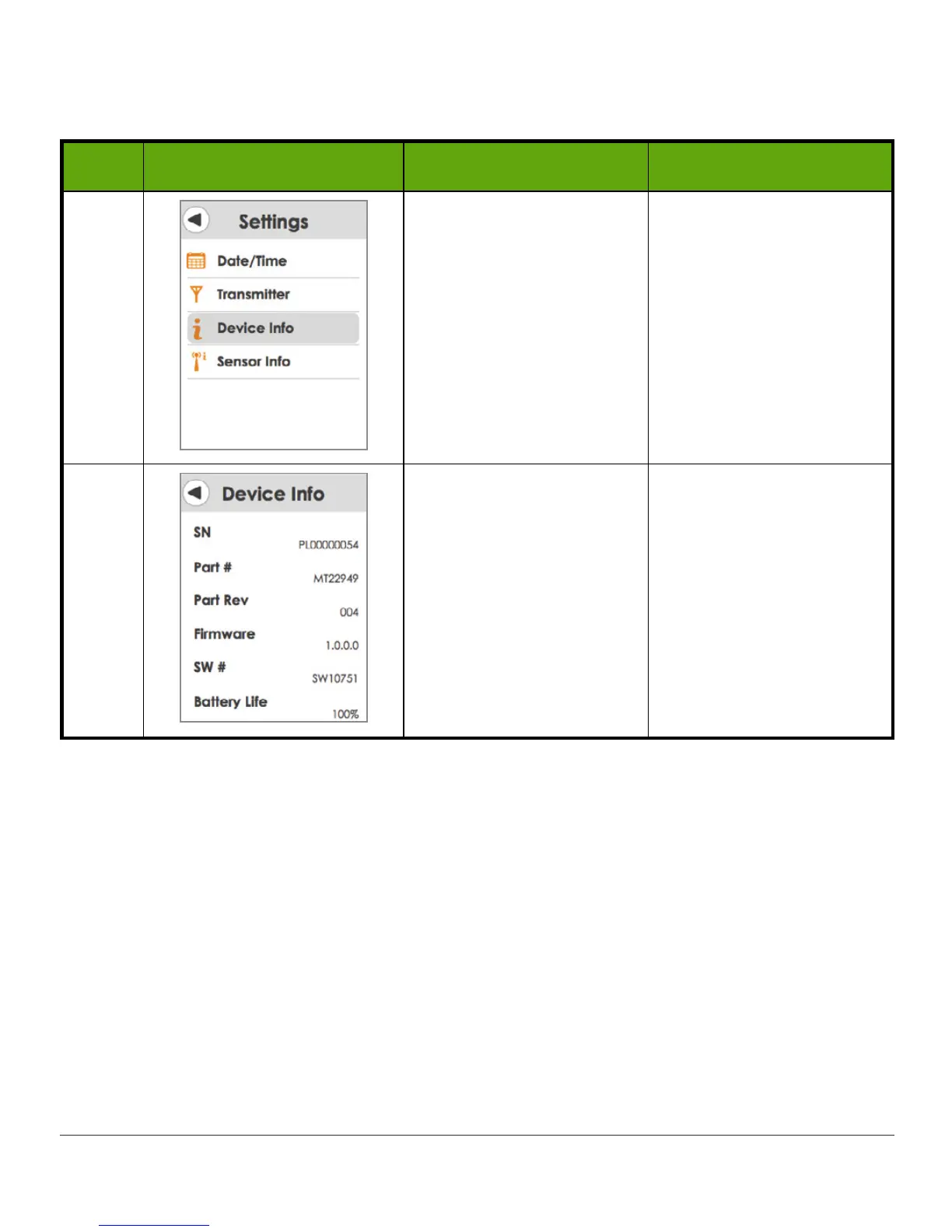
Check CGM System Settings: Receiver
Step What you see What it means What you do
1 Settings menu Tap
Device Info
.
2 Device information menu
Check:
• Transmitter SN
• Part number and
revision
• Firmware and
Software numbers
• Transmitter battery
life
15.6 System Disposal
Different municipalities have different requirements when throwing away electronics
(receiver and transmitter) and parts that have come in contact with blood or other bodily
fluids (sensor).
Consult your area’s local waste management authorities for proper disposal instructions.



 To Next Page