Dexcom G5 Mobile System User Guide
139Ending Your Sensor Session and Transmitter Session
For more information on setting your sound/vibration prompts and how to clear them, please
see Chapter 9.
Smart Device
Your smart device prompts you with a triple beep. If not cleared, you receive the triple beep
twice, five minutes apart.
Receiver
The receiver alerts you with an initial vibration prompt. If not cleared, you receive a
vibrate/beep twice, five minutes apart.
8.6 Pair New Transmitter
After the transmitter battery has died and before starting a new sensor session, you need to
pair your new transmitter with your display device(s). In Chapter 5 you learned how to pair
your transmitter using the set-up wizard. But how do you pair a new transmitter once your
display device is already set up?
Part of pairing the transmitter is entering its SN into your display device, inserting the sensor,
and attaching the transmitter. After the transmitter and display device are paired, start a new
sensor session.
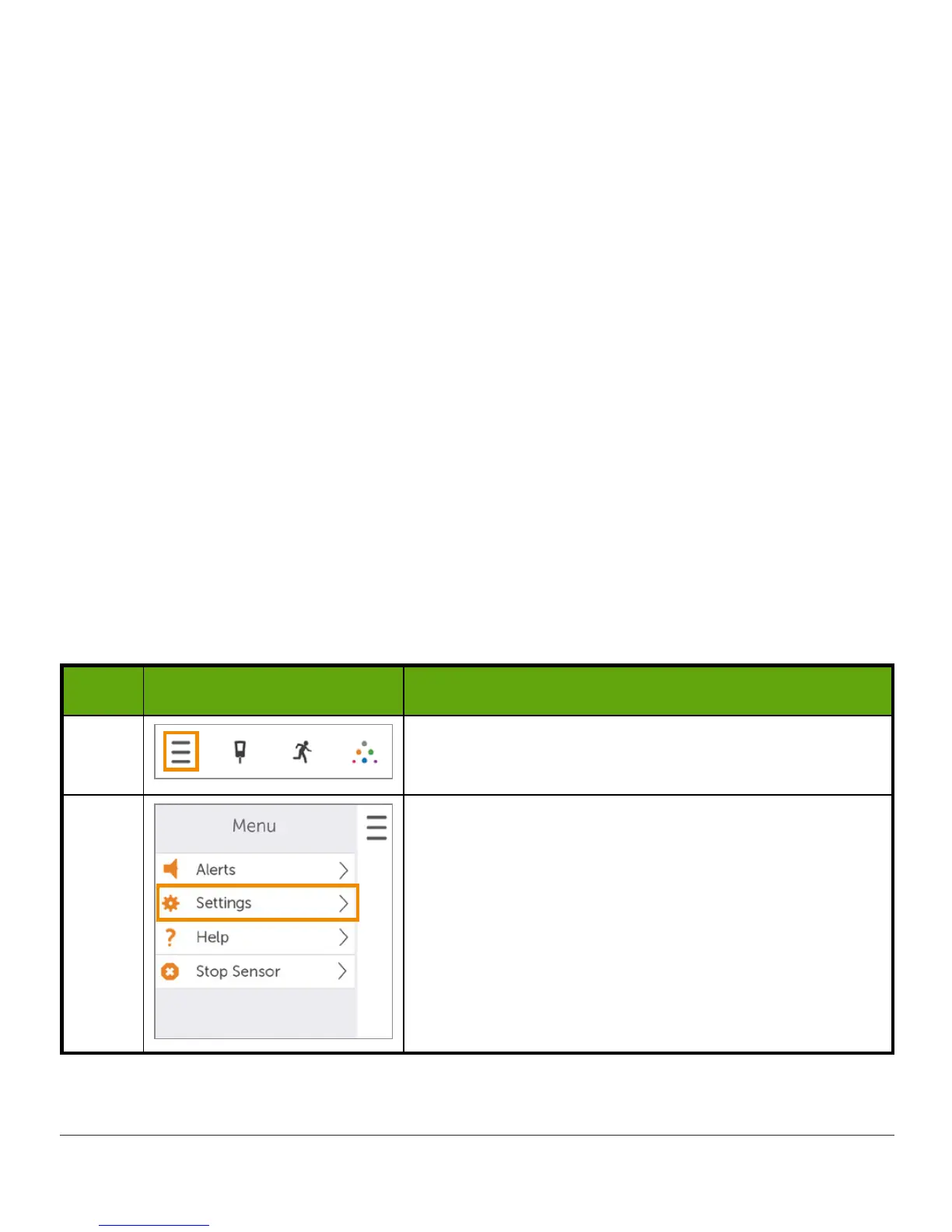
Pairing New Transmitter With App
Step What you see What you do
1 Tap
Menu
.
2
Tap
Settings
.
(Continued on next page)



 To Next Page