Dexcom G5 Mobile System User Guide
81Starting a Sensor Session: Inserting Sensor, Attaching Transmitter, and Starting Your Session
(Continued from previous page)
6
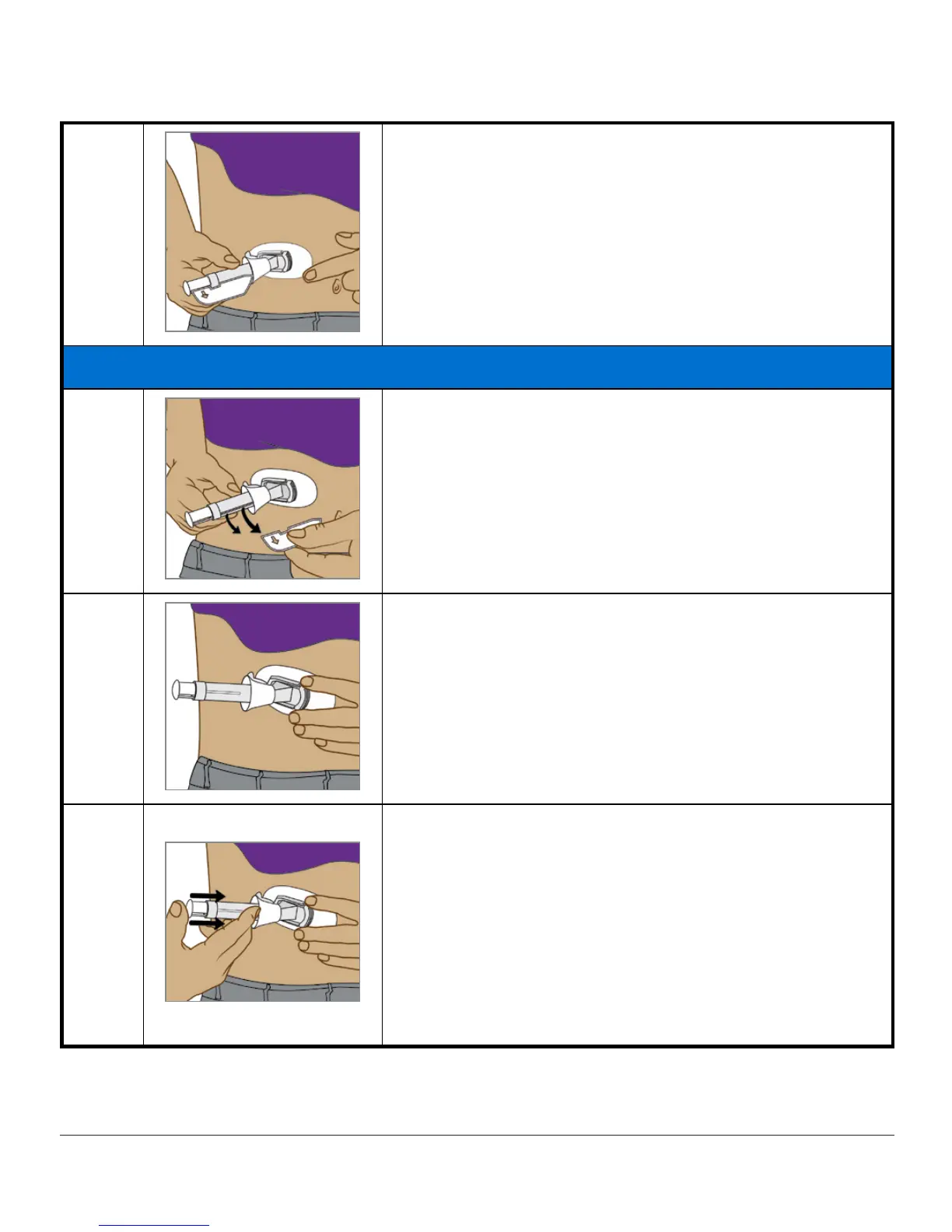
Place
sensor
horizontally, not vertically, on skin.
Move fingers around
top of adhesive patch
several
times to secure tape.
Inserting Sensor Wire
7
Hold
applicator barrel
.
Pull out
safety lock
.
8
Place fingers of one hand on edges of
adhesive patch
.
Pinch up your skin at the tips of the
white adhesive
.
9
Place two fingers directly
above
collar to steady
applicator barrel.
Place thumb on the
white plunger
.
Push
plunger
completely down the applicator barrel.
You should hear 2 clicks.
NOTE: Finger placement is important for correct
insertion.
(Continued on next page)



 To Next Page