Dexcom G5 Mobile System User Guide
67Set Up Your Display Devices
(Continued from previous page)
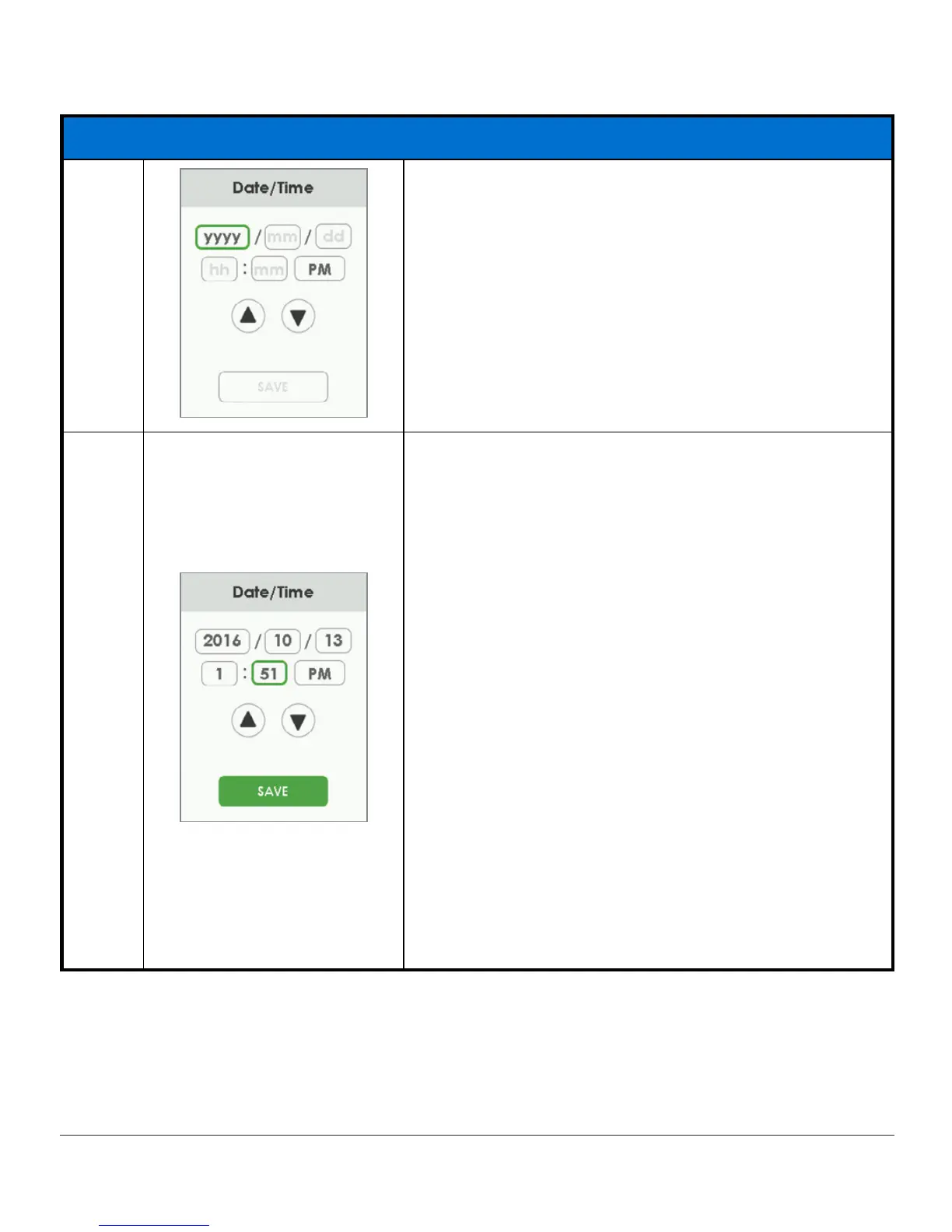
Date/Time
4a
Green box shows what is selected.
4b
Tap
up/down arrow
to change year.
Tap
mm
to select it.
Tap
up/down arrow
to change month.
Tap
dd
to select it.
Tap
up/down arrow
to change day.
Tap
hh
to select it.
Tap
up/down arrow
to change hour.
Tap
mm
to select them.
Tap
up/down arrow
to change minutes.
Tap
AM/PM
to select it.
Tap
up/down arrow
to change between AM and PM.
Tap
Save
to save and close.
NOTE: After initial setup, if battery is drained,
receiver will vibrate once and you will need to reset
date and time.
(Continued on next page)



 To Next Page