Dexcom G5 Mobile System User Guide
75Starting a Sensor Session: Inserting Sensor, Attaching Transmitter, and Starting Your Session
Sensor Applicator
Inside Sensor Box
What you see What it is
Sterilized sensor pack with important label information.
Check
expiration date
.
Single use sensor applicator.
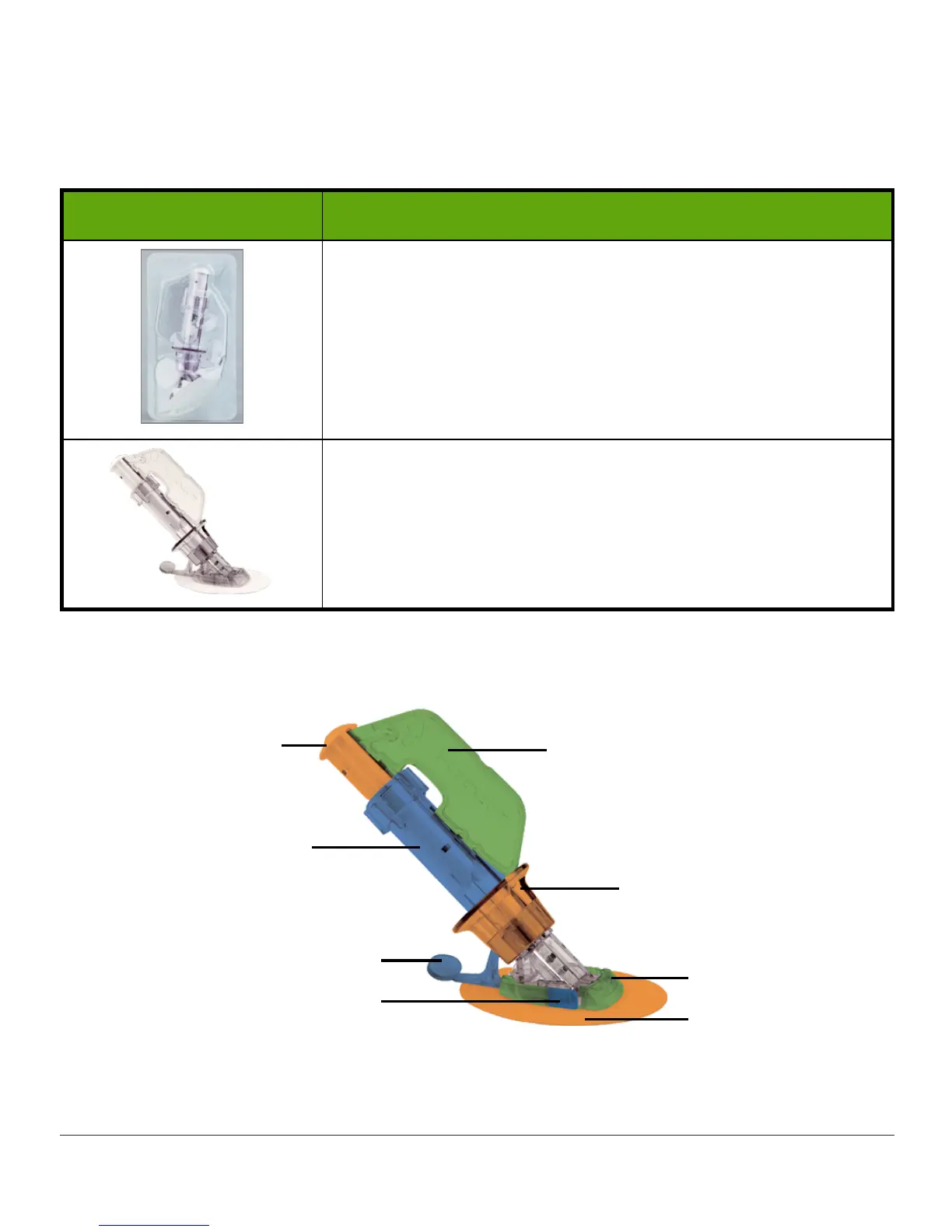
Knowing what each applicator piece does helps you successfully insert your sensor. Chapter
4.6 gave you overview of the sensor applicator.
Figure 3. Dexcom G5 Mobile Sensor Applicator and Pod
3. Safety Lock
6. Collar
7. Sensor Pod
2. Adhesive Patch
9. Release Tab
8. Transmitter Latch
5. Applicator Barrel
(Contains small
introducer needle
and sensor)
4. Plunger



 To Next Page