Dexcom G5 Mobile System User Guide
68Set Up Your Display Devices
(Continued from previous page)
Transmitter
5a
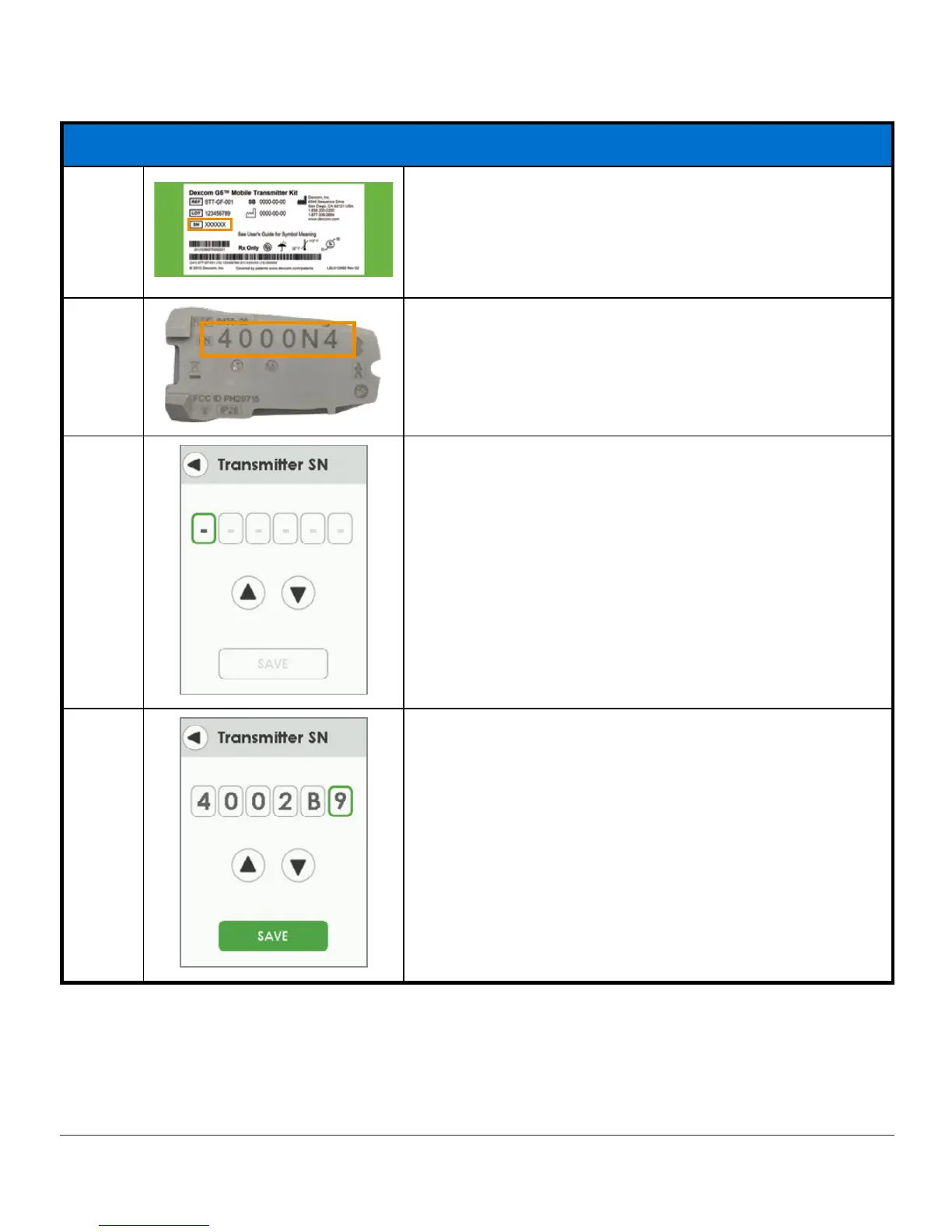
Turn
transmitter box
upside down to locate SN
number.
For information on how to pair transmitter after
initial setup, see Chapter 8.
5b
If transmitter package isn’t available find the SN on
the back of the transmitter.
5c
Green box shows what is selected.
5d
Tap
up/down arrows
to select and enter transmitter
SN.
Tap
a grey box
to select it.
To choose a letter, tap up from 9 or down from 0.
Tap
Save
to save and close.
(Continued on next page)



 To Next Page