Dexcom G5 Mobile System User Guide
246On the Go With G5: Customizing Your Alarm and Alerts
(Continued from previous page)
Step What you see What it means What you do
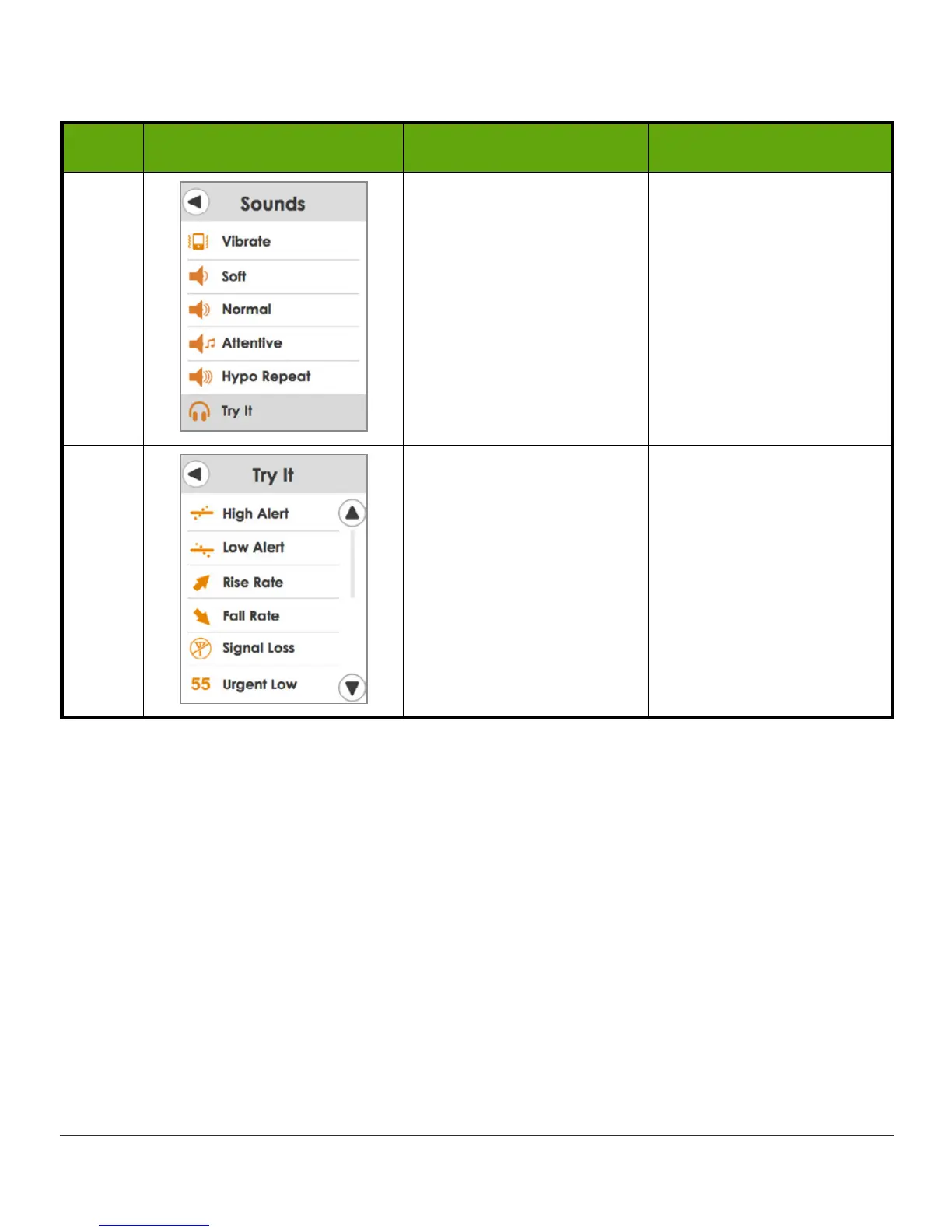
4 Hear your Sound.
Sample sound:
Tap
Try It
to hear
selected Sound.
Exit Sound:
Tap
left arrow
.
5
Hear Sound for each
Alarm/Alert.
Repeat above steps to
change Sound.
Tap the
Alarm/Alert
to
hear.
To Exit:
Tap
left arrow
.
In the previous chapter, you learned confirming an Alert stops it from repeating. If you want
the Urgent Low Glucose Alarm to repeat until your glucose levels are back above 55 mg/dL,
turn on the
HypoRepeat
option.
Alerts Menu
The Alerts menu gives you options for personalizing your glucose level Alerts and turning on
your Rising/Falling and Signal Loss Alerts.
Low and High
Adjust your Low and High Glucose Alert levels (mg/dL) along with turning on and setting the
time for the Repeat prompt. When you are using your Dexcom G5 for treatment decisions,
keep your Low and High Glucose Alerts on.



 To Next Page