Dexcom G5 Mobile System User Guide
244On the Go With G5: Customizing Your Alarm and Alerts
Alarm/Alert Sounds
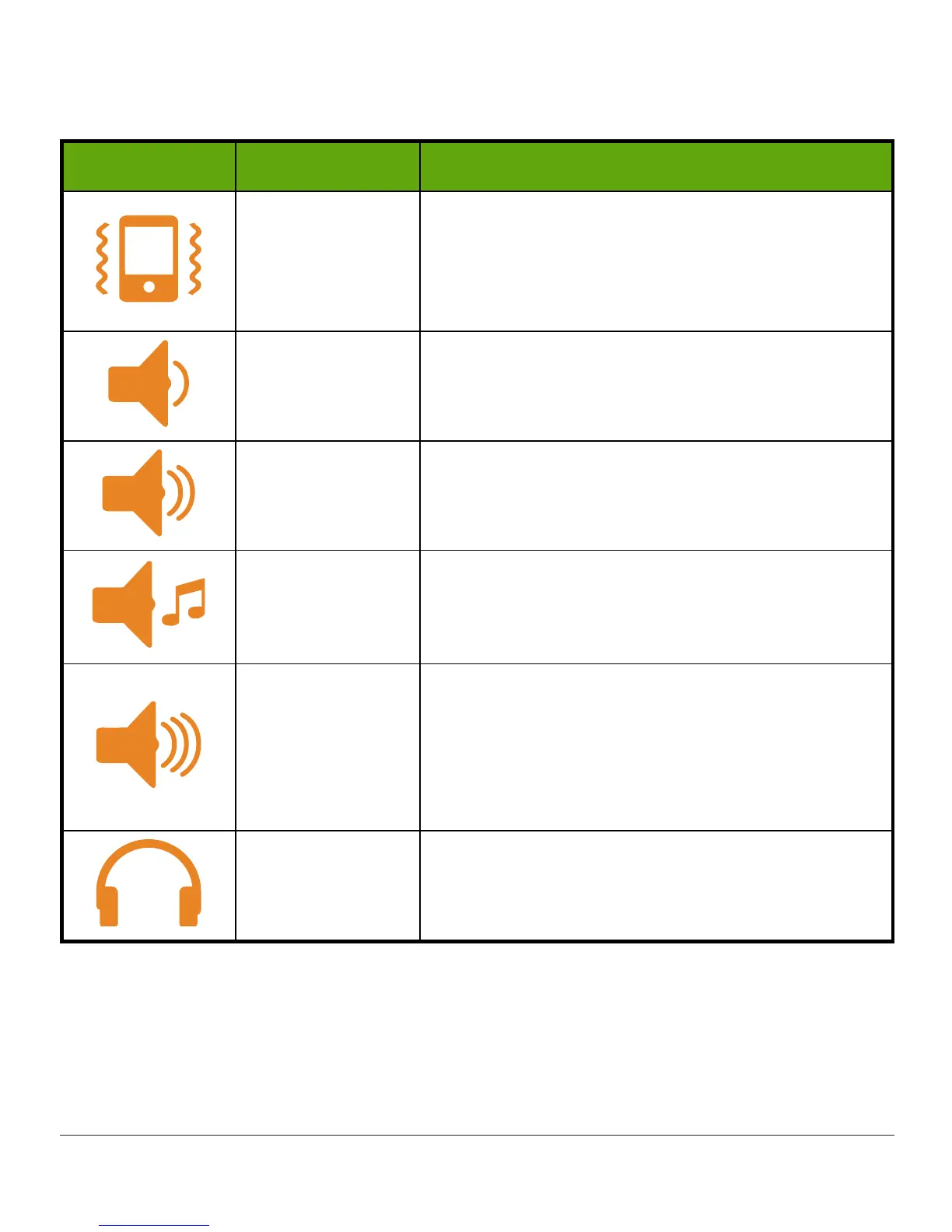
Icon Profile name Notification description
Vibrate
Vibration only.
Only sound is your receiver vibrating.
Vibrate is not available for the Urgent Low Glucose
Alarm.
Soft Lower volume beeps.
Normal
Medium volume beeps.
Default Sound.
Attentive
No beeps.
Rising melody for High and Rising Alerts.
Dropping melody for Low and Falling Alerts.
HypoRepeat
Medium volume beeps.
Urgent Low Glucose Alarm only.
Repeats Urgent Low Glucose Alarm every 5
seconds until sensor glucose reading rises above
55 mg/dL or is confirmed.
Try It
Sample
Sound
setting before selecting.
This does not select your sound. To select your
sound, use the Sounds menu.
After choosing your sound, changing it is just a few steps away! Change your sound
throughout the day depending on what lies ahead: In a meeting? Select
Vibrate
. Going to a
ball game after work? Select
Attentive
.
The next table shows how to change your Sound, then hear a sample of it.



 To Next Page