Dexcom G5 Mobile System User Guide
46What's the Dexcom G5 Mobile?
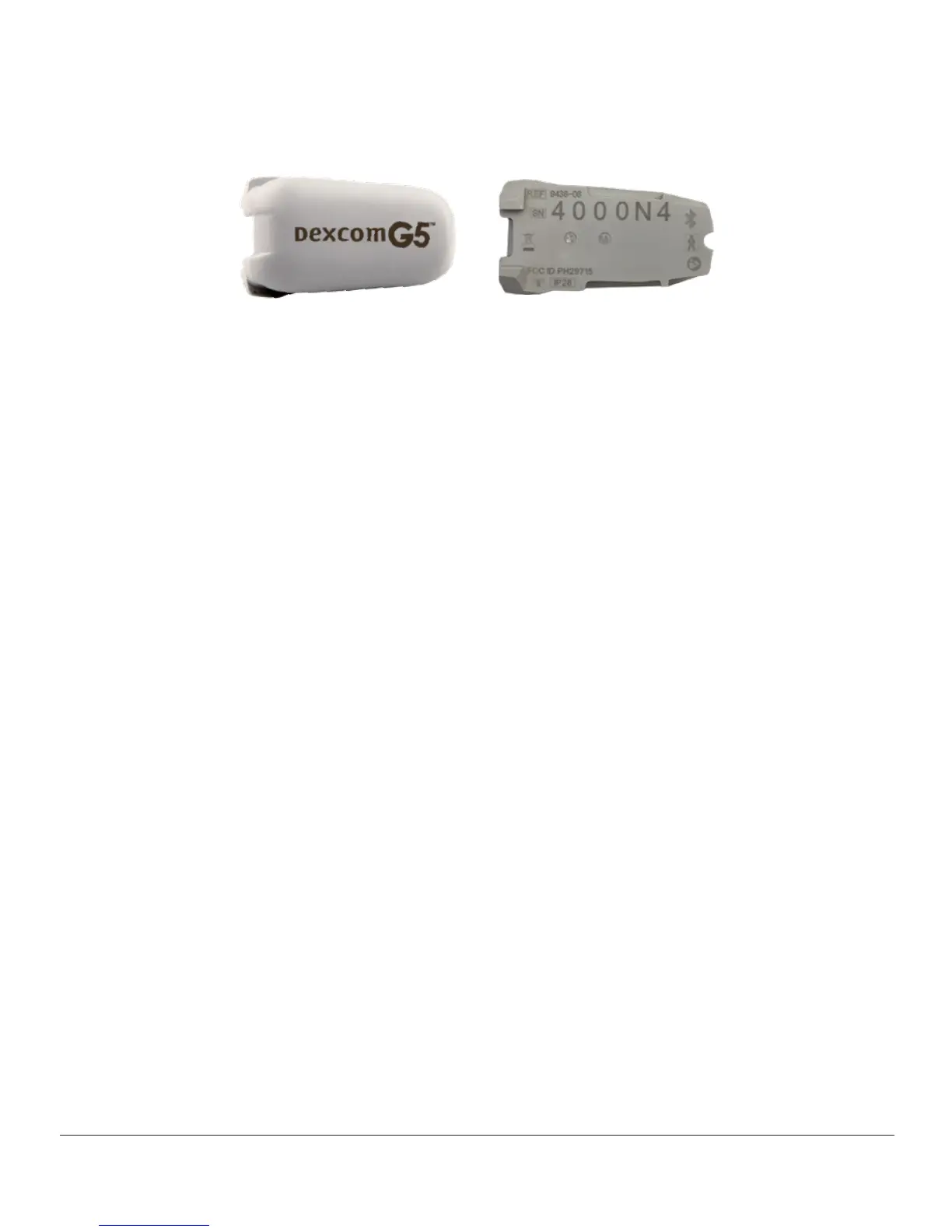
Transmitter Overview
Figure 2. Dexcom G5 Mobile Transmitter Front and Back
Image is representational only. Your transmitter may look different.
Snapping into the sensor pod, the gray plastic transmitter wirelessly sends your glucose
information to your display devices—receiver and/or smart device. If you have a new
transmitter, open the package when you are ready to use it.
Transmitter features:
• Reusable
– Do not discard after sensor session
– Only for you, don’t share transmitter
• Water resistant
• Can transmit data to your display devices for up to 20 feet
– Range is less if you are in or under water
• Battery lasts approximately three months
– Receiver or smart device prompts you when battery is running low
• Transmitter’s serial number is on the back
More transmitter features and insertion information are in Chapter 6.
Now that you are familiar with the sensor and transmitter, let’s review the receiver.
Receiver
Your receiver, as well as your smart device, shows your sensor glucose readings, trend
graphs, and trend arrows and alerts you when your glucose is too high or too low or if there
is something you should be aware of or need to do.



 To Next Page