Dexcom G5 Mobile System User Guide
128Ending Your Sensor Session and Transmitter Session
While the end result is the same (ending a sensor session), the steps differ between the
app and receiver. If you’re using both, no need to stop the sensor session in each: the other
display device will see the session has stopped.
Let’s first look at how to end a sensor session in the app, then the receiver.
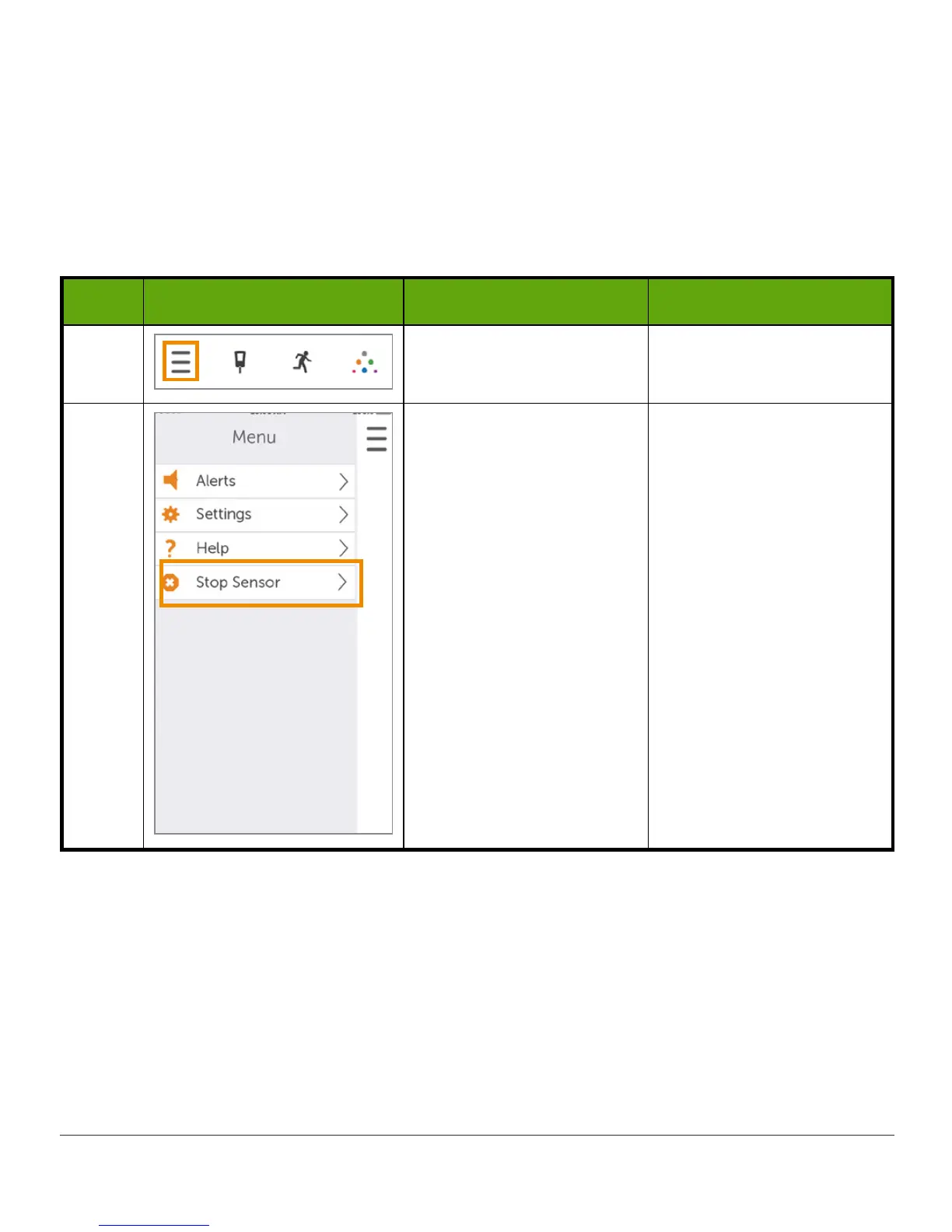
App: Ending a Sensor Session Early
Step What you see What it means What you do
1 Access Main Menu. Tap
Menu
.
2
Ends sensor session.
During session:
•
Stop Sensor
option
appears
Not in active session:
•
Start Sensor
option
appears
Tap
Stop Sensor
.
(Continued on next page)



 To Next Page