Dexcom G5 Mobile System User Guide
132Ending Your Sensor Session and Transmitter Session
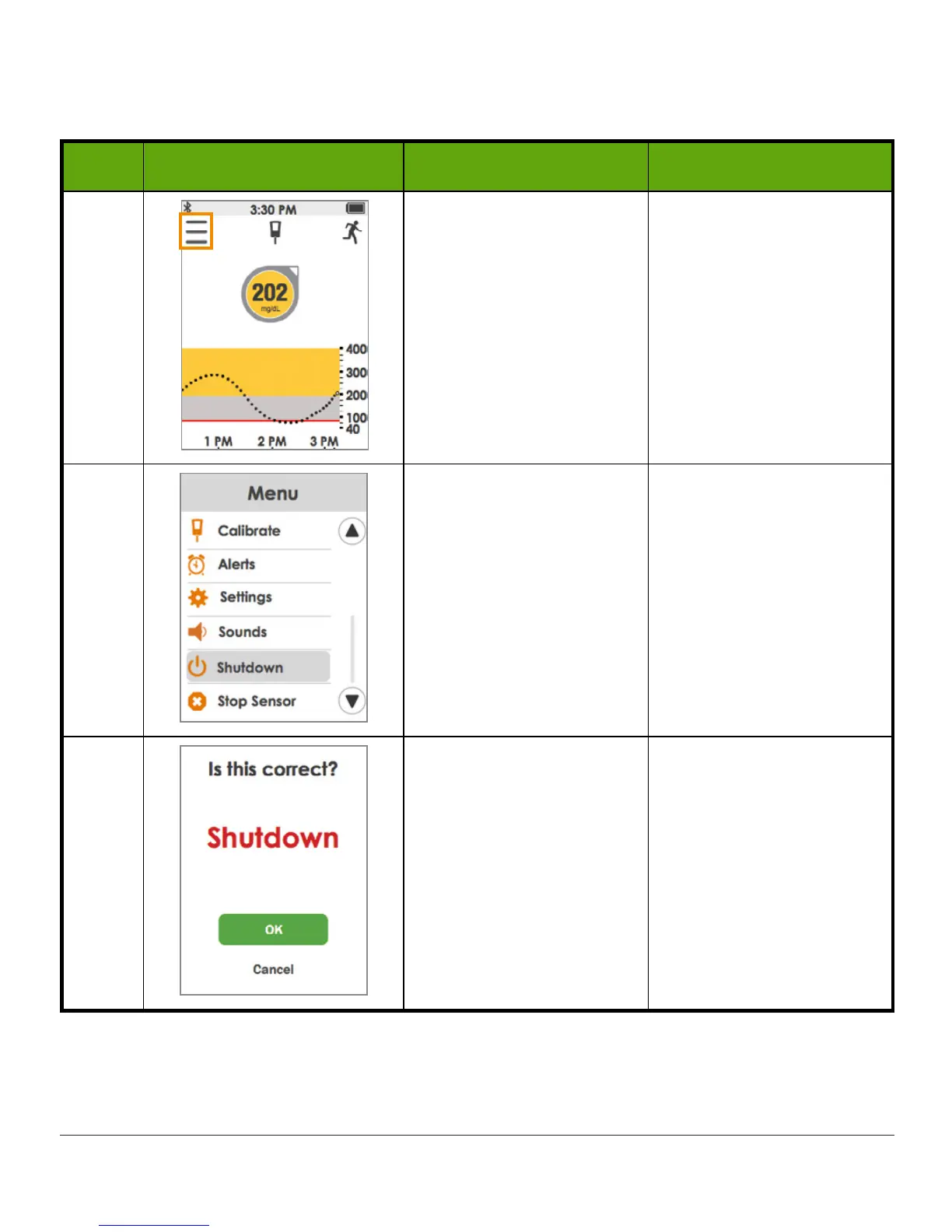
Receiver: Temporary Shutdown
Step What you see What it means What you do
1 Go to Main Menu. Tap
Menu
.
2 Turns off receiver Tap
Shutdown
.
3
Confirms you want to
shut down.
Shuts down receiver.
Tap
OK
.
Press
power button
for two seconds to turn the receiver back on. It may take up to 20
seconds for the receiver to turn on.



 To Next Page