Dexcom G5 Mobile System User Guide
163Home Screen, Rate of Change Arrows, and Errors
App Glucose Information
What you see What it means
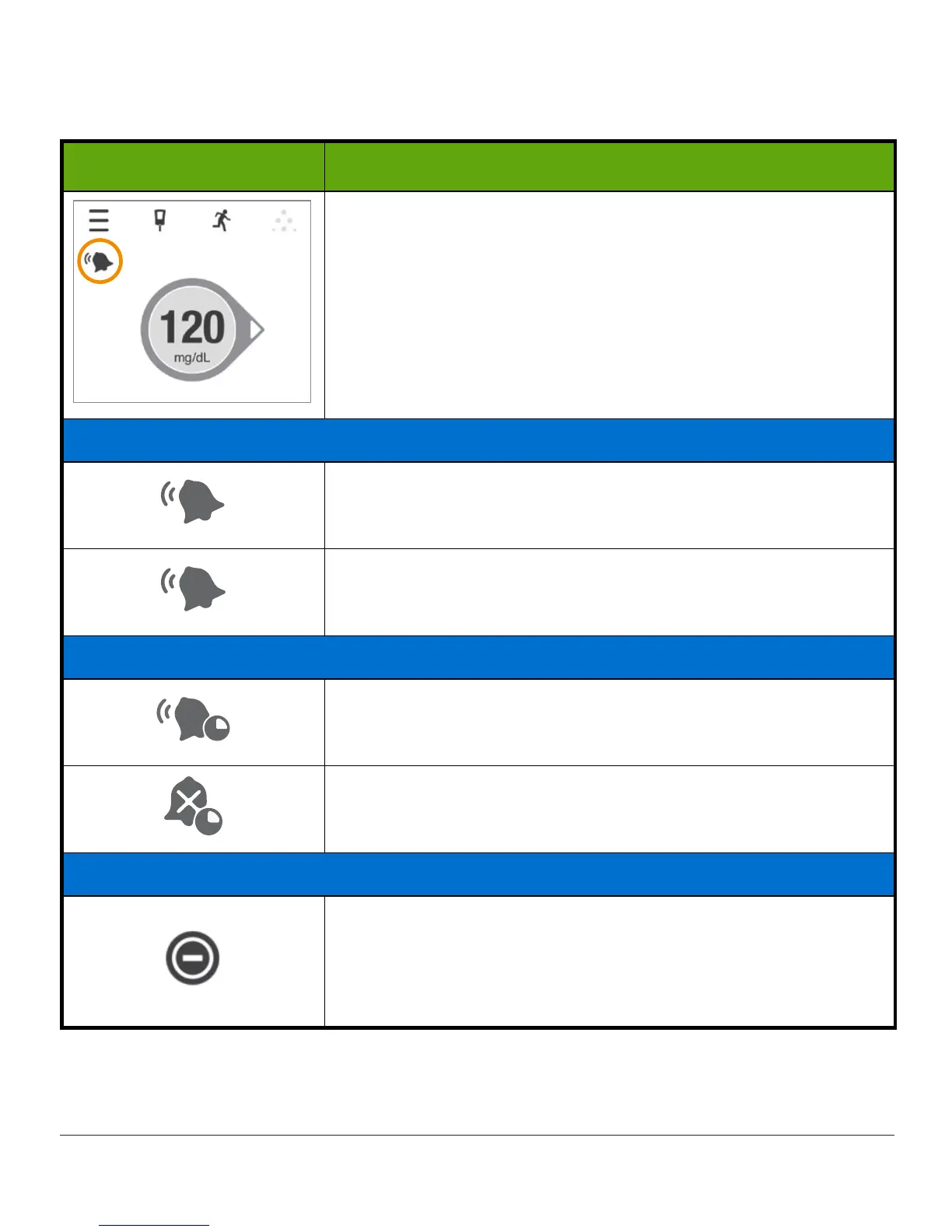
Status icons show under the Menu on the Home screen.
They show you if:
• your alerts will sound
• your Alert Schedule is active (Chapter 12)
Tap an icon for a description.
Regular Alerts are active
Your Alerts will sound.
Your Alerts won’t sound.
Scheduled Alerts are active (see Chapter 12)
Your scheduled Alerts will sound.
Your scheduled Alerts won’t sound.
Android: Do Not Disturb
You won’t get any Alarm/Alerts due to using the most
restrictive Do Not Disturb setting.
Turn off Do Not Disturb or change its settings to be less
restrictive. See your smart device instructions.



 To Next Page