Dexcom G5 Mobile System User Guide
391Sharing Is Caring
(Continued from previous page)
Step What you see What you do
5
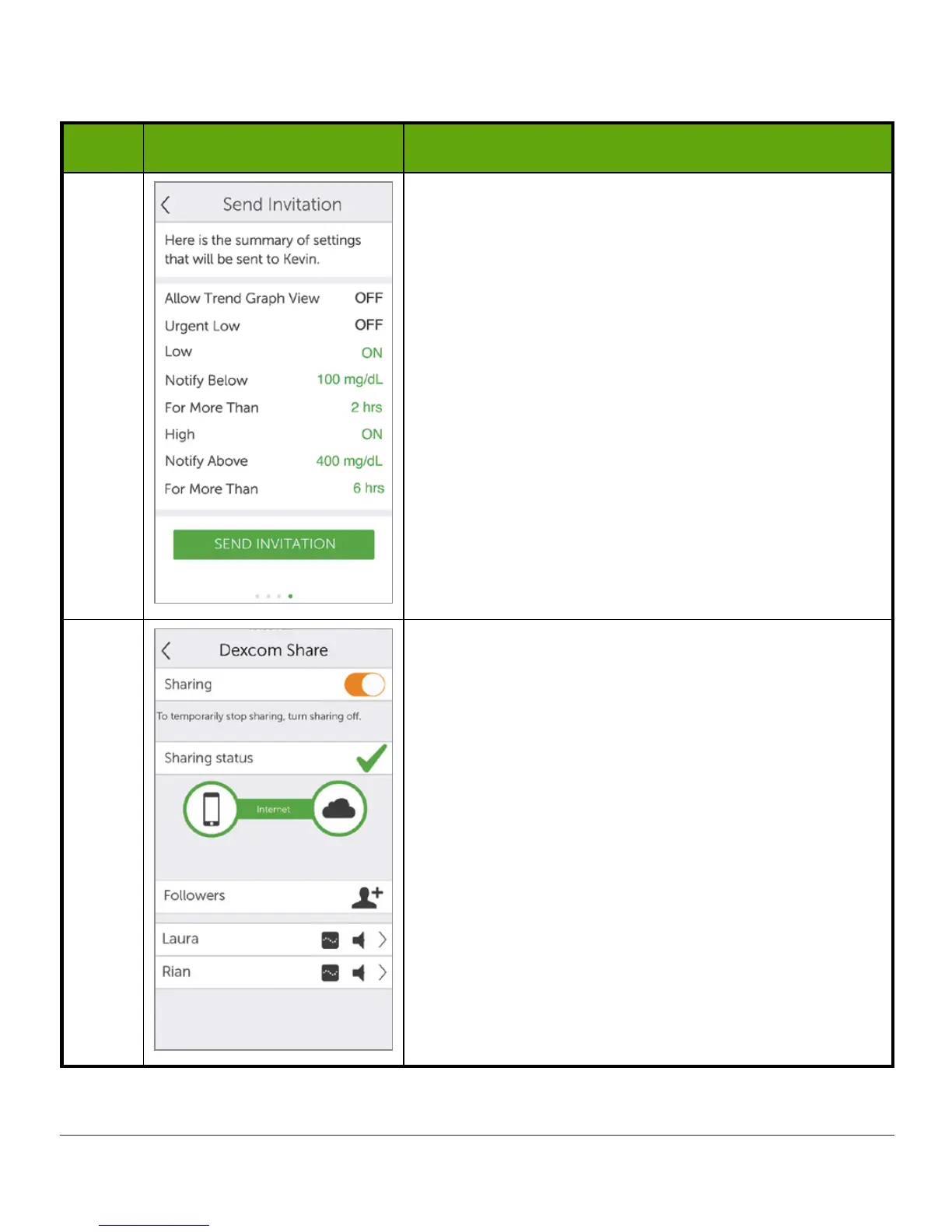
Before Follower invitation is sent, review the
summary screen.
Tap
Send
Invitation
.
After sending invitation, you cannot adjust the
Follower’s settings.
6
To add more Followers:
Tap
Followers
tab on the
Sharing
status screen.
Invite up to a total of five (5) Followers.



 To Next Page