● Sudden changes in outdoor brightness, such
as when entering/exiting tunnels;
● Headlamp not turned on at night or when the
light illumination is low in tunnels;
● Signs in complex areas, far from vehicles, in
places difficult to be reached by the
headlight, at corners of the road;
● Signs fade, bend, rotate at a certain angle,
are damaged, covered with mud and snow,
blocked by trees, and blocked by other
objects or vehicles;
● Signs partially obscured by trees, or the sign
itself obscured by vehicles and other objects;
● Lights (streetlights) or shadows reflecting on
the sign surface;
● Too bright or dark signs (electric signs);
● Small-sized traffic signs, such as small-sized
sign in combined signs;
● Illegible signs;
● Possibility of mistakenly recognizing signs
that are not in the ego lane, when the signs
are placed near the lane (signs at the
merging place of the side road and main
road, etc.);
● Misidentification of objects that are similar in
color or shape to the sign (similar signs,
electric signs, billboards, buildings, etc.);
● Inability to recognize the presence of
auxiliary signs with additional information
such as weather, time, vehicle type, etc.
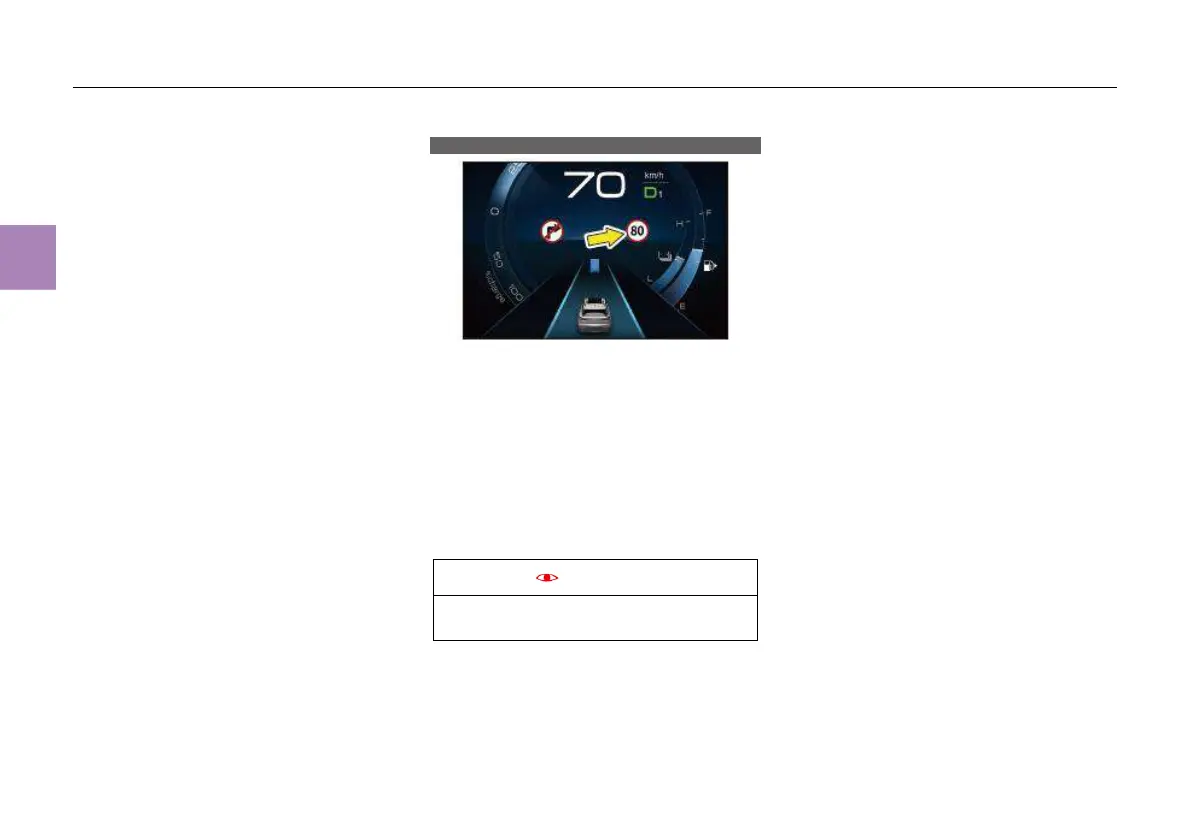
Intelligent speed limit information (ISLI)*
The ISLI function uses the camera at the upper
edge of the front windshield and the navigation
system to recognize speed limit signs. When the
vehicle passes the speed limit sign, the ISLI
function works and the recognized speed limit
sign is displayed at the designated position on
the cluster instrument. The speed limit sign will
disappear automatically after driving for a certain
distance. If the vehicle speed exceeds the speed
limit of the current road, the instrument cluster
will remind the driver of overspeed by
sound/flashing icon, etc.
The ISLI is only an auxiliary system and
cannot take place of human judgment.
Function setting
The function can be turned on/off through
“CarCenter” – “Driving assistance” – “TSR” –
“ISA” in MP5 display.
Function status description
The ISLI system can be turned on through the
MP5 display. The ISLI icon on the MP5 display
lights up when the system is normal. In case of
system failure, The text of “ISLI fails” is
displayed on the instrument cluster. If it is
necessary to cancel the ISLI function, turn it off
through the MP5 display.
Speed limit reminder
The ISLI function can recognize speed limit
signs and give speed limit reminders in the
following two ways:
● Speed limit reminder by camera: when the
camera of this vehicle approaches the speed
limit sign, the speed limit value is displayed;
the speed limit value disappears after driving
for a certain distance.
● Speed limit reminder by navigation system:
when the speed limit of the intelligent
transportation system is recognized, the
speed limit sign will be displayed in advance.
When the camera can not identify the speed
limit value, if the navigation system can
provide the speed limit information, the speed
limit value identified by the navigation system
can be used as the effective speed limit
value.



 To Next Page